Kyocera FS-6950DN Laser Printer Service Repair Manual – PDF
Original price was: $95.00.$18.95Current price is: $18.95.
Official Kyocera FS-6950DN Service Repair Manual PDF for professional printer servicing. Covers specifications, installation, maintenance mode, troubleshooting, paper jam diagnostics, electrical & mechanical systems, assembly/disassembly, firmware updates, PWBs, and complete wiring diagrams. Essential for service technicians and repair centers. Instant download.
Description
Kyocera FS-6950DN Laser Printer Service Repair Manual – PDF DOWNLOAD
Description
This is the original factory Service Manual for the Kyocera FS-6950DN A3 monochrome laser printer, published January 2007 (Rev.5).
It is intended for authorized service technicians, printer repair specialists, IT maintenance teams, and refurbishment centers who require accurate diagnostic, mechanical, and electrical service information.
The manual provides complete coverage of printer architecture, including paper feed systems, laser exposure unit, drum & developer assemblies, fuser system, power supply, control PWBs, sensors, firmware, and error diagnostics. Detailed service mode operations, event log interpretation, and paper jam codes are included, making this an essential workshop reference.
⚠️ Note: This is a technical service/repair manual, not a user or operation guide.
📑 What This Kyocera FS-6950DN Service Manual Covers
🔹 Specifications & Machine Overview
Complete technical specifications
Parts names & identification
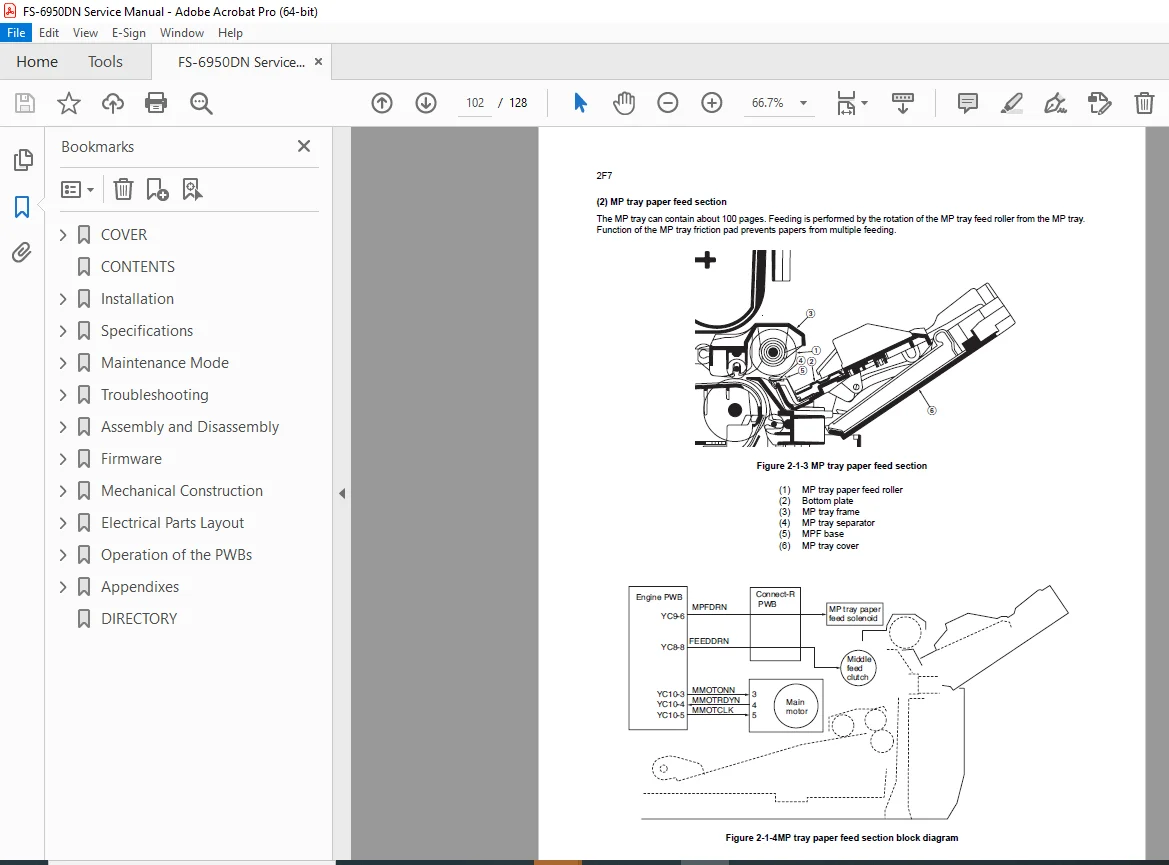
Machine cross-section & paper path diagrams
Operation panel layout & indicators
Print speed, resolution & duty cycle data
🔹 Installation & Setup
Installation environment requirements
Unpacking & installation procedures
Toner container & waste toner box installation
Paper cassette & MP tray setup
Interface connections (USB, Parallel, Network)
Driver & software installation
Status page printing & verification
🔹 Maintenance Mode
Entering service mode
Service menu structure
Developer initialization
Drum refresh & drum control
Maintenance kit counter reset
Service status page interpretation
🔹 Troubleshooting & Diagnostics
Self-diagnostic functions & error codes
Event log printing & analysis
Image quality problems:
Blank prints
Black prints
Streaks, spots & background issues
Electrical & mechanical fault diagnosis
🔹 Paper Jam Detection & Codes
Paper misfeed detection logic
Detailed jam codes & locations
Sensor-based fault identification
Duplex & multi-cassette jam troubleshooting
🔹 Assembly & Disassembly
Safety precautions for servicing
Outer covers removal
Paper feed unit & rollers
Developer unit
Drum unit & main charger
Transfer & separation section
Fuser unit (heater lamps, rollers, thermistors)
Laser scanner unit
Drive units
🔹 Electrical & Control Systems
Power source unit
Engine PWB
Main PWB
Electrical parts layout
Sensor locations & connectors
🔹 Firmware & Data
Firmware download procedures:
Parallel interface
Memory card
USB memory
ROM & version information
EEPROM & NVRAM data
🔹 Appendices
Complete wiring diagrams
Repetitive defect gauge
Reference data
📂 File Details
| Field | Details |
|---|---|
| Manual Name | Kyocera FS-6950DN Service Manual |
| Printer Model | FS-6950DN |
| Printer Type | A3 Monochrome Laser Printer |
| Publication Date | January 2007 |
| Revision | Rev.5 |
| Language | English |
| Format | |
| Pages | 128 pages |
| PDF Quality | Original factory manual (clear text, diagrams & schematics) |
This official Kyocera factory service manual gives you complete control over diagnostics, repairs, and maintenance of the FS-6950DN. With accurate procedures, error codes, and wiring diagrams, you can service the printer correctly and confidently—instant download, ready for immediate use.