Kyocera FS-C5300DN, FS-C5200DN, FS-C5100DN Service Manual PDF
Original price was: $95.00.$15.95Current price is: $15.95.
Get the official Kyocera FS-C5300DN service manual (also covers FS-C5200DN & FS-C5100DN). This comprehensive, high-quality PDF guide includes detailed instructions for maintenance, troubleshooting, parts layout, and complete assembly/disassembly. Perfect for professional technicians and DIY repairs. Immediate download available!
Description
Kyocera FS-C5300DN, FS-C5200DN, FS-C5100DN Service Manual PDF DOWNLOAD
Description:
Keep your high-performance Kyocera printers operating in peak condition with the official Kyocera FS-C5300DN service manual. This original factory manual is an essential resource for IT professionals, repair centers, and tech-savvy owners looking for a complete Kyocera FS-C5200DN repair guide and FS-C5100DN troubleshooting manual.
This comprehensive digital document provides step-by-step instructions, highly detailed diagrams, and factory-certified specifications for repairing and maintaining your tandem drum electrophotographic color printers. Whether you are dealing with a complex error code, executing firmware updates, or performing routine parts replacement, this Kyocera printer maintenance PDF takes the guesswork out of the equation.
Manual Highlights & Table of Contents
This service manual is meticulously organized to help you locate critical repair information instantly. The contents are structured as follows:
Specifications & Overview
Detailed part names, overall dimensions, operation panel usage, and complete machine cross-sections for accurate component identification.
Installation & Setup
Installation environment prerequisites, unpacking procedures, and removing shipping tape.
Detailed steps for installing optional components: expansion memory modules (DIMMs), memory cards, and hard disks.
Maintenance Mode
Instructions for executing maintenance items, entering service mode, and printing service/network status pages.
Printing an event log (EVENT LOG) to track paper jams, self-diagnostic errors, and maintenance intervals.
Troubleshooting Guide
Comprehensive paper misfeed detection (identifying jam locations).
Self-diagnostic function breakdown and full list of diagnostic error codes (e.g., Fuser errors, Motor errors, Memory errors).
Solutions for Image Formation Problems (e.g., entirely white/black images, colored background, specific color printed solid, vertical/horizontal streaks, poor fusing).
Isolation and testing for electrical and mechanical problems.
Assembly and Disassembly
Precautions and step-by-step removal/refitting guides.
Covers & Panels: Outer covers, front/rear/upper covers.
Internal Units: Paper feed section (rollers), developing section, drum section, transfer/separation section (intermediate transfer unit), fuser section, and laser scanner unit.
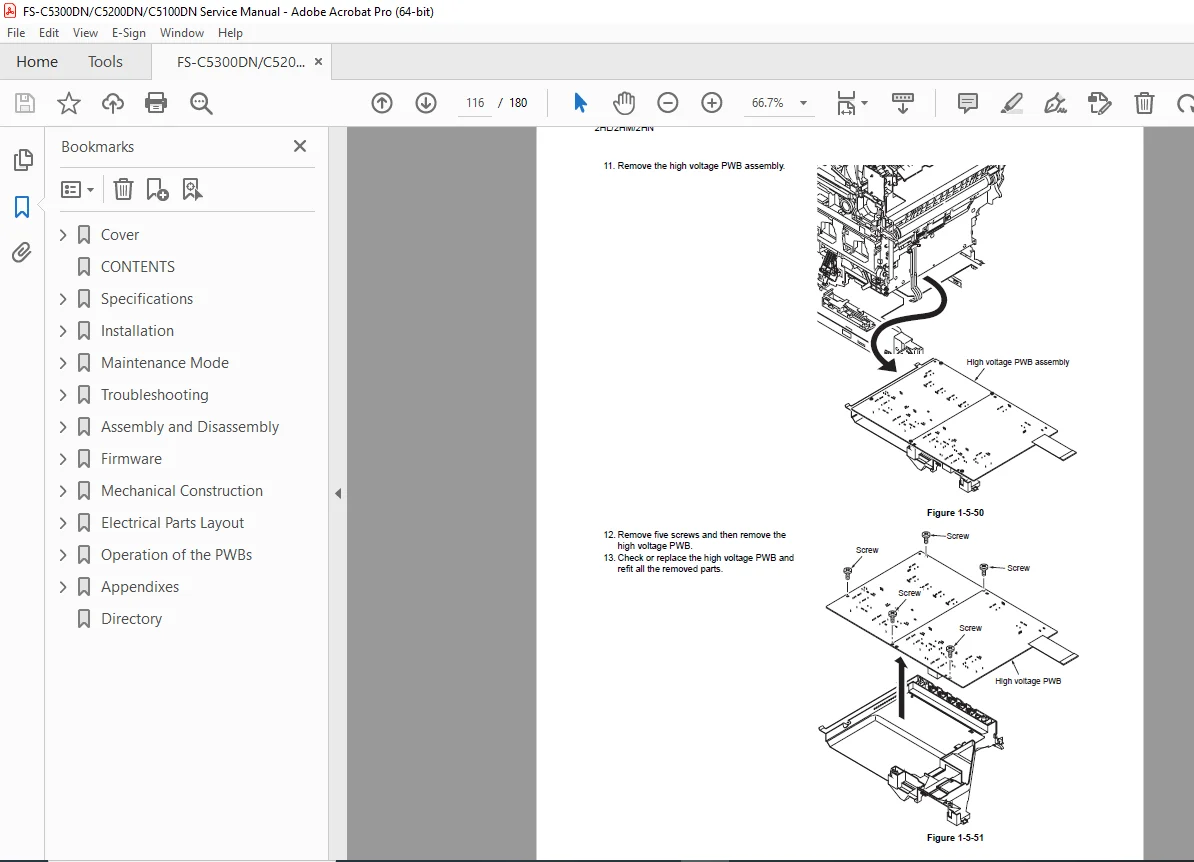
PWBs: Main PWB, Engine PWB, Power source PWB, and High-voltage PWB removal.
Firmware & Software
Detailed instructions for downloading and flashing firmware updates directly from a USB memory stick or memory card.
Mechanical Construction & Electrical Parts Layout
Extensive visual guides showing the exact locations of printed wiring boards (PWBs), switches, sensors, and motors.
Full operational descriptions of the PWBs and their interconnected components.
Quick Reference Appendix Table
| Section | Detail |
| Wiring Diagram | Complete electrical routing and pinout configurations. |
| Repetitive Defects Gauge | Visual tool for identifying recurring print anomalies based on roller circumference. |
| Error Codes | Complete index of alphanumeric self-diagnostic codes. |
File Details:
Manual Name: Kyocera FS-C5300DN / FS-C5200DN / FS-C5100DN Service Manual (Code: 842HN110 / 2HNSM060)
Models Covered: Kyocera FS-C5300DN, FS-C5200DN, FS-C5100DN
Year: 2008 (First Edition)
Manual PDF Quality: High Quality, Crisp Searchable PDF
Number of Pages: 180
Don’t let unexpected printer downtime disrupt your workflow! Purchase this official 842HN110 service manual right now to gain instant access to professional-grade repair strategies. Download it immediately, fix the issue today, and save hundreds on expensive service center fees!