Kyocera KM-3050 KM-4050 KM-5050 Copier Service Manual – PDF
Original price was: $95.00.$18.95Current price is: $18.95.
Original Kyocera KM-3050 / KM-4050 / KM-5050 Service Manual covering installation, adjustments, diagnostics, error codes, image quality, mechanical disassembly, electrical troubleshooting, wiring diagrams, maintenance modes, and parts replacement. The same factory manual used by Kyocera-authorized technicians. Essential professional repair reference. Instant PDF download.
Description
Kyocera KM-3050 KM-4050 KM-5050 Copier Service Manual – PDF DOWNLOAD
Description
This is the official Kyocera factory Service Manual for the KM-3050, KM-4050, and KM-5050 digital copiers.
It is written for trained service engineers, copier repair technicians, and professional maintenance centers.
The manual provides complete service-level coverage, including machine setup, adjustment modes, diagnostics, image quality correction, mechanical overhaul, electrical troubleshooting, and wiring diagrams. It follows Kyocera’s structured service documentation format, guiding technicians from fault identification to final verification.
If you service Kyocera high-volume office copiers, this manual is the authoritative technical reference required for accurate and reliable repairs.
🖨 Models Covered
Kyocera KM-3050
Kyocera KM-4050
Kyocera KM-5050
Machine type: Monochrome Digital Copier / Multifunction Platform
🧩 Main Contents & Sections
⚠️ General Information & Safety
How to use the service manual
Safety warnings & ESD precautions
Installation requirements
Environmental specifications
Machine configuration overview
🛠 Installation & Initial Setup
Copier installation procedures
Power & grounding requirements
Developer & toner setup
Initial adjustments
Service mode access
🔍 Maintenance Mode & Adjustments
Maintenance mode functions
Image stabilization adjustments
Scanner & exposure calibration
Developer bias & density control
Registration & alignment adjustments
🖨 Image Formation System
Drum unit
Developing system
Charging & transfer system
Fusing unit operation
Image quality defect analysis
Background
Density issues
Ghosting
Lines & streaks
⚙️ Mechanical Systems
Paper feed & transport system
Cassette & bypass feed
Drive gears & motors
Clutches, solenoids & sensors
Duplex unit (if equipped)
🔌 Electrical System
Power supply
Control PCBs
Sensor logic
Motor control
Connector pin layouts
🧠 Diagnostics & Error Codes
Self-diagnostic system
Error code tables
Trouble symptom charts
Step-by-step fault isolation
Recovery procedures
🔧 Disassembly & Replacement
Covers & panels
Scanner unit
Drum & developer units
Fuser unit
Motors, sensors & boards
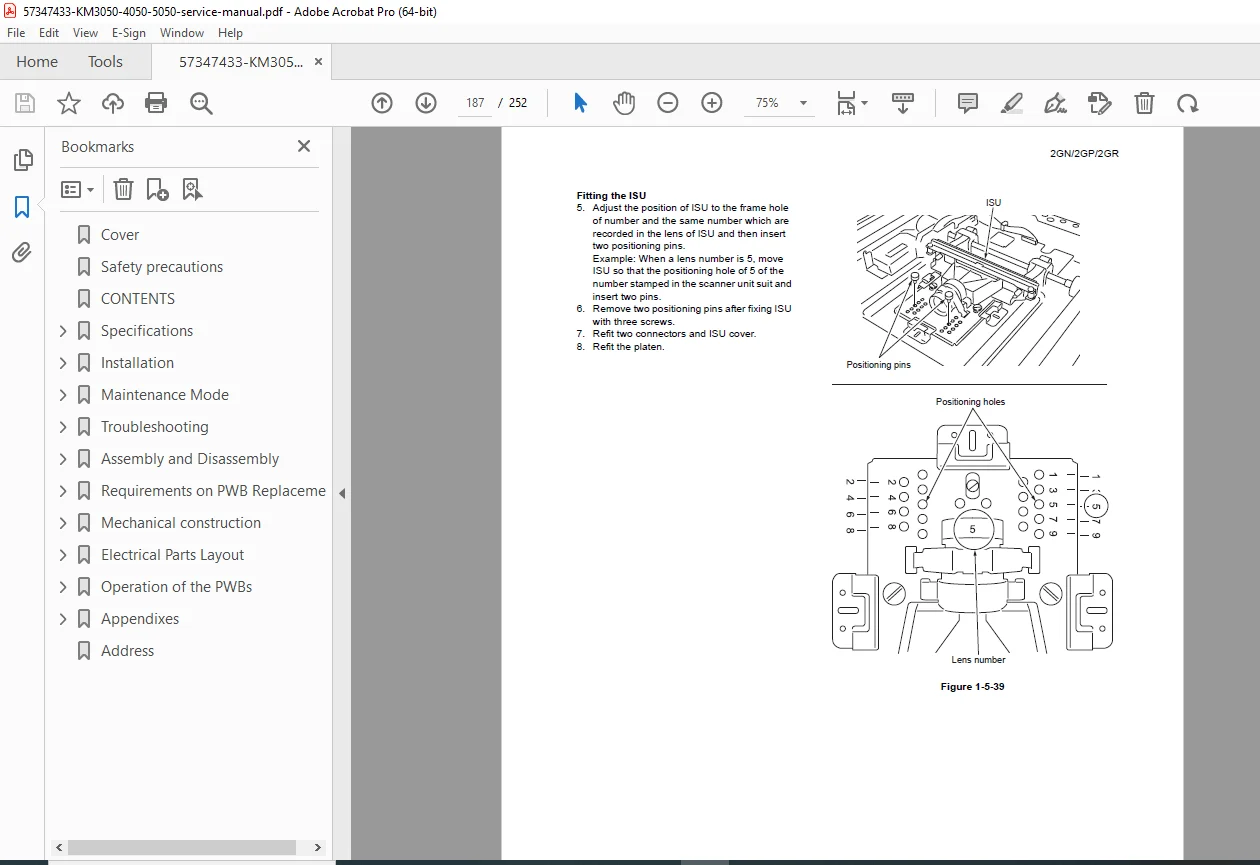
Illustrated removal procedures
📎 Wiring Diagrams & Schematics
Complete wiring diagrams
Signal flow charts
Harness routing
Connector identification
📦 Parts Information
Exploded diagrams
Assembly identification
Service replacement guidance
📄 File Details
| Item | Details |
|---|---|
| Manual Name | Kyocera KM-3050 / KM-4050 / KM-5050 Service Manual |
| Models Covered | KM-3050, KM-4050, KM-5050 |
| Brand | Kyocera |
| Category | Office Copier / MFP |
| Language | English |
| Format | PDF (Digital Download) |
| Pages | ~252 |
| PDF Quality | Original factory manual, clear text & diagrams |
Service Kyocera copiers with factory precision—this official KM-3050 / KM-4050 / KM-5050 Service Manual gives you complete diagnostics, adjustments, and repair procedures in one instant download.