Kyocera Mita KM-6330 Service Manual Repair, Error Codes & Parts List PDF
Original price was: $95.00.$18.95Current price is: $18.95.
Minimize downtime for your high-volume copier with this essential Kyocera Mita KM-6330 Service Manual. This comprehensive PDF guide provides technicians with detailed troubleshooting steps, error code lookup tables, and complete disassembly instructions. It includes critical maintenance data such as simulation codes (Maintenance Modes), wiring diagrams, and image quality adjustment procedures. Instantly download this copier repair guide to service the machine with factory-level precision
Description
Kyocera Mita KM-6330 Service Manual Repair, Error Codes & Parts List PDF DOWNLOAD
DESCRIPTION
Professional Maintenance for Your Commercial Copier
This Kyocera Mita KM-6330 Service Manual is the definitive resource for field service engineers and IT maintenance staff responsible for this robust multifunction copier. Whether you are diagnosing a “C” series service call code, calibrating image density, or replacing the drum unit, this official documentation (published July 2002) provides the step-by-step clarity you need.
The manual is meticulously structured to help you quickly identify faults, perform adjustments using the Maintenance Mode (Simulation), and safely replace components.
Key Service Topics Covered:
Troubleshooting & Error Codes: Complete list of Service Call Codes (e.g., C2000, C6000) and Jam Codes (e.g., J10, J50) with detailed cause-and-solution logic trees.
Maintenance Mode (Simulation): Full explanation of “U-Codes” (e.g., U000, U130) for initializing developers, adjusting scanner magnification, and clearing counter history.
Image Quality Troubleshooting: Solutions for common defects like black lines, blurred images, background fog, and uneven density.
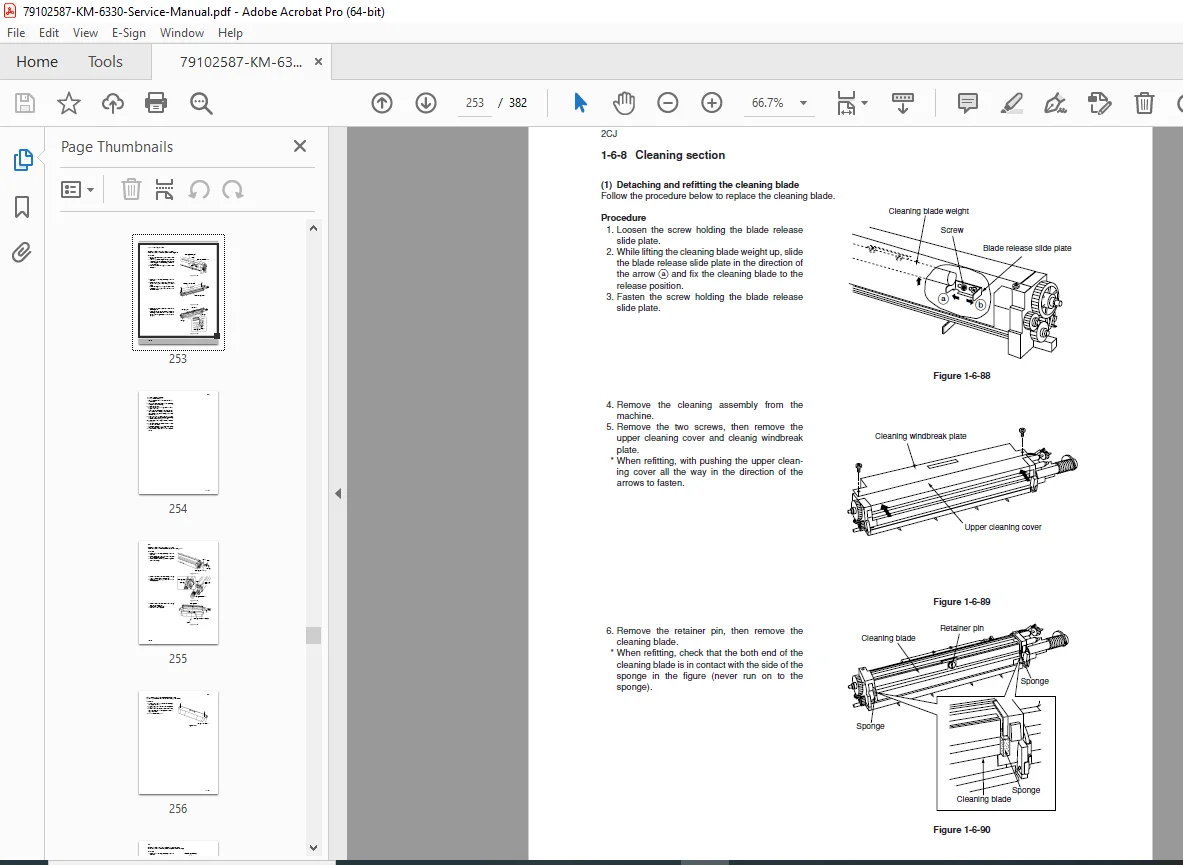
Disassembly & Assembly: Illustrated guides for removing and replacing the Drum Unit, Developing Unit, Fixing (Fuser) Unit, and Transfer Belt.
Mechanical & Electrical Systems: Detailed diagrams of the drive system, optical section, and PCB layout to assist with complex hardware repairs.
Table of Contents Overview:
1-1. Specifications
Installation Requirements
Copier & Optional Equipment Specs
1-4. Maintenance Mode
U000-U024: Initialization & Report Output
U030-U058: Motor & Clutch Operation Checks
U100-U120: High Voltage & Drum Settings
U130-U158: Developer & Toner Adjustments
U160-U199: Fixing (Fuser) Temperature Control
U900-U999: Counter & Accounting Data
1-5. Troubleshooting
Paper Misfeed Detection: Sensor locations and jam logic.
Self-Diagnosis: Full table of Service Call Errors (C-Codes).
Image Formation Problems: Diagnostic steps for print quality issues.
Electrical Problems: Power & PCB failures.
1-6. Assembly and Disassembly
Paper Feed Section: Rollers, Clutches, and Belts.
Optical Section: Scanner Wires, Exposure Lamp, and Lens.
Image Formation: Drum, Charger, and Developer Units.
Fixing Section: Heat Rollers, Thermostats, and Separation Claws.
2-1 to 2-4. Mechanical Construction & Charts
Timing Charts: Detailed operation timing for all systems.
Wiring Diagrams: General circuit schematics for the main unit and accessories.
FILE DETAILS
Manual Name: Kyocera Mita KM-6330 Service Manual
Models Covered: Kyocera Mita KM-6330
Year: 2002 (Ref: 2CJ70760)
File Type: High-Quality Searchable PDF
Total Pages: 382 pages
Don’t let a service code stop your production. Purchase this Kyocera Mita KM-6330 Service Manual now to instantly access the critical maintenance codes and repair procedures you need. Get your copier back to peak performance today!