Lexmark C920 5056-XXX Color Laser Printer Service Manual Repair Guide PDF
Original price was: $125.00.$21.95Current price is: $21.95.
Complete official Lexmark C920 (5056-XXX) service manual for professional technicians. This comprehensive 366-page service manual PDF provides detailed diagnostic procedures, error code troubleshooting (900-999 series), component removal/installation instructions, maintenance procedures, and technical specifications for the Lexmark C920 color laser printer. Covers finisher options, high-capacity feeder, duplex unit, and all accessories. Essential for printer repair, calibration, and servicing.
Description
Lexmark C920 5056-XXX Color Laser Printer Service Manual Repair Guide PDF DOWNLOAD
DESCRIPTION
Lexmark C920 Color Laser Printer Service Manual – Complete Technical Documentation
This is the official factory service manual for the Lexmark C920 series color laser printers (Model 5056-XXX). Created by Lexmark International Inc., this professional-grade service manual is essential for technicians, service centers, and IT professionals who maintain, troubleshoot, and repair Lexmark C920 color laser printers.
📋 FILE DETAILS
- Manual Name: Lexmark C920 Service Manual
- Models Covered: Lexmark C920, 5056-XXX series
- Publication Date: October 17, 2006
- Part Number: P/N 12G9606
- Total Pages: 366 pages
- File Format: PDF
- PDF Quality: High-quality official manual (optimized)
- Language: English
🔧 COMPREHENSIVE COVERAGE INCLUDES:
Chapter 1: General Information
- Technical specifications and performance data
- Resolution, print speed, duty cycle specifications
- Physical dimensions and weight
- Memory configuration (standard 256MB, upgradeable to 768MB)
- Paper and media specifications
- Input/output capacity by media type
- Connectivity options (USB, Parallel, Network)
- Power and electrical specifications
- Environmental requirements
- Maintenance approach and service recommendations
Chapter 2: Diagnostic Information
- 90+ Service Error Codes with detailed troubleshooting procedures:
- 900 Series: RIP software errors
- 910-912: Motor errors (Drive, Paper Exit, High-Capacity Feed)
- 917-919: Fan errors (RIP, Main Unit, Power Supply)
- 920-924: Fuser errors and thermistor failures
- 925-929: HVU and toner sensor errors
- 930-935: Printhead and drum sensor errors
- 940-949: Paper handling and communication errors
- 950-964: System errors (NVRAM, processor, RAM, emulation)
- 970-979: Network card errors
- 980-999: Mechanical and finisher errors
- Symptom tables for common printer issues
- Maintenance Analysis Procedures (MAPS) for complex problems
- Attendance messages and error clearing procedures
- Print quality troubleshooting guides
Chapter 3: Diagnostic Aids
- Power-On Self Test (POST) sequence
- Operator panel navigation and menu overview
- Diagnostics Menu with step-by-step procedures:
- Auto alignment procedures
- Print test patterns
- Hardware diagnostics
- Color calibration tests
- Sensor tests
- Motor tests
- Paper path tests
- Configuration menus and settings
- Maintenance mode with DIP switch specifications
- Finisher diagnostics:
- Cross-section diagrams
- Electrical parts function
- Paper feed mechanisms
- Stapling mechanism
- Elevator sequence
- Finisher installation procedures
Chapter 4: Removals and Replacements
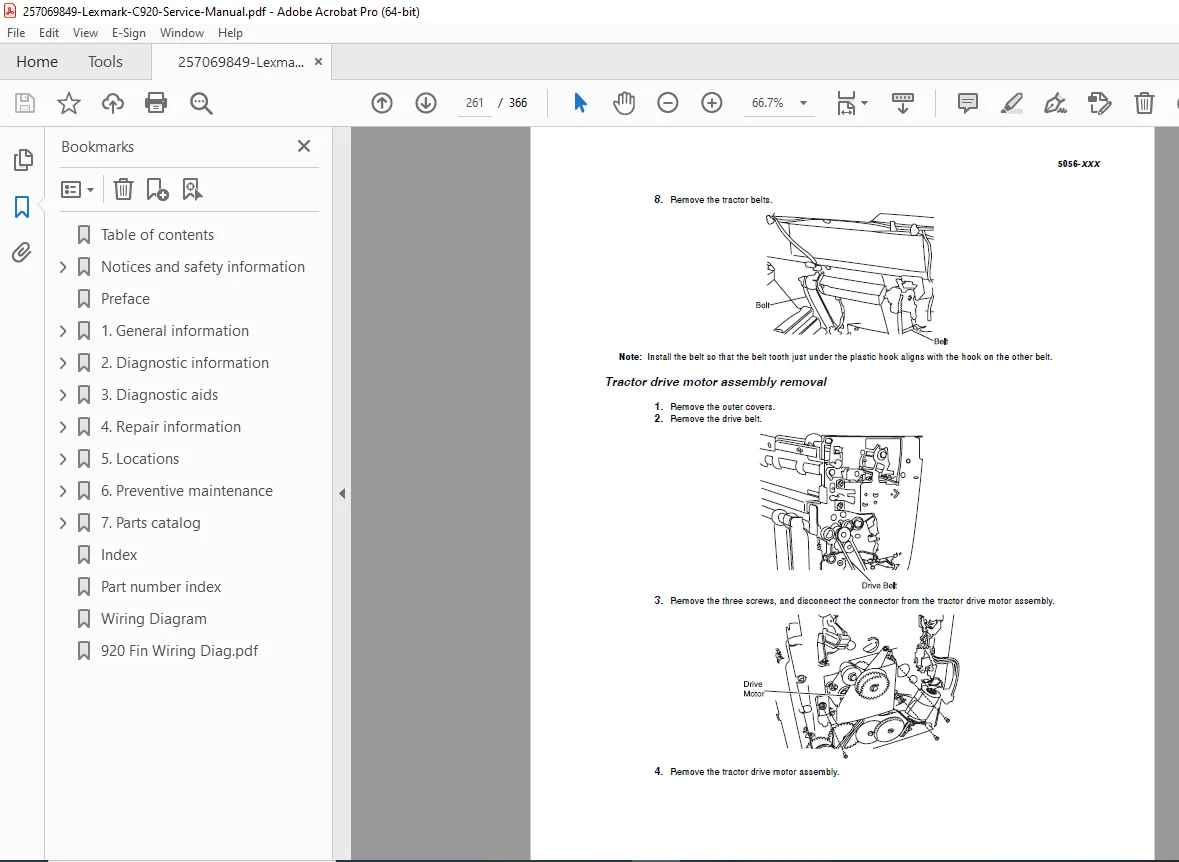
Detailed removal/installation procedures with illustrations for:
Main Printer Components:
- External covers and panels
- Control panel and operator panel
- Power supply board
- Formatter board
- Engine controller board
- Fuser assembly and fuser lamp
- Transfer belt assembly
- Photoconductor units (CMYK)
- Developer assemblies
- Toner cartridges (Black, Cyan, Magenta, Yellow)
- Pickup rollers and feed rollers
- Paper sensors and switches
- Motors and fans
- High voltage unit (HVU)
- Imaging system components
Paper Handling Components:
- Duplex unit components
- Paper cassette assemblies
- Manual feeder components
- Paper path rollers and guides
High-Capacity Feeder (HCF):
- HCF covers
- Call roller, feed roller, reverse roller
- Pickup solenoid
- Paper sensors
- Tray motor
- Power supply
Finisher Unit:
- External covers
- Control board
- Elevator motor
- Feed motor assembly
- Hole punch unit
- Jogging unit
- Path select gate
- Registration roller
- Stapler mechanism
- Power supply
Additional Technical Content:
- Wiring diagrams and connector locations
- Parts catalog with part numbers
- Lubrication points and procedures
- Adjustment procedures
- Safety information and laser notices
- Tools required for service
- Return parts policy
🎯 IDEAL FOR:
✅ Professional printer technicians
✅ IT service departments
✅ Authorized service centers
✅ Corporate IT administrators
✅ Electronics repair shops
✅ Technical schools and training centers
✅ Anyone maintaining Lexmark C920 printers
💡 KEY BENEFITS:
- Save Time: Pinpoint problems quickly with comprehensive error code tables
- Save Money: Perform in-house repairs instead of costly service calls
- Professional Results: Follow factory-approved procedures
- Complete Reference: Everything needed for maintenance and repair
- Troubleshooting Made Easy: Symptom-based diagnostic flowcharts
- Step-by-Step Instructions: Clear procedures with technical illustrations
- Quality Repairs: Official service procedures ensure proper repairs
📊 TECHNICAL SPECIFICATIONS COVERED:
- Print Technology: Color laser (LED printhead)
- Print Speed: Up to 35 ppm (color and mono)
- Resolution: Up to 1200 x 1200 dpi
- Processor: PowerPC 750FX
- Standard Memory: 256 MB (upgradeable to 768 MB)
- Monthly Duty Cycle: Up to 120,000 pages
- Paper Capacity: 250-sheet tray + 100-sheet multipurpose feeder (standard)
- Optional Capacity: Up to 2,350 sheets with optional trays
- Connectivity: USB 2.0, Parallel, 10/100 Base-TX Ethernet
- Network Protocols: TCP/IP, NetWare, AppleTalk, SMB
- Supported OS: Windows, Mac OS, Linux, UNIX
- Data Streams: PCL 5c, PCL 6, PostScript 3, PDF, PPDS
⚙️ COVERED MODELS & OPTIONS:
Base Model: Lexmark C920 (5056-XXX)
Compatible Options:
- High-Capacity Feeder (2000-sheet)
- Duplex Unit (automatic two-sided printing)
- 550-sheet drawer
- Finisher with Stapler (500-sheet output)
- Hard disk drive
- Memory upgrades (128MB, 256MB, 512MB modules)
- Flash memory cards
- Network cards (Ethernet, Wireless)
📥 DOWNLOAD INFORMATION:
- Instant Download: Immediate access after purchase
- Format: PDF (viewable on PC, Mac, tablet, smartphone)
- Printable: Yes – print any or all pages as needed
- Searchable: Full-text search for quick reference
- Bookmarked: Easy navigation to specific sections
🔍 SEARCHABLE ERROR CODES (Partial List):
900, 910, 911, 912, 917, 918, 919, 920, 923, 924, 925, 926, 927, 928, 929, 930, 931, 932, 933, 934, 935, 936, 937, 938, 939, 940, 941, 942, 945, 946, 947, 948, 949, 950, 952, 954, 955, 956, 957, 958, 960, 961, 964, 970, 975, 976, 978, 979, 980, 981, 982, 983, 984, 985, 986, 987, 991, 992, 993, 994, 995, 996, 997, 998, 999
⚠️ IMPORTANT NOTES:
- This is a service manual for trained technicians, not an operator’s guide
- Contains safety warnings and precautions for high-voltage components
- Requires basic understanding of electronics and printer mechanics
- Official Lexmark International Inc. documentation
- Essential for maintaining warranty compliance through proper procedures
🌟 WHY CHOOSE THIS MANUAL?
Unlike generic repair guides, this is the authentic factory service manual used by Lexmark-certified technicians worldwide. It contains proprietary diagnostic procedures, detailed component-level troubleshooting, and official part numbers that you won’t find anywhere else.