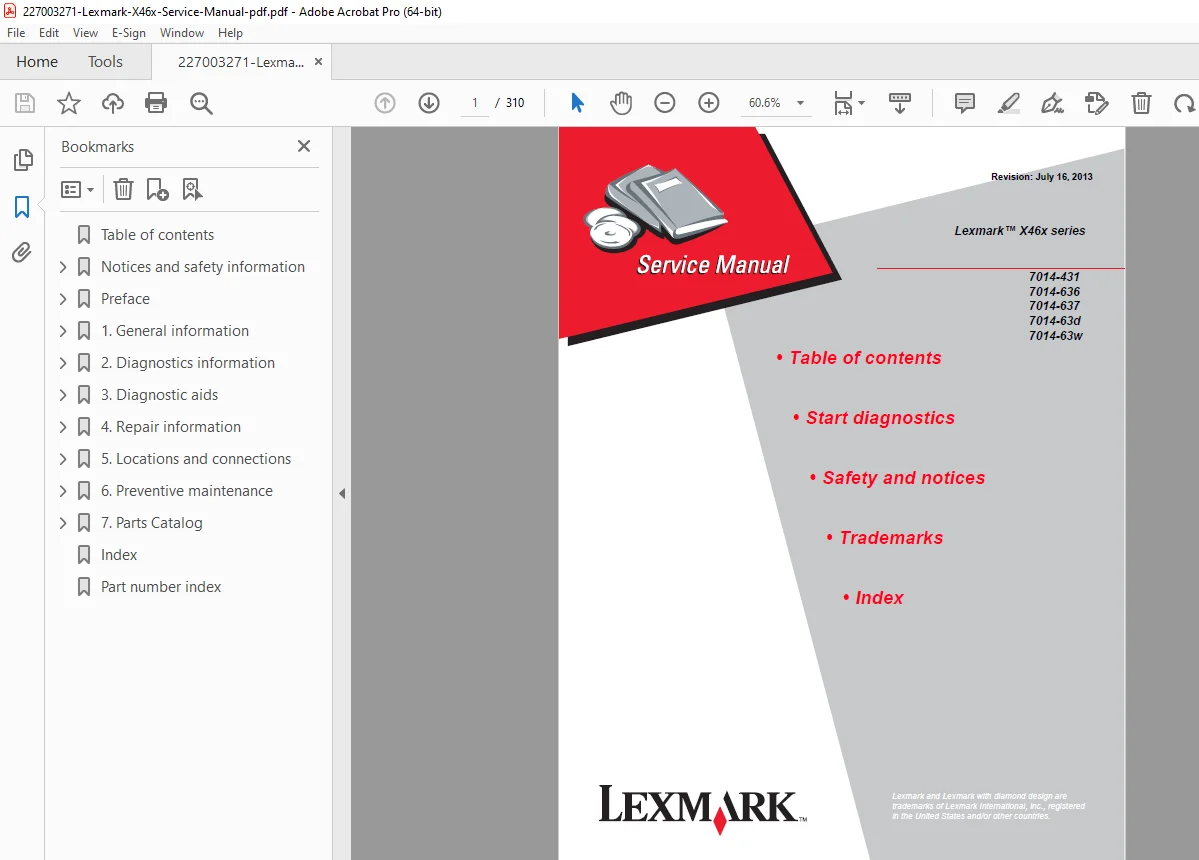
Lexmark X46x Service Manual X463 X464 X466 MFP Printer Repair Guide PDF
Original price was: $95.00.$28.95Current price is: $28.95.
Complete factory service manual for Lexmark X46x series multifunction printers including models X463, X464, and X466 (Type 7014-431, 636, 637, 63d, 63w). This comprehensive 310-page technical manual covers diagnostics, troubleshooting, component replacement, maintenance procedures, and service checks for monochrome laser MFPs with print, copy, scan, and fax capabilities. Essential for certified technicians servicing Lexmark all-in-one office equipment.
Description
Lexmark X46x Service Manual X463 X464 X466 MFP Printer Repair Guide – PDF DOWNLOAD
DESCRIPTION
Lexmark X46x Series Service Manual – Complete MFP Technical Documentation
This official Lexmark X46x service manual provides comprehensive repair and maintenance procedures for the complete X46x series multifunction printer lineup. Published by Lexmark International, Inc. (Part Number 12G9813, Revision July 16, 2013), this manual is the authoritative technical reference for certified technicians servicing X463 X464 X466 repair guide equipped multifunction devices.
Models Covered – Lexmark X46x Series
This service manual covers all Lexmark X46x multifunction printers:
Model Numbers:
- Lexmark X463 (7014-431)
- Lexmark X464 (7014-636, 7014-637, 7014-63d)
- Lexmark X466 (7014-63w)
Product Code Name: Longbow H
MFP System Overview
The Lexmark multifunction printer maintenance manual covers sophisticated all-in-one devices designed for single users or small workgroups with the following capabilities:
Core Functions:
- Monochrome laser printing – High-quality black and white output
- Copying – Standalone copy functionality
- Scanning – Flatbed and ADF scanning
- Faxing – Integrated fax modem (select models)
Print Performance:
- Print speed up to 40 ppm (Letter)
- 38 ppm (A4)
- 25 ppm (Legal)
- Automatic duplex printing
- Multiple input tray options
Complete Service Manual Contents
NOTICES AND SAFETY INFORMATION
Critical Safety Information:
- Laser notice – Class 1 laser product safety
- Lithium warning – Battery handling precautions
- Comprehensive safety information
- Electrical safety protocols
- ESD (Electrostatic Discharge) precautions
PREFACE
Manual Information:
- Change history and revision tracking
- Conventions used in manual
- Symbol definitions and meanings
- Service approach methodology
CHAPTER 1 – GENERAL INFORMATION
Maintenance Approach:
- Service philosophy and strategy
- Diagnostic methodology
- Component replacement guidelines
Print Engine Specifications:
- Memory configurations:
- X463 base models
- X464: 12MB fax storage (0.5MB fax logs + 11.5MB fax storage) – 900 fax jobs
- X466: 80GB hard disk – 4096 fax jobs
- Print quality settings and resolutions
- Environment specifications:
- Specified operating environment
- Temperature and humidity ranges
- Physical dimensions and weight
- Connectivity and compatibility:
- USB connectivity
- Network options
- Parallel port (LPT)
- Serial ports (COM)
Media Handling:
- Media trays and supply capacity
- Types of print media supported
- Media guidelines:
- Paper characteristics
- Unacceptable paper types
- Selecting paper
- Preprinted forms and letterhead
- Storing paper
- Using recycled paper and other office papers
Digital Imaging Specifications:
- General specifications
- ADF scan speed and capabilities
- ADF document handling specifications
- Resolution and color depth:
- Optical resolution
- Enhanced resolution (via Lexmark Scan Center)
- 1200 x 1200 dpi, 2400 x 2400 dpi, 4800 x 4800 dpi, 9600 x 9600 dpi
- Flatbed document specifications
- Flatbed speed performance
- Scanner operating environments
- Scan Preview functionality
- Storage environments (packed and unpacked)
- Tilt specifications
Scan and Copy Specifications:
- Scan resolutions available
- Output resolutions
- Duplex scan capabilities (all X46x models)
- Scan file output formats
- Supported compressions
- Supported scan destinations
- Multiple copies capability
- Reduce/Enlarge functions
Fax Specifications:
- Phone network connectivity
- Fax resolutions available
- Miscellaneous FAX specifications
- Fax storage and logging
Service Tools and Acronyms:
- Required tools list
- Technical acronyms and abbreviations
- AIO (All-In-One)
- MFP (Multifunction Printer)
- MFD (Multifunction Device)
- LES (Lexmark Embedded Solution)
CHAPTER 2 – DIAGNOSTICS INFORMATION
Start Diagnostics:
- Symptom tables for quick diagnosis
- Service errors (8xx.xx / 9xx.xx codes)
- User status and attendance messages
Comprehensive Symptom Tables:
- POST symptom table
- Printer symptom table
- Scan/fax/copy symptom table
Operator Panel and Menus:
- Overview of operator panel
- Understanding the home screen
- Using touch-screen buttons
- Touch-screen interface navigation
- Diagram of printer menus
Messages and Error Codes:
- User attendance messages (detailed explanations)
- Cartridge error messages
- Paper jam error codes (200-series)
- Complete jam location identification
- Jam clearing procedures
- Service error codes (comprehensive database)
- Fax error codes and troubleshooting
Service Checks (Complete Diagnostic Procedures):
- Controller board service check
- Engine board service check
- Cooling fan service check
- Cover interlock switch service check
- Dead machine service check
- Fuser service check
- LVPS/HVPS service check (Low/High Voltage Power Supply)
- Main motor service check
- Media feed clutch service check
- Networking service check
- Operator panel service check
Paper Feed Service Checks:
- Paper jam error indication during POST
- Media picks but stops halfway
- Media never picks
- Media occasionally mispicks or picks multiple sheets
- Media skews
- Media “trees,” wrinkles, stacks poorly, or curls
Additional Service Checks:
- Option card service check
- USB port service check
Print Quality Service Checks:
- Blank page troubleshooting
- Black page diagnosis
- Heavy background issues
- Partial blank image/white spots
- Variation in image density
- Poor fusing of image
- Light print problems
- White or black lines or bands
- Toner on back of page
- Solving print quality problems (comprehensive guide)
Imaging Components:
- Printhead service check
- Transfer roll service check
- Tray 2 service check
- 840.xx service check
Scanner Service Checks:
- Black or blank page copy service check
- CCD service check
- Flatbed motor service check
- Flatbed home position service check
ADF (Automatic Document Feeder) Service Checks:
- ADF cover open service check
- ADF streak service check
- ADF paper jam service check
- ADF feed errors service check
- ADF Duplex service check
Fax Service Checks:
- Modem/fax card service check
- Fax transmission service check
- Fax reception service check
- Escalating fax issues to second-level support
CHAPTER 3 – DIAGNOSTIC AIDS
Accessing Service Menus:
- Configuration menu (CONFIG MENU) access
- Available configuration menus
Configuration Menu Options:
- Maintenance Count Value (Maint Cnt Value)
- Reset Maintenance Counter
- Reset Photoconductor Maintenance Counter (Reset PC Cnt)
- USB Scan to Local
- Print Quality Pages
- Menu Settings Page
- Event Log viewing
- Panel Menus
- PPDS Emulation
- Download Emuls
- Factory Defaults reset
- Energy Conserve settings
- Min Copy Memory
- Num Pad Job Assist
- Format Fax Storage
- Fax Storage Location
- ADF Edge Erase
- FB Edge Erase (Flatbed)
- Scanner Manual Registration
- Disable Scanner
- Paper Prompts / Envelope Prompts
- Action For Prompts
- Jobs on Disk
- Disk Encryption
- Wipe Disk (secure data deletion)
- Font Sharpening
- Require Standby
- LES Applications (Lexmark Embedded Solutions)
- Key Repeat settings
- Wiper Message
- Clear Custom Status
- USB Speed / USB PnP
- Exit Configuration Menu
Diagnostics Menu:
- Entering Diagnostics menu
- Registration (printer) adjustments
- Quick Test page
- Print Tests:
- Input sources testing
- Print Quality Pages
- Hardware Tests:
- Panel Test
- Button Test
- DRAM Test
- Serial 1 Wrap test
- USB HS Test Mode
Component-Specific Tests:
- Duplex Tests:
- Quick Test (duplex)
- Top Margin (duplex)
- Sensor Test (duplex)
- Motor Test (duplex)
- Duplex Feed 1 & 2
- Input Tray Tests:
- Feed Tests
- Sensor Test
- Output Bin Tests:
- Feed Tests
- Sensor Test
- Base Sensor Test
- DEVICE TESTS:
- Quick Disk Test
- Disk Test/Clean
Printer Setup:
- Defaults configuration
- Printed Page Count
- Permanent Page Count
- Serial Number programming
- Engine Settings 1 through 4
- Model Name configuration
- Configuration ID
- Edge to Edge printing
- Enable Edge to Edge Copy
EP SETUP (Electrophotographic):
- EP Defaults
- Fuser Temperature (Fuser Temp)
- Fuser Page Count
- Warm Up Time
- Transfer settings
- Print Contrast
- Charge Roll adjustments
- Gap Adjust
- Auto Dark Adjust
Reports and Logging:
- Menu Settings Page printing
- EVENT LOG:
- Display Log
- Print Log
- Clear Log
Scanner Tests:
- ASIC Test and diagnostics
- CCD calibration procedures
- Scanner motor testing
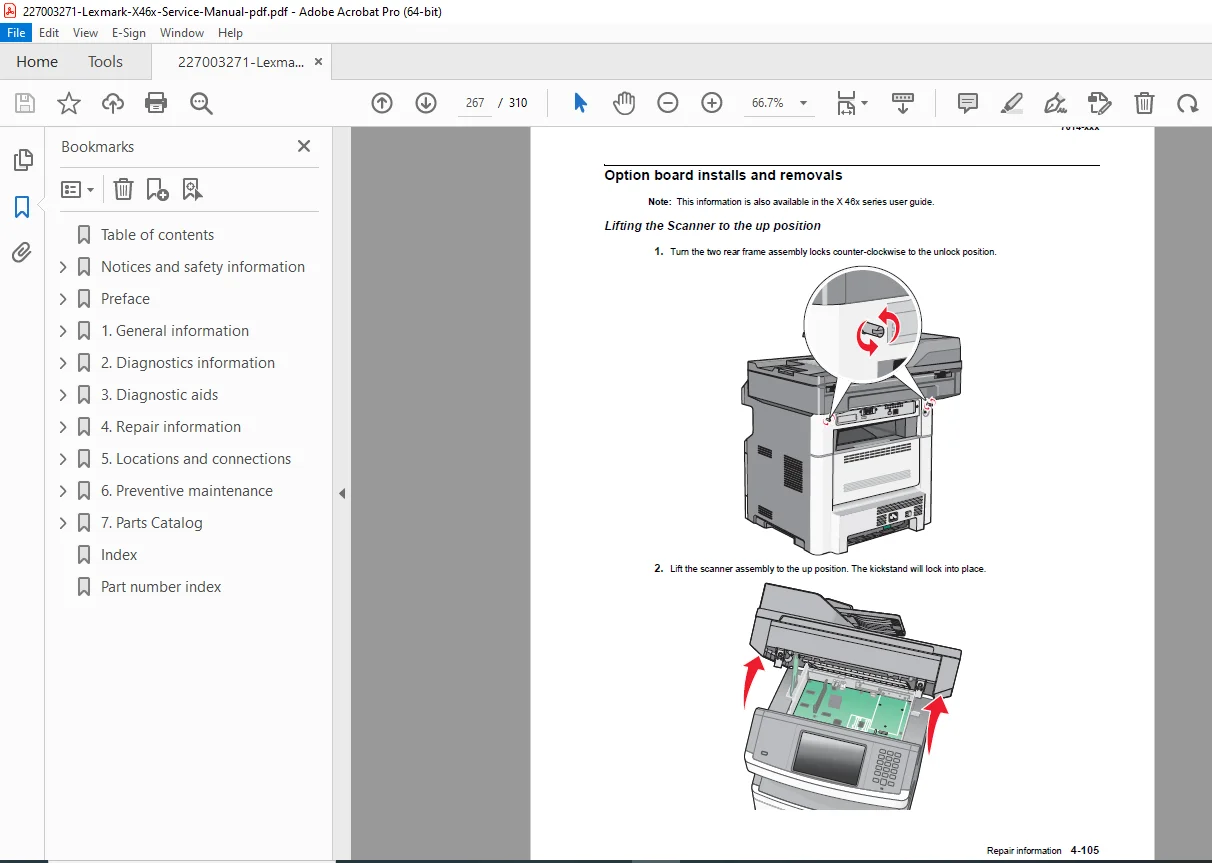
CHAPTER 4 – (Assumed: Removal and Replacement Procedures) Detailed component replacement with illustrations
CHAPTER 5 – ELECTRONIC COMPONENTS
Main Electronic Assemblies:
- Lexmark X46x series controller board
- Board layout and component locations
- Connector pin assignments
- Lexmark X46x series engine board
- Circuit descriptions
- Troubleshooting procedures
- Controller and engine board connector pin values
- Complete pin-out diagrams
- Voltage specifications
- Signal descriptions
Technical Specifications Summary
Print Specifications:
- Resolution: Up to 1200 x 1200 dpi
- Speed: Up to 40 ppm (Letter/A4)
- First page out: Fast warm-up
- Monthly duty cycle: High-volume capable
Scan Specifications:
- Optical resolution: High-quality CCD
- Enhanced resolution: Up to 9600 x 9600 dpi
- ADF and flatbed scanning
- Duplex scanning capability
Copy Specifications:
- Standalone copy operation
- Multiple copies
- Reduce/Enlarge functions
- Duplex copying (all models)
Fax Specifications:
- Multiple resolution options
- Fax storage and forwarding
- Broadcast faxing
- Fax logs and activity reports
Safety and Compliance
Laser Safety:
- Class 1 laser product
- Compliant with international laser safety standards
- Proper safety interlocks
Environmental Compliance:
- Energy conservation features
- Recycled paper support
- Environmentally conscious design
Why This Manual is Essential
This Lexmark all-in-one service documentation provides:
✓ Factory-authorized procedures – Official Lexmark documentation
✓ Complete model coverage – All X46x series variants
✓ Comprehensive diagnostics – Detailed symptom tables and error codes
✓ Print quality troubleshooting – Systematic problem-solving guides
✓ Service checks – Component-level testing procedures
✓ Configuration menus – Complete service menu access
✓ Pin assignments – Electronic board connector details
✓ Fax troubleshooting – Complete modem/fax diagnostics
Perfect For
- Certified Lexmark technicians performing warranty repairs
- Independent printer service organizations maintaining MFPs
- IT departments with in-house printer support
- Managed print service providers servicing printer fleets
- Office equipment dealers providing technical support
- Technical training institutions teaching printer repair
- Corporate service centers maintaining multifunction devices
- Parts procurement specialists identifying replacement components
Applications
Lexmark X46x MFPs are deployed in:
- Small business offices
- Corporate workgroups
- Professional services firms
- Educational institutions
- Healthcare facilities
- Government offices
- Home offices (SOHO)
- Retail locations
Manufacturer Information
Publisher:
- Lexmark International, Inc.
- Department D22X/002-1
- 740 West New Circle Road
- Lexington, Kentucky 40550, U.S.A.
Trademarks:
- Lexmark® and Lexmark with diamond design are registered trademarks
- MarkVision® is a registered trademark
- PCL® is a registered trademark of Hewlett-Packard Company
FILE DETAILS
| Specification | Details |
|---|---|
| Manual Name | Lexmark X46x Series Service Manual |
| Models Covered | X463, X464, X466 (Type 7014-431, 636, 637, 63d, 63w) |
| Product Code | Longbow H |
| Part Number | 12G9813 |
| Revision Date | July 16, 2013 |
| Total Pages | 310 pages |
| File Format | |
| PDF Quality | High Quality – Original Factory Manual |
| File Size | 8.5 MB |
| Language | English |
| Equipment Type | Monochrome Laser Multifunction Printer (MFP) |
| Copyright | © 2009 Lexmark International, Inc. |