
Panasonic FP-7760 / FP-7781 Copier Service Manual – Disassembly, Adjustment & Troubleshooting PDF
Original price was: $32.95.$19.95Current price is: $19.95.
Complete Panasonic FP-7760 and FP-7781 copier service documentation: disassembly/reassembly, optical and PC unit adjustment, fusing, duplex, paper transport, Tech. Rep. mode, PWB switch settings and full troubleshooting codes.
Description
Panasonic FP-7760 / FP-7781 Copier Service Manual
This is the complete service documentation set for the Panasonic FP-7760 and FP-7781 office copiers, published by Matsushita Electric Industrial Co., Ltd. in 1997. The file bundles the DIS/REASSEMBLY & ADJUSTMENT manual, the SWITCHES ON PWBs & TECH. REP. SETTINGS guide, and the TROUBLESHOOTING guide into one PDF — the three books a technician actually needs to strip, align, program and fault-find these machines.
File Details
- Manual type: Service manual (dis/reassembly, adjustment, PWB/switch settings, Tech. Rep. mode, troubleshooting)
- Brand: Panasonic / Matsushita Electric Industrial Co., Ltd.
- Models covered: FP-7760, FP-7781
- Publication year: 1997
- Language: English
- File format: PDF
- Page count: 318 pages
- Document numbers shown: 1161SID000AA, 1151SBD0000A, 11615BD0101A, 1161SBD0201A, 1161SBD0301A, 1161SBS0201A, 1161SIS000AA, 1161SIT000AA and others (per section)
Chapters Covered
- Service Instructions
- Precautions for Disassembly/Adjustments
- Instructions for Handling the PWBs with MOS ICs
- Handling of the PC Drum
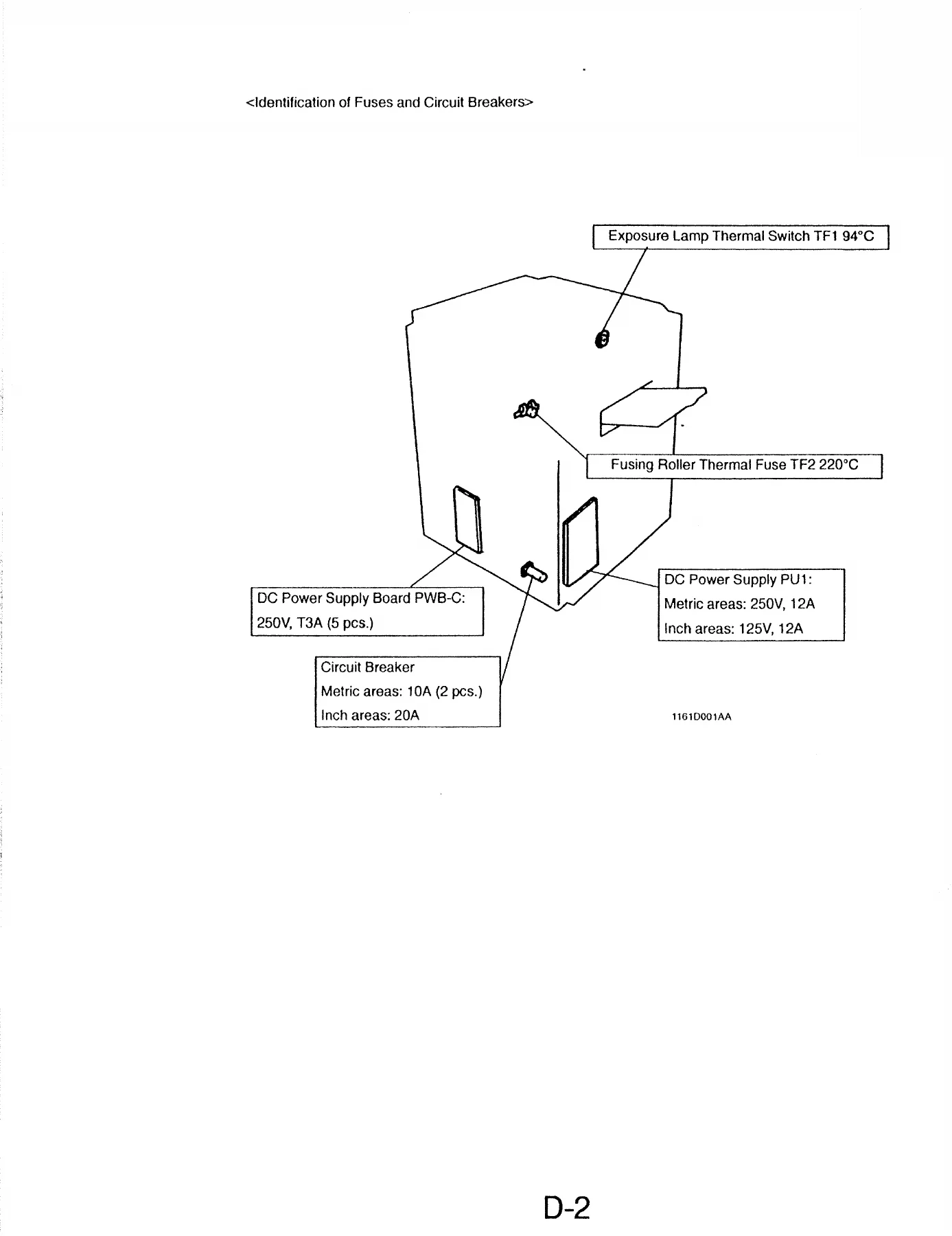
- Parts Which Must Not Be Touched
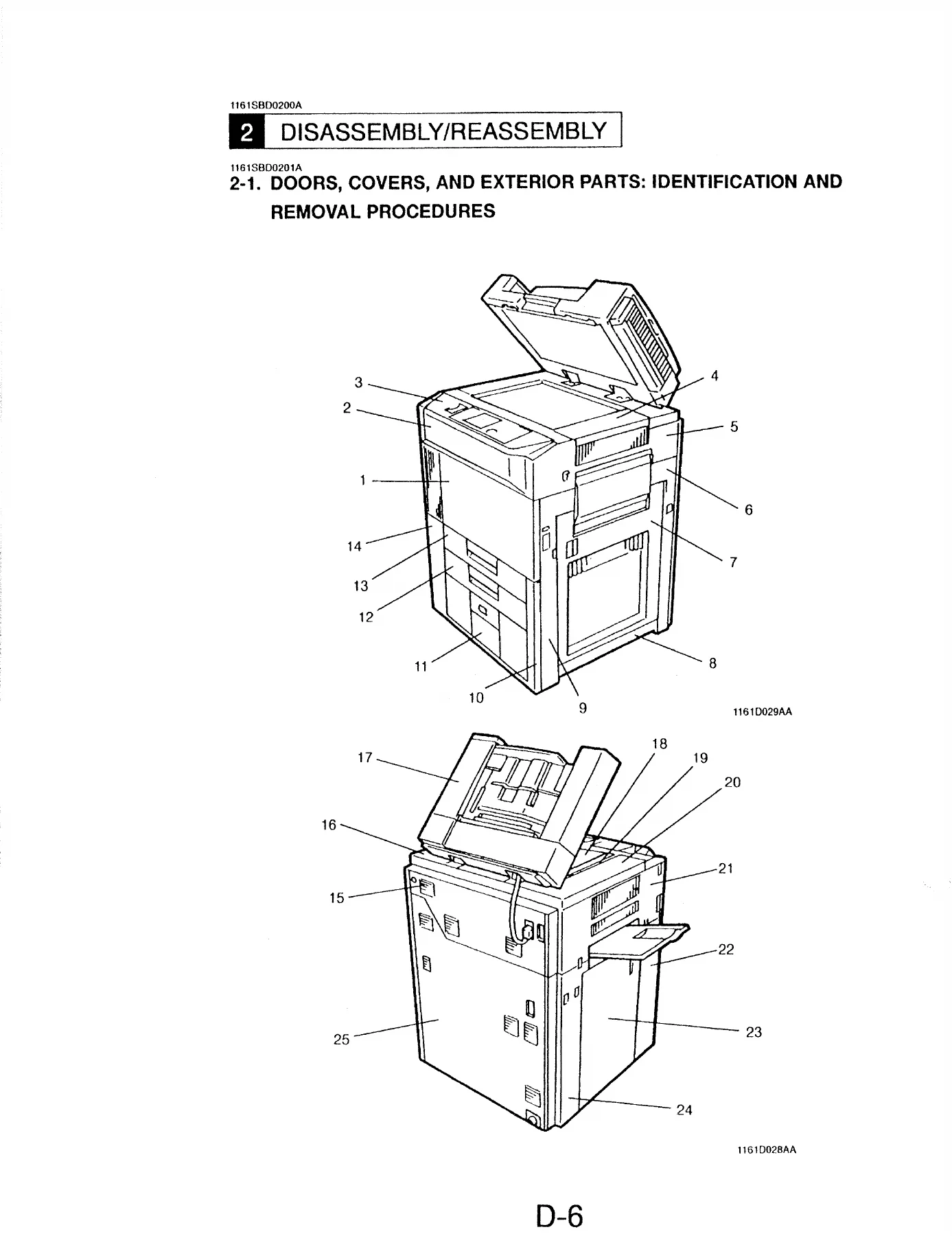
- Disassembly/Reassembly – Doors, Covers, and Exterior Parts
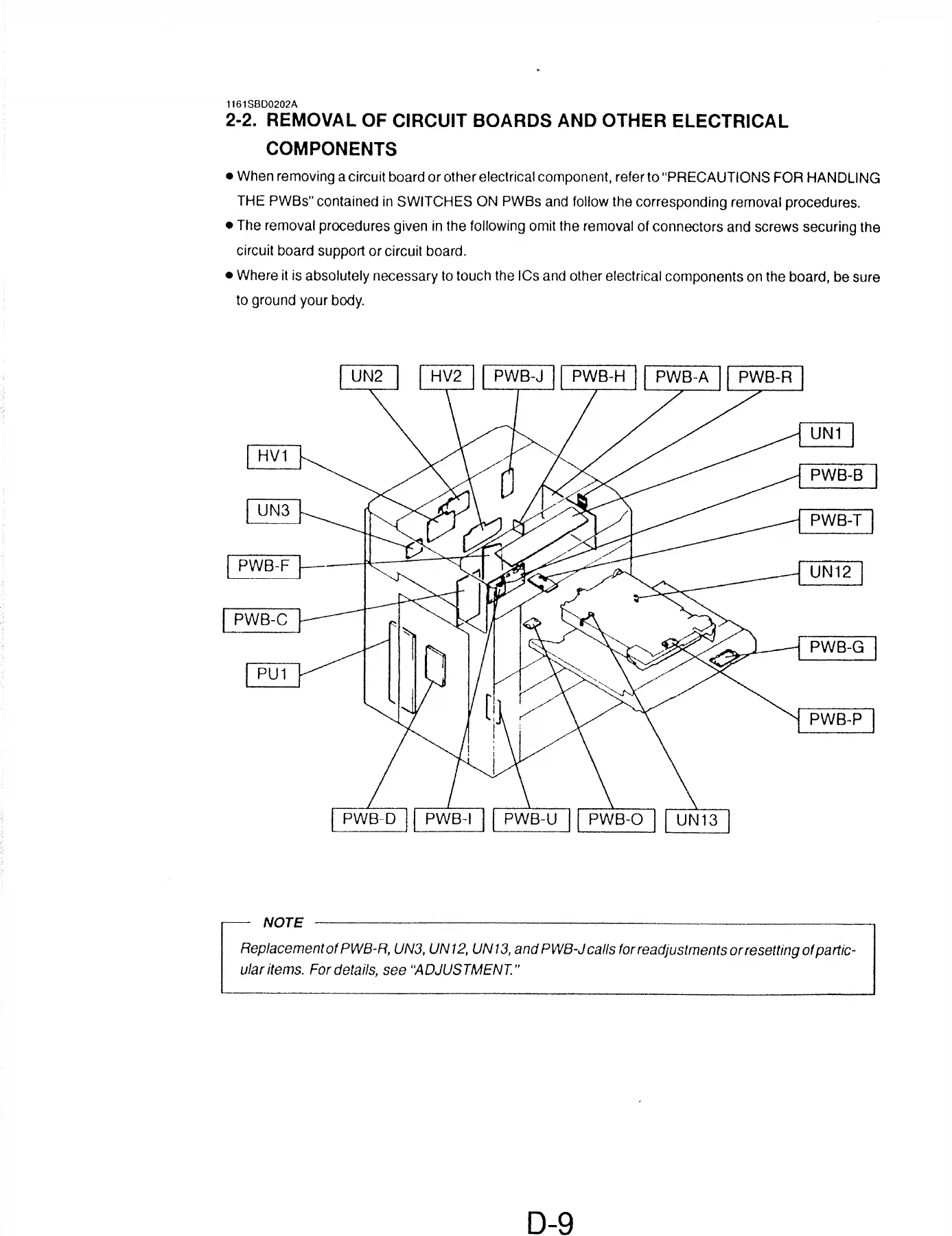
- Removal of Circuit Boards and Other Electrical Components
- Paper Take-Up / Transport Sections
- Optical Section
- PC Unit
- PC Drum Charge Corona and Image Transfer/Paper Separator Coronas
- Developing Unit
- Fusing Unit
- Duplex Unit
- Adjustment – Jigs and Tools, Adjustment Requirements List, Switches, Sensors, Belt Tension
- Solenoid Position Adjustment
- Accessing the Tech. Rep. Mode and Adjust Mode
- Electrical/Image Adjustments (F5, F7, F8, FD, Adjust 1/2 and 2/2)
- Miscellaneous – Original Size Detecting Sensors (Option), Plug-In Counter Mounting Bracket (Option)
- Switches on PWBs, Tech. Rep. Settings
- Control Panel Keys and Touch Panel
- Functions of Switches and Points on PWB-I
- User’s Choice Mode
- Tech. Rep. Mode
- Factory Setting
- Troubleshooting
- I/O Port Check
- Paper Transport Failure
- Malfunction Codes and Detection Timing
- Image Failure Troubleshooting
- Section Not Closed Properly
Put together, this manual gives a technician the full maintenance workflow for the FP-7760 and FP-7781 — from pulling the PC Unit and the fusing unit, through the complete Tech. Rep. mode setting tree (F1 Paper Passage, F3 Exp. Lamp, F5 Optimum & AE, F7 Orig. Sensor, F8 ATDC Adjust, FD Paper Width, FE Blade Priming), down to individual malfunction codes (C0000 fusing motor, C0010 PC drum drive motor, C0400 exposure lamp, C0500 warm-up failure, C0600 scanner motor, C0910/C0920 drawer lift-up, C0d00 duplex edge guide, and so on). The disassembly section is written unit by unit — paper take-up, synchronising rollers, suction belts, scanner, lens drive cable, developing unit, drum charge corona, image transfer coronas, fusing unit, duplex unit — each with step-by-step removal order, screw counts, C-clip and bushing locations, and reinstallation notes for the FP-7760 and FP-7781 where the two machines differ.
Adjustment and Diagnostic Coverage
The adjustment chapter is where this PDF earns its keep. It opens with the required jigs (Front Lower Door Interlock Switch Actuating Jig 1075-7906-01, Predrive Inhibit Switch Actuating Jig 1067-7901-01, Scanner Drive Cable Holding Jig 1075-7901-02, Scanner/Mirrors Carriage Positioning Jigs 1075-7904-01 and 1075-7905-01, PC Drum Bearing Jig, PC Drum Paper Separator Fingers Jig) and an adjustment requirements list with target values — crosswise zoom 200 ± 1.0 mm, feeding direction 300 ± 1.5 mm, leading edge registration 20 ± 2.0 mm full size, 10 ± 2.0 mm reduction, 40 ± 4.0 mm enlargement, and the corresponding erase widths.
From there it walks through switch and sensor adjustment, timing belt tension on every belt in the machine (vertical transport, paper take-up, developing, duplex unit, front/rear edge guide, paper exit, scanner motor M11, 3rd drawer, turnover unit), solenoid position adjustment for SL1, SL2, SL3, SL5, SL6 and SL8 with exact gaps, and then the full electrical/image adjustment suite — Original Size Detection F7, ATDC F8, Aperture Plates, Auto Exposure F5, Manual Exposure optimum, FD paper width for manual bypass and 2nd drawer, A1 lens full size position, A3 feed direction magnification ratio, the reference position of the multi-bypass table, 1st/2nd/3rd drawers and duplex unit, and leading edge registration in full size, reduction, enlargement and Book B-Scan modes.
The troubleshooting half completes the file: an I/O port check list that maps every motor, clutch, solenoid, lamp, sensor and counter to its PWB, IC and port number, plus the paper transport failure flow, the malfunction detection timing tables, and the section-not-closed troubleshooting for the door interlocks. Image failure troubleshooting covers the classic density, banding, transfer, separation, fusing and registration faults by symptom.
Tech. Rep. Mode and PWB Settings
The SWITCHES ON PWBs section documents the control panel keys and touch panel layout, PWB-I (Tech. Rep. Settings Switches Board) with the Trouble Reset Switch S1, Initialize Switch PJ2, GND Test Point TP1 and Memory Clear Test Point TP2, the User’s Choice function tree (1/6 through 6/6), and the full Tech. Rep. mode function tree — Function, Tech. Rep. Choice 1/2/3, System Input, Counter, I/O Check, Last Trouble, ROM Version, Accessory Test, Level History, Machine Status and Admin. Mode. The Factory Setting menu (Adjust and Function) is documented separately for the RAM Board replacement / memory clear case.
Who This Manual Is For
Anyone maintaining an FP-7760 or FP-7781 in a workshop or office environment: field service technicians, in-house copy room engineers, and anyone comfortable pulling covers and following a disassembly order. It assumes a working knowledge of copier mechanics, so it is not a beginner’s repair guide — it is the real Panasonic service documentation set, with torque values, screw sizes, spring and bushing positions, and reinstallation warnings where getting it wrong costs you a PWB or a drum.
Get the Panasonic FP-7760 / FP-7781 Service Manual Today
With this manual on hand you can disassemble, clean, adjust and reassemble every major assembly in the FP-7760 and FP-7781 — paper feed, transport, optical, PC unit, developer, transfer, fuser, duplex and exit. You can run the Tech. Rep. mode procedures correctly the first time instead of guessing at F5, F7 and F8 values, and you can read a malfunction code straight to the part that caused it rather than swapping boards until something works. Correct procedures and the correct target numbers matter on these machines: an ATDC level set outside the target range cancels an F5 run, a bent PC Drum Paper Separator Finger causes a misfeed, and a mispositioned SL8 leaves the manual feed paper stopper unlocked. Following the manual keeps you inside those tolerances.
IMAGES PREVIEW
The file is delivered as an instant PDF download — no shipping, no waiting, no physical book to keep on the bench. Open it on a laptop, tablet or phone, print the section you need for the job in front of you, or keep the whole 318-page set on a USB stick in the workshop. Once it is on your device, it is yours to use for every job on these two models.
Reviews
There are no reviews yet.