Pantum BP5100 Series Maintenance Manual PDF DOWNLOAD
Original price was: $95.00.$13.95Current price is: $13.95.
Official Pantum BP5100 Series Single-Function Laser Printer Maintenance Manual PDF (V1.0, 2021). Complete pantum bp5100 service manual pdf with safety guidelines, disassembly/reassembly procedures, troubleshooting, error codes, and maintenance instructions for BP51** models. Essential technician resource. 111 pages, high-quality, instant download.
Description
Pantum BP5100 Series Maintenance Manual PDF DOWNLOAD
Description
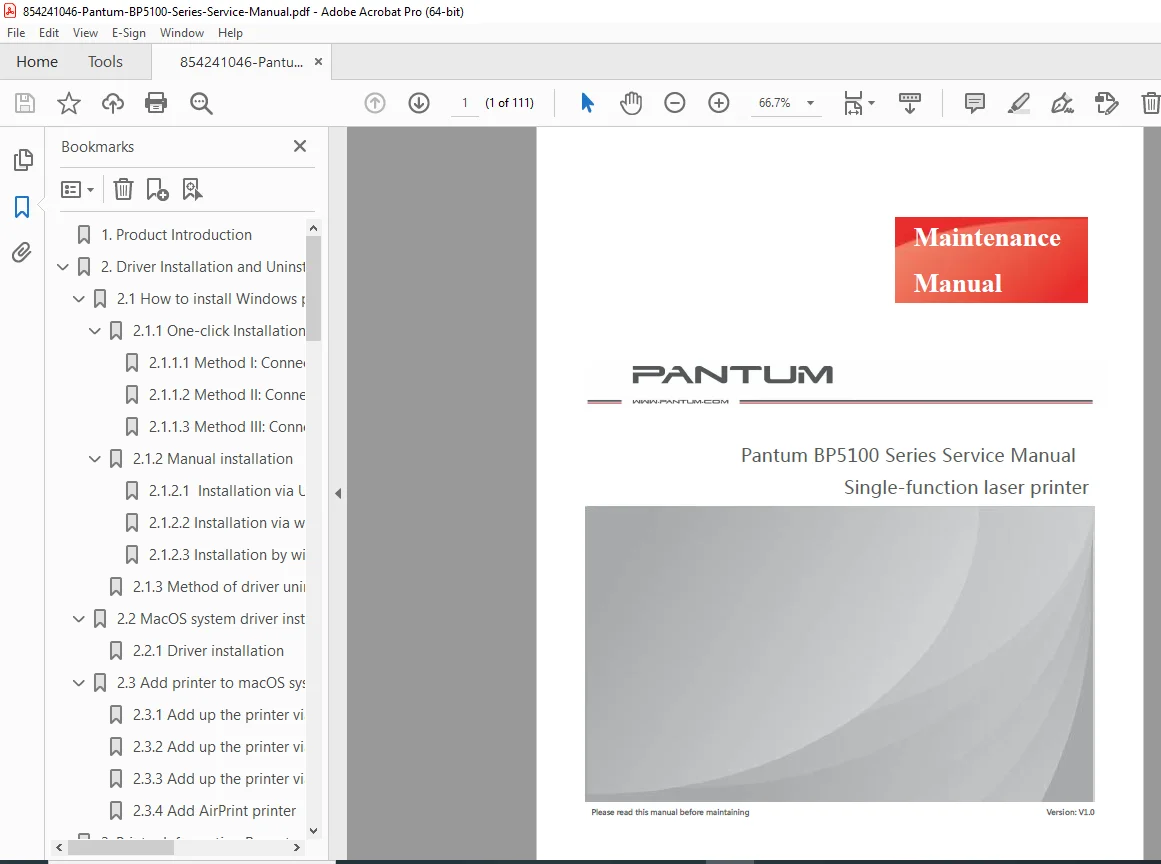
This is the official Pantum Single-Function Laser Printer Maintenance Manual (Version V1.0, January 2021) from Zhuhai Pantum Electronics Co., Ltd. – the comprehensive factory guide for installing drivers, understanding printer operation, performing disassembly and assembly, maintaining consumables, and troubleshooting the BP5100 series (applicable to all BP51** models, where * represents any number or letter). This pantum bp5100 service manual pdf and pantum bp5100 series maintenance manual download is essential for service technicians, repair professionals, and advanced users needing detailed pantum bp5100 disassembly instructions pdf and reliable pantum laser printer bp5100 troubleshooting guide.
File Details:
- Manual Name: Pantum Single-Function Laser Printer Maintenance Manual
- Models Covered: BP5100 Series (all BP51** variants, including BP5100DN, BP5101DN, etc.)
- Year: 2021 (Version V1.0)
- PDF Quality: High-resolution clear scans, fully searchable text and diagrams
- Number of Pages: 111
Table of Contents (Detailed Structure):
1. Product Introduction (p. 10)
- Product parameters and specifications
2. Driver Installation and Uninstallation (p. 11)
- 2.1 How to install Windows printer driver
- 2.1.1 One-click Installation
- 2.1.2 Manual installation
- 2.1.3 Method of driver uninstallation
- 2.2 macOS system driver installation
- 2.2.1 Driver installation
- 2.3 Add printer to macOS system
- 2.3.1 Add via USB
- 2.3.2 Add via wireline connection
- 2.3.3 Add via wireless connection
- 2.3.4 Add AirPrint printer
3. Printer Information Report (p. 47)
- 3.1 LCD Panel Type operations
- 3.2 Information Page printing
4. Restoration of Factory Settings (p. 50)
- 4.1 Via LCD Panel
- 4.2 Via Embedded Web Server
5. Operating Principle (p. 51)
- 5.1 Overall Structural Diagram
- 5.2 Component Structure Diagrams
- 5.3 Mechanical Devices
- 5.4 Paper Path
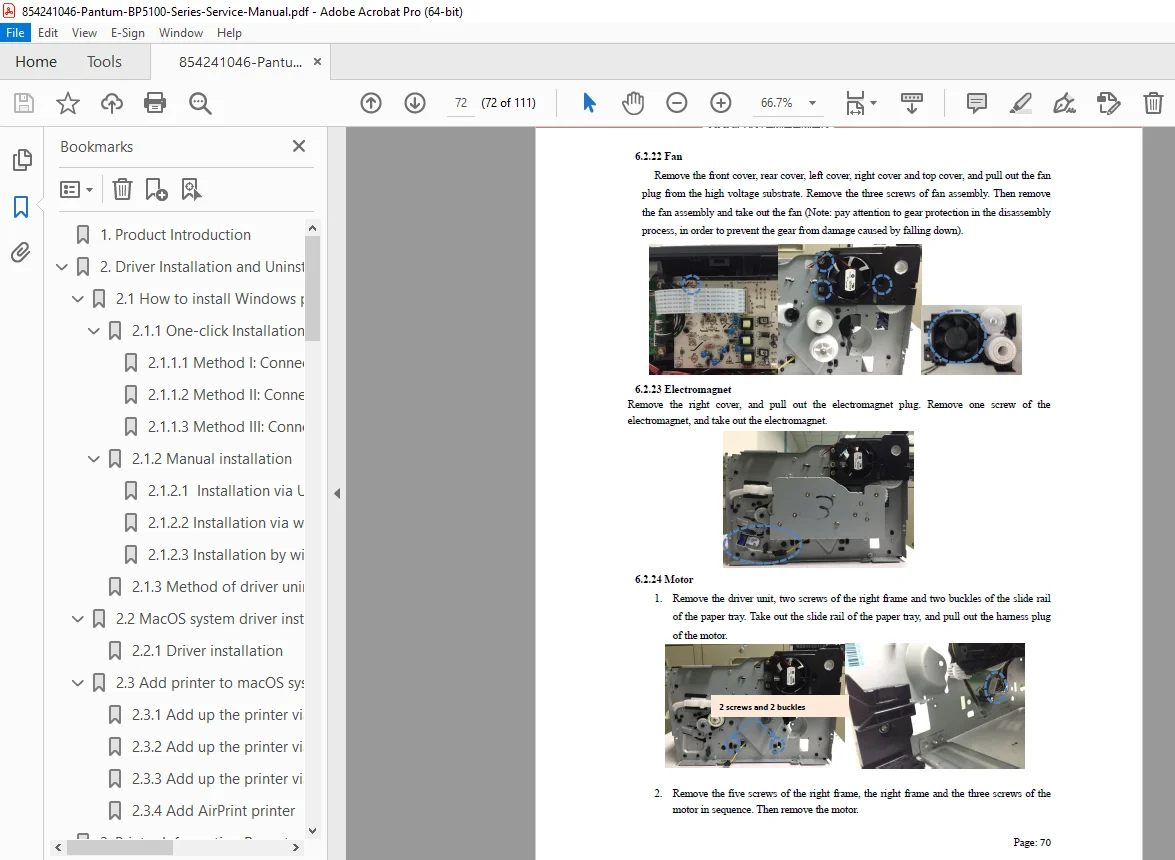
6. Disassembly and Installation (p. 55) – Core pantum bp5100 disassembly instructions pdf section
- 6.1 Disassembly Flowchart
- 6.2 Disassembly Steps (detailed procedures with illustrations)
- 6.2.1 Before disassembly
- 6.2.2 Rear cover
- 6.2.3 Left cover
- 6.2.4 Right cover
- 6.2.5 Front cover
- 6.2.6 Paper sensor substrate (multifunctional tray)
- 6.2.7 Top cover
- 6.2.8 Paper-full sensor
- 6.2.9 Transfer roll
- 6.2.10 Paper-feeding roll assembly
- 6.2.11 Operation panel substrate and power switch board
- 6.2.12 Paper sensor substrate
- 6.2.13 Paper-low sensor
- 6.2.14 Chip adapter substrate
- 6.2.15 Front-end sensor substrate
- 6.2.16 Data substrate
- 6.2.17 High voltage substrate
- 6.2.18 Power substrate
- 6.2.19 Laser unit
- 6.2.20 Driver unit
- 6.2.21 Fuser
- 6.2.22 Fan
- 6.2.23 Electromagnet
- 6.2.24 Motor
- 6.2.25 Clutch assembly
7. Maintenance (p. 72)
- 7.1 Printer cleaning
- 7.2 Use and Maintenance of Consumables
- 7.2.1 About toner cartridge and drum component
- 7.2.2 Replacement procedures
- 7.3 Optional paper tray disassembly and installation
- 7.3.1 Install optional paper tray
- 7.3.2 Remove optional paper tray
- 7.3.3 Update optional paper tray status
8. Error Message and Troubleshooting (p. 82) – Comprehensive pantum bp5100 error codes and jam removal guide
- 8.1 Check before maintenance
- 8.2 Error Message list
- 8.3 Error Code explanations
- 8.4 Removal of Jammed Paper
- 8.4.1 Jammed in auto feed tray
- 8.4.2 Jammed in multifunctional tray
- 8.4.3 Middle jam
- 8.4.4 Jammed in fuser unit
- 8.4.5 Jammed in duplex unit
- 8.4.6 Jammed in optional tray
- 8.5 Troubleshooting
- 8.5.1 Paper feeding problems
- 8.5.2 Common faults
- 8.6 Image Defects
- 8.6.1 Printing issues and remedies
Appendix 1: Perimeters of Printer Rolls (p. 107)
This pantum single function laser printer repair manual provides everything needed for proper setup, part replacement, error diagnosis, and daily maintenance of BP5100 series printers.
Download the complete official pantum bp5100 error codes and jam removal resource instantly – equip yourself with factory-level expertise and resolve issues fast today!