Pantum C3224 C3326 CS331 Color Laser Printer Service Manual PDF
Original price was: $95.00.$15.95Current price is: $15.95.
Complete professional service manual for Pantum C3224dw, C3326dw, and CS331dn color laser printers. This comprehensive 491-page technical guide includes detailed diagnostics, troubleshooting procedures, print quality checks, paper jam resolution, error code explanations, service menus, complete parts removal instructions, component locations, wiring diagrams, maintenance procedures, parts catalog, and theory of operation. Essential for printer technicians servicing Pantum network laser printers.
Description
Pantum C3224 C3326 CS331 Color Laser Printer Service Manual PDF DOWNLOAD
DESCRIPTION
Professional Pantum Color Laser Printer Service Manual
This is the official comprehensive service manual for Pantum C3224, C3326, and CS331 series color laser printers. Designed for professional printer technicians and service engineers, this manual provides complete technical documentation for diagnostics, repair, maintenance, and troubleshooting of network-capable color laser printing systems.
Printer Models Covered:
- C3224dw (Machine Type: 1500-218) – Network with wireless support, duplex print, 2-line display
- C3326dw (Machine Type: 1500-638) – Network with wireless support, duplex print, 2-line display
- CS331dn – Network laser printer with duplex capability
Technology: Color Laser Electrophotographic Printing
Capabilities: Network/Wireless, Duplex Printing, Auto Duplexing
Manual Version: Professional Service Edition
Complete Manual Contents:
SECTION 1: NOTICES, CONVENTIONS, AND SAFETY INFORMATION
- Laser safety notices and compliance information
- Service manual conventions and terminology
- Critical safety information for technicians
- ESD (Electrostatic Discharge) handling procedures
- Personal protective equipment requirements
- Safe handling of printer components
- High-voltage precautions for fuser and HVPS work
SECTION 2: CHANGE HISTORY
- Service manual revision tracking
- Engineering change notices
- Updated procedures and corrections
- Model-specific updates and modifications
SECTION 3: GENERAL INFORMATION
- Complete printer model configurations and specifications
- Paper Selection Guidelines:
- Supported paper sizes (letter, legal, A4, custom sizes)
- Supported paper types (plain, cardstock, labels, envelopes)
- Supported paper weights (60-176 g/m²)
- Paper characteristics (curl, smoothness, moisture content)
- Grain direction recommendations
- Unacceptable paper types
- Preprinted forms and letterhead guidelines
- Proper paper storage procedures
- Tools Required for Service:
- Standard service toolkit requirements
- Specialized tools identification
- Torque specifications
- Recommended test equipment
SECTION 4: DIAGNOSTICS AND TROUBLESHOOTING (147+ Pages)
- Troubleshooting Precautions:
- Safety protocols during diagnostic procedures
- Component handling guidelines
- Power-on reset (POR) sequence
- Initial troubleshooting check procedures
- Comprehensive Print Quality Diagnostics:
- Blank or White Pages Check – Complete diagnostic flowchart
- Dark Print Check – Step-by-step correction procedures
- Ghost Images Check – Electrophotographic analysis
- Gray or Colored Background Check – Density adjustments
- Horizontal Dark Lines Check – Transfer belt diagnostics
- Horizontal White Lines Check – Printhead cleaning procedures
- Incorrect Margins Check – Registration adjustments
- Light Print Check – Toner and developer diagnostics
- Missing Colors Check – CMY+K troubleshooting
- Mottled Print and Dots Check – Surface contamination analysis
- Paper Curl Check – Fuser temperature diagnostics
- Print Crooked or Skewed Check – Paper path alignment
- Repeating Defects Check – Component cycle identification
- Solid Color or Black Images Check – Laser scanner diagnostics
- Text or Images Cut Off Check – Memory and formatting issues
- Toner Easily Rubs Off Check – Fuser pressure diagnostics
- Uneven Print Density Check – Developer unit analysis
- Vertical White Lines Check – Printhead contamination
- Horizontal Colored Lines or Banding Check – Transfer module
- Missing One Color Check – Individual cartridge diagnostics
- Vertical Colored Lines or Banding Check – Drum unit analysis
- Paper Jam Resolution:
- Avoiding Jams – Preventive maintenance procedures
- Identifying Jam Locations – Complete jam code reference
- 200 Paper Jams – Input tray jam procedures (30+ pages)
- 202 Paper Jams – Manual feeder jam resolution (20+ pages)
- 232 Paper Jams – Duplex unit jam clearance (15+ pages)
- 241 Paper Jams – Output area jam procedures
- User Attendance Messages (50+ Pages):
- 0y Errors – Supply-related messages
- 1y Errors – Paper handling messages
- 2y Errors – Door and interlock messages
- 3y Errors – Maintenance required messages
- 42-55 Errors – Toner and cartridge messages
- 7y Errors – Network and connectivity messages
- 8y Errors – System configuration messages
- 9y Errors – Critical system messages
- Printer Hardware Errors (56+ Pages):
- 100-110 Errors – Controller board failures
- 12y Errors – Sensor failures and diagnostics
- 142 Errors – Communication failures
- 151 Errors – Network interface errors
- 6yy Errors – Motor and drive failures
- 90y Errors – LVPS and power supply diagnostics
- 912-938 Errors – Critical hardware failures
- Detailed diagnostic procedures for each error code
- Component replacement verification procedures
- Other Symptoms:
- Base printer performance issues
- Network connectivity problems
- Control panel malfunctions
- Unusual noises and mechanical issues
SECTION 5: SERVICE MENUS (9+ Pages)
- Understanding the Printer Control Panel:
- Control panel button functions
- Navigation procedures
- Status indicator light meanings
- Error message interpretation
- Diagnostics Menu:
- Accessing the Diagnostics menu from POST
- Device Settings reports
- Installed Licenses verification
- Advanced Print Quality Samples
- Event Log display and printing
- Print Log and Print Log Summary
- Mark Log for service tracking
- Input tray quick print tests
- Printed page counters (mono and color)
- Config Menu:
- Printer configuration access
- Network settings adjustment
- System parameter modifications
- Service Engineer (SE) Menu:
- Invalid engine mode procedures
- General SE Menu functions
- Network SE Menu options
- Advanced calibration procedures
SECTION 6: PARTS REMOVAL (68+ Pages)
- Data Security Notice:
- Secure data handling during service
- Controller board replacement protocols
- Configuration backup procedures
- Removal Precautions:
- ESD-sensitive parts handling
- Critical information for controller board replacement
- Restoring printer configuration after repairs
- Restoring licenses and settings
- Firmware update procedures
- Print cartridge tray covering procedures
- Adjustments:
- Registration Adjustment – Color-to-color alignment
- Printhead Characterization – Laser calibration
- Sensor Calibration – Waste toner bottle detection
- Complete Removal Procedures: Left Side Removals:
- Left cover removal
- Motor (CMY) removal and replacement
- Motor (K/transfer belt) removal
- Controller board shield removal
- Controller board removal (step-by-step)
- Controller board bracket removal
- Motor (fuser) removal
- Staging clutch removal
- Gearbox removal and disassembly
- Pick clutch removal
- Staging belt, gear, and pulley removal
Right Side Removals:
- Right cover removal
- Sensor (waste toner bottle) removal
- Exhaust fan removal
- HVPS (High Voltage Power Supply) removal
- LVPS (Low Voltage Power Supply) removal
Front Side Removals:
- Print cartridge tray removal
- Control panel removal and replacement
- Printhead interlock switch removal
- Front door removal
- Inner front cover removal
Rear Side Removals:
- Transfer module removal (complete procedure)
- Rear door removal
- Sensor (fuser buckle) removal
- Fuser removal and replacement
- Sensor (fuser exit) removal
- Sensor (input) removal
Top Side Removals:
- Top cover removal
- Printhead removal (laser scanner unit)
- Sensor (bin/narrow media) removal
- Bin flag removal
Bottom Side Removals:
- Pick tire removal and replacement
- Sensor (manual feeder) removal
- Tray interlock switch removal
SECTION 7: COMPONENT LOCATIONS (12+ Pages)
- Complete printer configuration diagrams
- Port locations (USB, network, power)
- Board locations (controller, LVPS, HVPS)
- Motor locations (all drive motors)
- Sensor locations (comprehensive sensor map)
- Controller Board Connectors:
- Detailed connector pinout diagrams
- Wire harness routing
- Connection identification
SECTION 8: MAINTENANCE
- Cleaning procedures for optimal performance
- Preventive maintenance schedules
- Component life expectancy
- Recommended maintenance intervals
SECTION 9: PARTS CATALOG (13+ Pages)
- Complete illustrated parts breakdown
- Covers – All exterior panels and doors
- Drive Components – Motors, gears, clutches, belts
- EP Components – Electrophotographic system parts
- Paper Feed – Rollers, tires, separation pads
- Sensors – All sensor assemblies
- Electronics – Boards, switches, cables
- Part numbers and ordering information
- Exploded view diagrams
SECTION 10: PRINTER SPECIFICATIONS (4+ Pages)
- Power Consumption:
- Product power consumption specifications
- Sleep Mode power usage
- Hibernate Mode power usage
- Off mode standby power
- Total energy usage calculations
- Location selection guidelines
- Noise Emission Levels:
- Operating noise specifications
- Standby noise levels
- Acoustic compliance information
- Temperature Information:
- Operating temperature range
- Storage temperature range
- Humidity specifications
SECTION 11: THEORY OF OPERATION (23+ Pages)
- Paper Path and Drive Components:
- Complete paper path summary
- Drive component theory
- Motor timing and coordination
- Duplexing operation explained
- Sensor integration in paper path
- Power Supply Operation:
- LVPS circuit theory
- HVPS circuit operation
- Voltage distribution
- Protection circuits
- Electrophotographic (EP) Process Theory:
- EP process summary
- Detailed EP process explanation:
- Charging phase
- Exposing phase (laser writing)
- Developing phase
- Transfer phase
- Fusing phase
- Cleaning phase
- Color registration process
- Toner delivery system
- Image formation sequence
File Details:
- Manual Name: Pantum Service Manual
- Models Covered: C3224dw, C3326dw, CS331dn
- Printer Type: Network Color Laser Printers
- Machine Types: 1500-218, 1500-638
- Author: adminid (Pantum Technical Documentation)
- PDF Quality: High-resolution professional document
- Total Pages: 491 pages
- Language: English
- File Format: Searchable PDF with detailed diagrams and illustrations
Special Features:
147+ Pages of Diagnostics: The most comprehensive print quality troubleshooting section available, with detailed flowcharts for every possible print defect, complete with root cause analysis and step-by-step correction procedures.
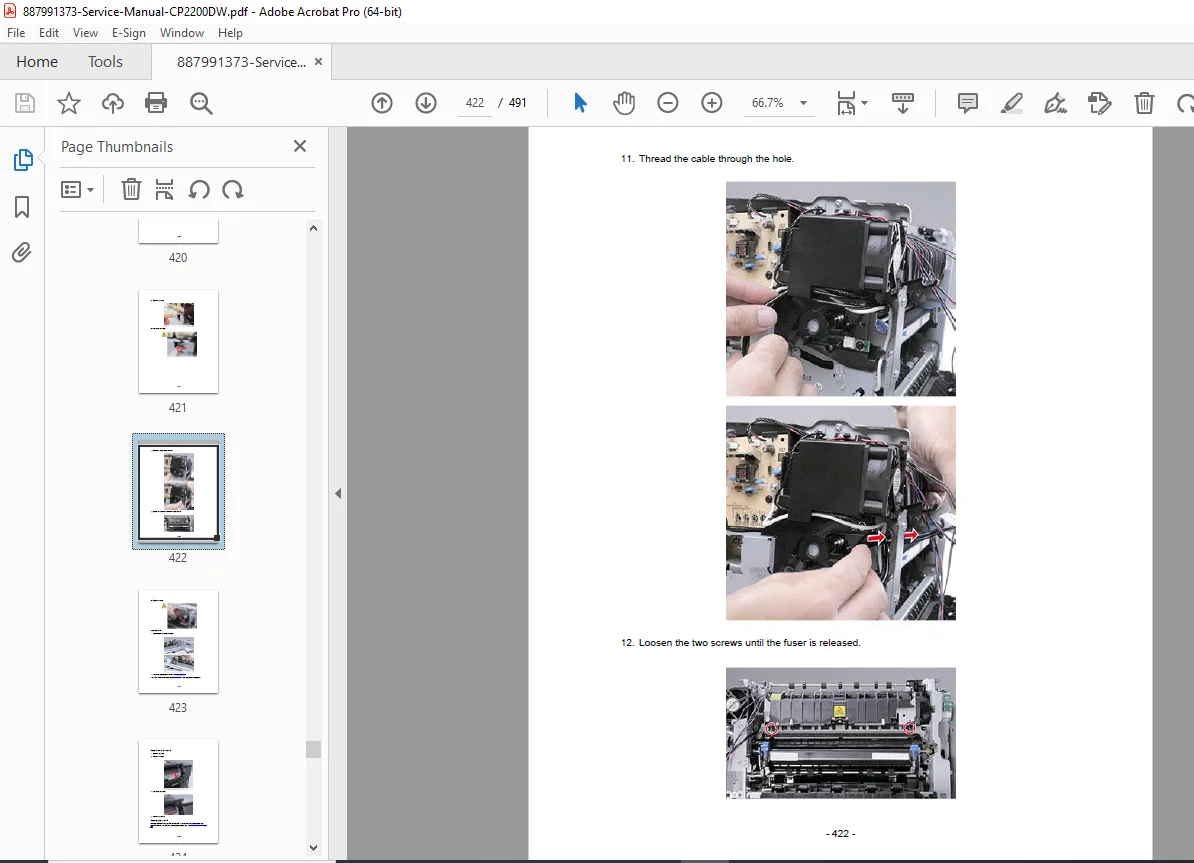
68+ Pages of Parts Removal: Every component removal procedure documented with clear step-by-step instructions, exploded diagrams, and reassembly notes. Covers everything from simple cover removal to complete fuser and printhead replacement.
Complete Error Code Database: Every user attendance message and hardware error code explained in detail with specific diagnostic procedures and repair solutions.
Service Menu Access: Secret diagnostic menus revealed with complete navigation instructions, allowing access to advanced calibration, page counters, event logs, and engineering functions.
Component Location Diagrams: Detailed visual references showing exact locations of all motors, sensors, boards, and connectors, essential for quick component identification during service.
Theory of Operation: In-depth technical explanation of the electrophotographic process, paper path mechanics, and power supply operation, providing the foundational knowledge needed for expert-level troubleshooting.
Why This Manual is Essential for Your Service Business:
This service manual is the definitive professional resource for anyone servicing Pantum color laser printers. Whether you’re a printer technician handling warranty repairs, an IT professional maintaining office equipment, or a service shop owner expanding into printer repair, this manual provides the complete technical documentation required for professional-quality service.
Download immediately and gain instant access to 491 pages of professional diagnostic procedures, complete parts removal instructions, detailed error code explanations, component location diagrams, and electrophotographic theory that will transform you from a parts-swapper into an expert printer technician. Reduce diagnostic time, eliminate guesswork, and increase your first-call fix rate today!