Pantum CM1100 Series Service Manual PDF
Original price was: $95.00.$16.95Current price is: $16.95.
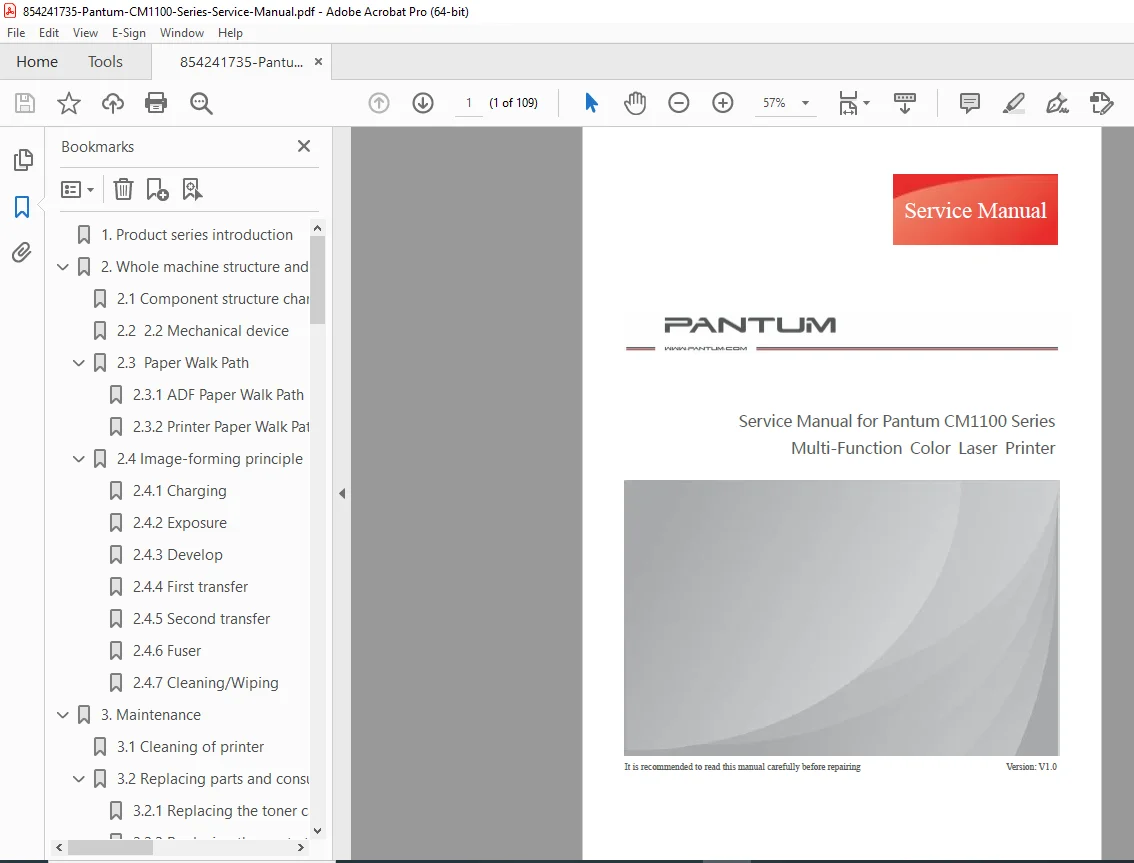
Download the Pantum CM1100 service manual PDF for detailed Pantum CM1100 series color laser printer troubleshooting, including Pantum printer disassembly guide and replacing toner cartridge in Pantum CM1100 instructions. This V1.0 guide covers whole machine structure, image-forming principles, error codes and fault fixing Pantum, image quality issues in Pantum color printers, maintenance, and assembly steps for CM11** models. Essential for technicians handling repairs, paper jams, and component replacements
Description
Pantum CM1100 Series Service Manual PDF DOWNLOAD
escription
This Pantum CM1100 service manual PDF download is an essential resource for service technicians and repair professionals working on the Pantum CM1100 series multi-function color laser printers. Released as version V1.0 in July 2021 by Zhuhai Pantum Electronics Co., Ltd., it provides comprehensive coverage of product introduction, structural principles, maintenance procedures, troubleshooting, and disassembly to maintain optimal performance and resolve issues efficiently. Key areas include Pantum CM1100 series color laser printer troubleshooting for common malfunctions like paper jams and image defects, as well as a detailed Pantum printer disassembly guide for components such as covers, motors, sensors, and fuser units.
The manual details image-forming processes like charging, exposure, development, transfers, fusing, and cleaning, alongside practical guidance on replacing toner cartridge in Pantum CM1100, waste toner bottles, and paper trays. It also addresses error codes and fault fixing Pantum, with sections on inspection prior to repair, error messages, fault codes, and removing paper jams. For image quality issues in Pantum color printers, it offers troubleshooting for problems like poor fusing or toner spots.
Safety and legal notes are included, emphasizing proper handling to avoid violations and ensuring use in suitable environments (altitude below 2,000 meters). The structured content supports quick navigation for repairs.
No separate bookmarks or index are present, but the comprehensive table of contents on pages 14-15 serves as a clear guide, categorized below with bullet points for easy reference:
Table of Contents
- 1. Product series introduction (Page 17)
- 2. Whole machine structure and principle (Page 18)
- 2.1 Component structure chart (Page 18)
- 2.2 Mechanical device (Page 18)
- 2.3 Paper Walk Path (Page 20)
- 2.3.1 ADF Paper Walk Path (Page 20)
- 2.3.2 Printer Paper Walk Path (Page 20)
- 2.4 Image-forming principle (Page 21)
- 2.4.1 Charging (Page 21)
- 2.4.2 Exposure (Page 22)
- 2.4.3 Develop (Page 23)
- 2.4.4 First transfer (Page 24)
- 2.4.5 Second transfer (Page 25)
- 2.4.6 Fuser (Page 26)
- 2.4.7 Cleaning/Wiping (Page 28)
- 3. Maintenance (Page 29)
- 3.1 Cleaning of printer (Page 29)
- 3.2 Replacing parts and consumables (Page 31)
- 3.2.1 Replacing the toner cartridge (Page 31)
- 3.2.2 Replacing the waste toner bottle (Page 34)
- 3.2.3 Replacing the paper tray (Page 35)
- 3.2.4 Moving the printer (Page 36)
- 3.2.4.1 Moving the printer to another location (Page 36)
- 3.2.4.2 Carriage of the printer (Page 36)
- 4. Printer panel structure and function descriptions (Page 37)
- 4.1 FB control panel structure and function descriptions (Page 37)
- 4.1.1 Control panel structure (Page 37)
- 4.1.2 The button functions are defined as follows: (Page 37)
- 4.2 Touch screen panel structure and function descriptions (Page 39)
- 4.2.1 Control panel structure (Page 39)
- 4.2.2 The button functions are defined as follows: (Page 39)
- 4.1 FB control panel structure and function descriptions (Page 37)
- 5. Error display and troubleshooting (Page 40)
- 5.1 Inspection prior to repair (Page 40)
- 5.1.1 Precautions for inspection prior to repair (Page 40)
- 5.1.2 Work environment (Page 40)
- 5.1.3 Preliminary printer troubleshooting (Page 41)
- 5.2 Error messages (Page 50)
- 5.3 Common malfunctions (Page 53)
- 5.4 Fault codes (Page 55)
- 5.5 Removing the paper jammed (Page 58)
- 5.5.1 Identifying the location of the paper jammed (Page 58)
- 5.5.2 Removing the paper jammed (Page 59)
- 5.6 Paper jam troubleshooting (Page 65)
- 5.7 Image quality problems (Page 67)
- 5.1 Inspection prior to repair (Page 40)
- 6. Disassembly and Assembly (Page 72)
- 6.1 Disassembly Steps (Page 72)
- 6.2 Disassembly tools (Page 73)
- 6.3 Disassembly steps (Page 74)
- 6.3.1 Disassembly of left cover (Page 74)
- 6.3.2 Disassembly of right cover (Page 75)
- 6.3.3 ADF/scanner assembly (Page 77)
- 6.3.4 ADF motor (Page 78)
- 6.3.5 Scanner cover assembly (Page 79)
- 6.3.6 CIS (Page 80)
- 6.3.7 Scanner motor (Page 80)
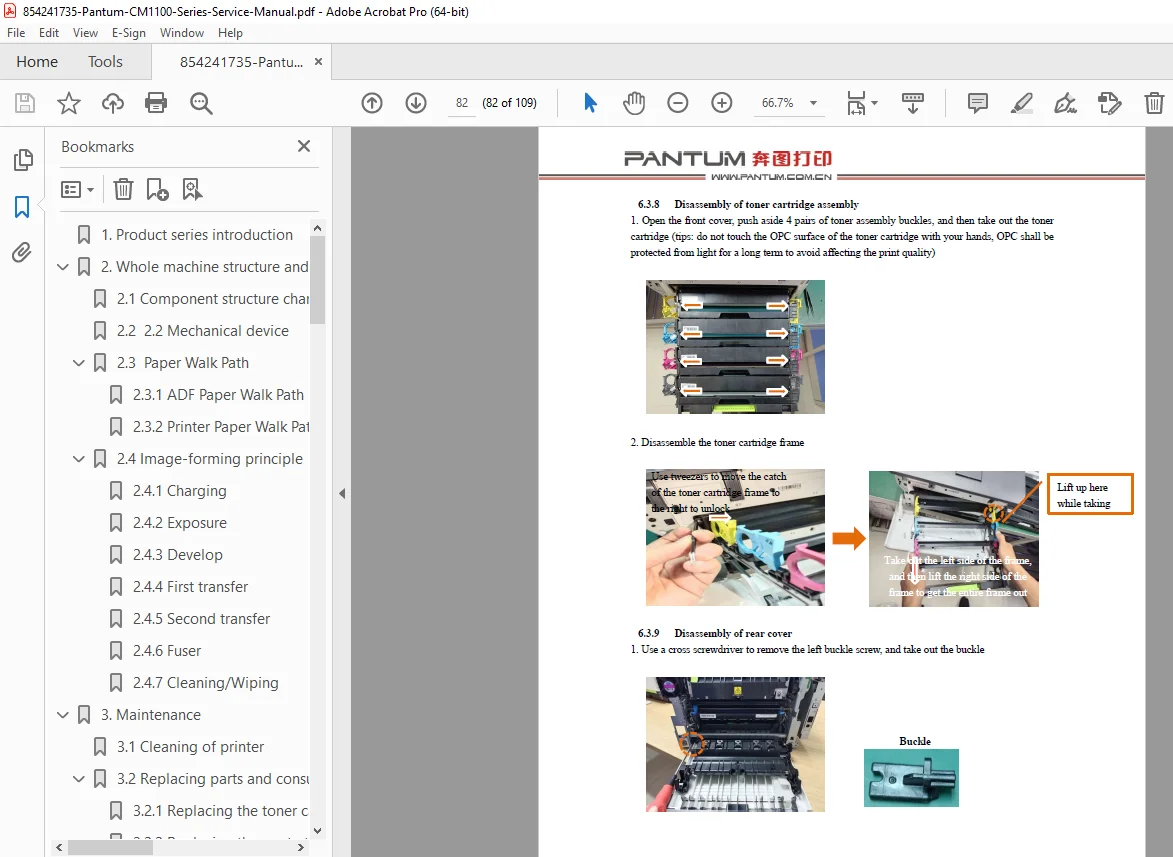
- 6.3.8 Disassembly of toner cartridge assembly (Page 82)
- 6.3.9 Disassembly of rear cover (Page 82)
- 6.3.10 Disassembly of front cover (Page 83)
- 6.3.11 Disassembly of transfer belt assembly (Page 84)
- 6.3.12 Disassembly of toner spot sensor (Page 85)
- 6.3.13 Disassembly of controller board cover (Page 86)
- 6.3.14 Disassembly of controller board (Page 86)
- 6.3.15 Disassembly of controller board holder (Page 87)
- 6.3.16 Disassembly of motor (CMY) (Page 87)
- 6.3.17 Disassembly of motor (K/transport belt) (Page 87)
- 6.3.18 Disassembly of motor (fuser) (Page 88)
- 6.3.19 Disassembly of graded clutch (Page 88)
- 6.3.20 Disassembly of Control panel (Page 89)
- 6.3.21 Disassembly of top cover assembly (Page 89)
- 6.3.22 Disassembly of laser (Page 91)
- 6.3.23 Disassembly of exit sensing arm and exit sensor board (Page 92)
- 6.3.24 Disassembly of main drive assembly (Page 92)
- 6.3.25 Disassembly of pickup clutch (Page 93)
- 6.3.26 Disassembly of graded belt and gear (Page 93)
- 6.3.27 Disassembly of cooling fan (Page 94)
- 6.3.28 Disassembly of high voltage board (HVPS) assembly (Page 94)
- 6.3.29 Disassembly of power supply board (LVPS) assembly (Page 95)
- 6.3.30 Disassembly of rubber roller (Page 96)
- 6.3.31 Disassembly of tray sensor switch (Page 97)
- 6.3.32 Disassembly of fuser (Page 98)
- 6.3.33 Disassembly of fuser ejection sensor (Page 98)
- 6.3.34 Disassembly of automatic feed sensor (Page 99)
- 6.3.35 Disassembly of waste toner cartridge sensor (Page 99)
- 6.3.36 Disassembly of fuser probe sensor (Page 100)
Version Change History (Formatted as a table for clarity):
| Version | Time | Modified contents |
|---|---|---|
| V1.0 | July 29, 2021 | New Service Manual |
This manual is crucial for addressing image quality issues in Pantum color printers and following error codes and fault fixing Pantum procedures to prevent downtime.
File Details
- Manual name: Service Manual for Pantum CM1100 Series Multi-Function Color Laser Printer
- Models covered: CM11** (e.g., CM1100 series)
- Year: 2021
- Manual PDF quality: High (clear text, diagrams, and formatting)
- No of pages: 109