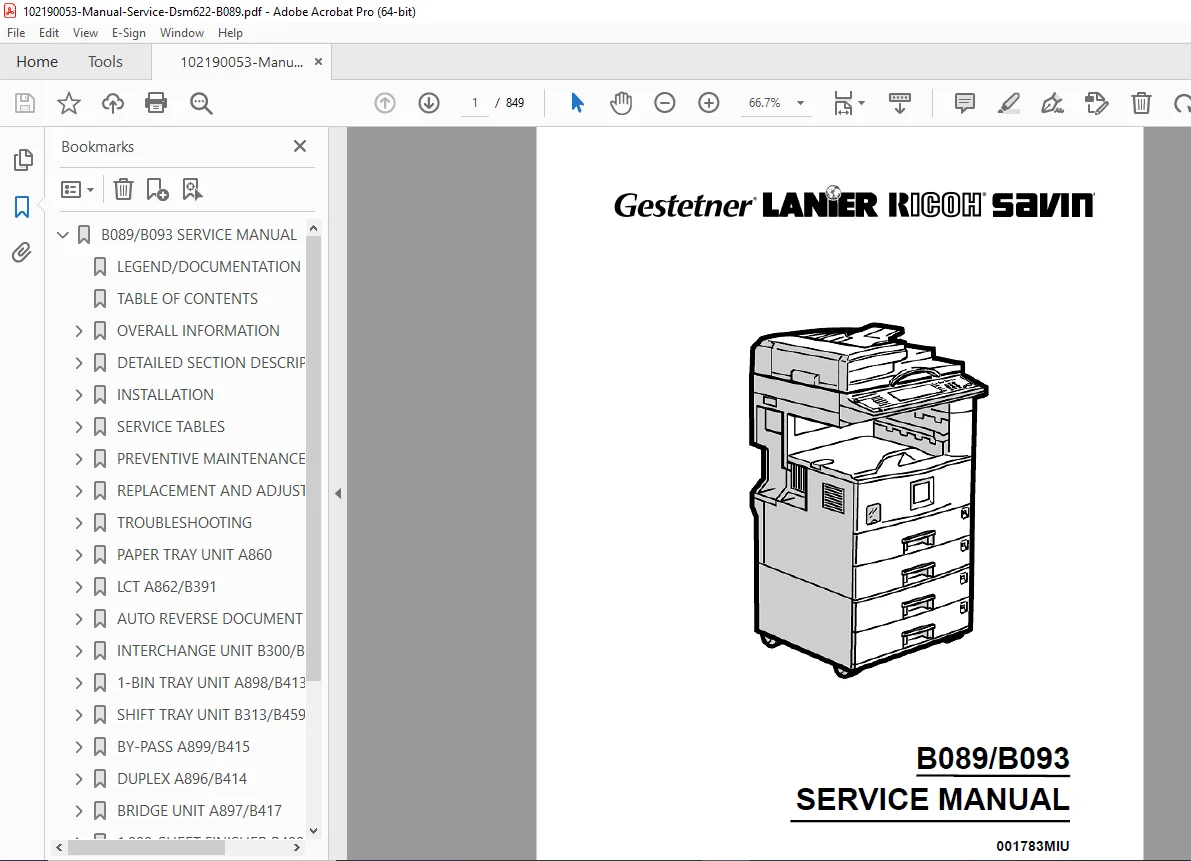
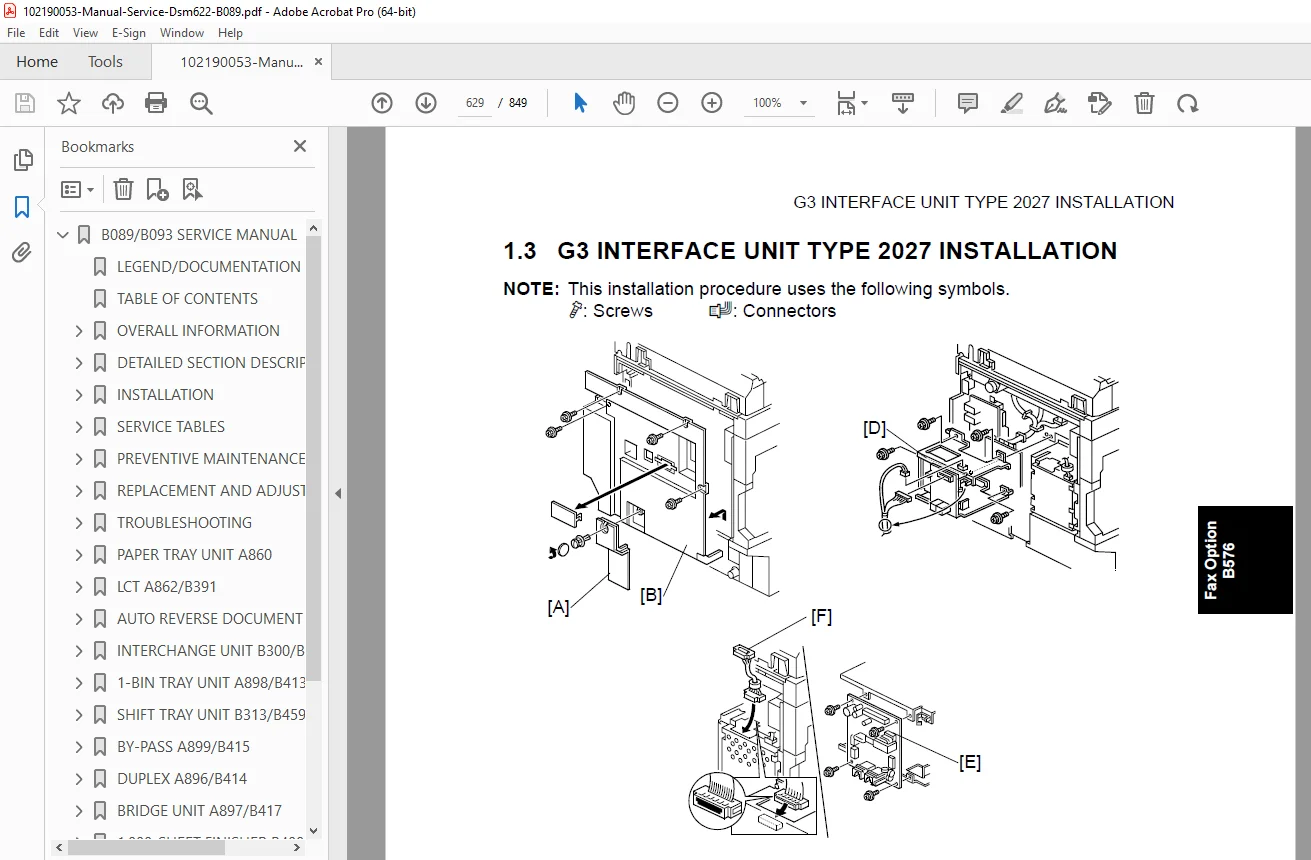
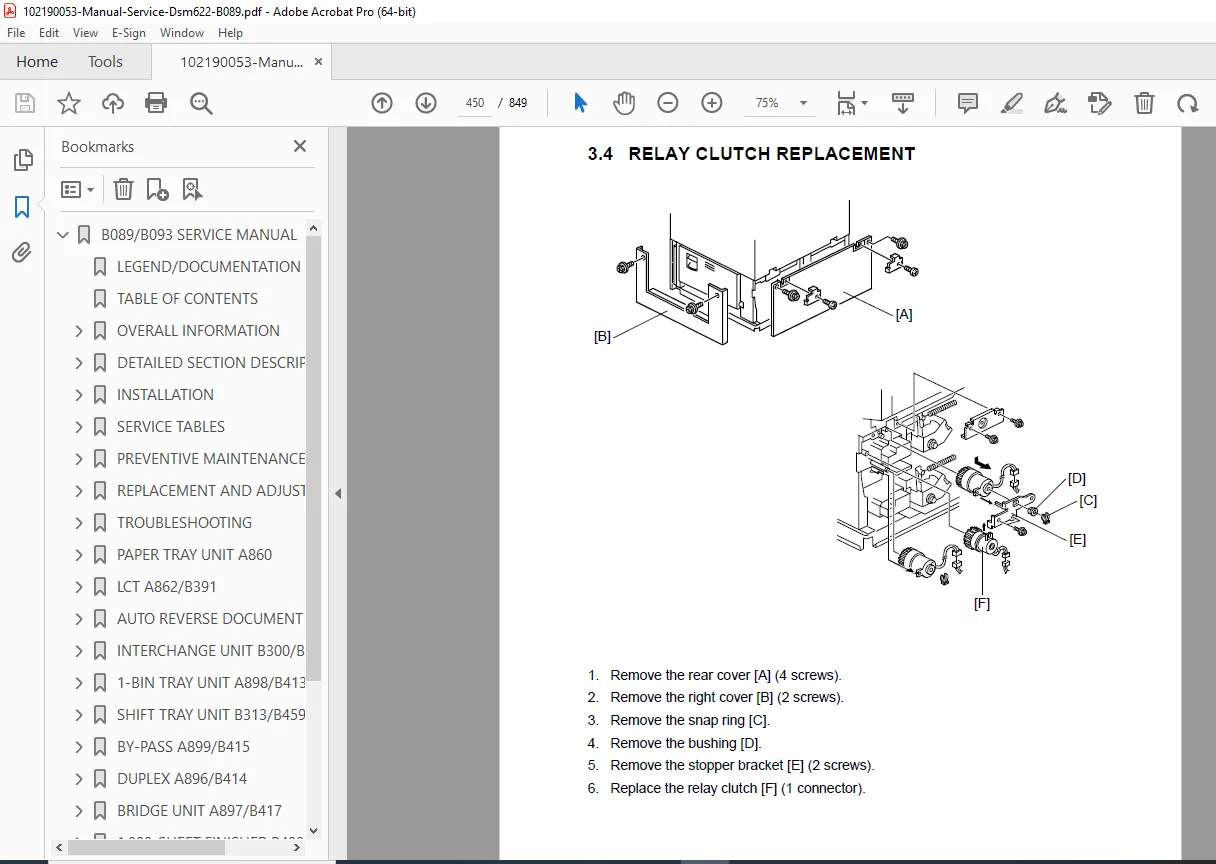
Ricoh Aficio 2022 2027 Copier Service Manual Gestetner Lanier Savin B089 PDF
Original price was: $85.00.$19.95Current price is: $19.95.
Complete factory service manual for Ricoh Aficio 2022/2027 digital copiers and equivalent models (Gestetner DSm622/627, Lanier LD122/127, Savin 4022/4027). This comprehensive copier service manual PDF includes detailed repair procedures, disassembly guides, electrical schematics, troubleshooting flowcharts, service mode programming, and adjustment procedures. Covers scanner service, laser unit repair, photoconductor replacement, fusing unit maintenance, paper feed systems, and all optional accessories for these multifunctional office copiers.
Description
Ricoh Aficio 2022 2027 Copier Service Manual Gestetner Lanier Savin B089 PDF DOWNLOAD
DESCRIPTION
Ricoh Aficio 2022 / 2027 Digital Copier Complete Factory Service Manual
This is the official Ricoh Corporation factory service manual for B089/B093 series digital copiers, covering multiple brand equivalents (Manual 001783MIU, Published October 2003). This professional-grade Ricoh copier service manual PDF provides complete technical documentation, detailed service procedures, comprehensive troubleshooting guides, and diagnostic tools needed for servicing and maintaining these high-volume office digital copiers.
Essential for certified office equipment technicians, copier repair specialists, and service center professionals, this Ricoh repair manual delivers factory-authorized technical information required for professional-level digital copier service and maintenance.
MODELS COVERED:
Product Code B089/B093 – Multiple Brand Names:
| Brand | 22 cpm Model | 27 cpm Model |
|---|---|---|
| Gestetner | DSm622 | DSm627 |
| Lanier | LD122 | LD127 |
| Ricoh | Aficio 2022 | Aficio 2027 |
| Savin | 4022 | 4027 |
Copy Speeds:
- B089 Models: 22 copies per minute (Aficio 2022, DSm622, LD122, 4022)
- B093 Models: 27 copies per minute (Aficio 2027, DSm627, LD127, 4027)
Resolution:
- Scanning: 600 dpi (7,450 pixels CCD line)
- Copy: Multiple resolution settings available
COMPREHENSIVE TABLE OF CONTENTS
OVERALL INFORMATION – CHAPTER 1
- 1.1 Specifications – Complete technical specifications
- 1.2 Machine Configuration:
- System Components Overview
- Installable Optional Table:
- Copier options
- Fax options
- Printer/Scanner options
- 1.3 Paper Path – Complete paper flow diagrams
- 1.4 Mechanical Component Layout – Component locations
- 1.5 Electrical Component Descriptions – PCB and electrical parts
- 1.6 Drive Layout – Drive system diagrams
- 1.7 Copy Process:
- Overview of copying process
- 1.8 Board Structure:
- Overview
- Controller architecture
DETAILED DESCRIPTIONS – CHAPTER 2
2.1 Summary
2.2 Scanning System
- Overview
- Scanner Drive Mechanisms
- Original Size Detection in Platen Mode
2.3 Image Processing
- Overview
- SBU (Sensor Board Unit)
- Auto Image Density Control
- IPU (Image Processing Unit) – Detailed circuit operation
- VCU (Video Control Unit)
2.4 Laser Exposure System
- Overview
- APC (Auto Power Control)
- LD Safety Switch
2.5 Photoconductor Unit (PCU)
- Overview
- Drive System
- New PCU Detection
2.6 Drum Charge System
- Overview
- Charge Roller Voltage Correction
- ID Sensor Pattern Production Timing
- Drum Charge Roller Cleaning
2.7 Development System
- Overview
- Drive Mechanisms
- Developer Mixing
- Development Bias Control
- Toner Supply System
- Toner Density Control – Automatic density management
- Toner Supply in Abnormal Sensor Conditions
- Toner Near End/End Detection and Recovery
2.8 Drum Cleaning and Toner Recycling
- Drum Cleaning Mechanisms
- Toner Recycling System
2.9 Paper Feed System
- Overview
- Paper Feed Drive Mechanism
- Paper Feed and Separation Mechanism
- Paper Lift Mechanism
- Paper End Detection
- Paper Height Detection
- Feed Pressure Adjustment for Paper Size
- Paper Size Detection
- Special Paper Setting
- Side and End Fences
- Paper Registration
2.10 Image Transfer and Paper Separation
- Overview
- Image Transfer Current Timing
- Transfer Roller Cleaning
- Paper Separation Mechanism
2.11 Image Fusing and Paper Exit
- Overview
- Fusing Drive and Release Mechanism
- Fusing Entrance Guide Shift Mechanism
- Pressure Roller
- Cleaning Mechanism
- Fusing Temperature Control
- Overheat Protection
- Paper Exit
2.12 Energy Saver Modes
- Overview
- Energy Saver Mode
- Auto Off Mode
INSTALLATION – CHAPTER 3
3.1 Installation Requirements
- Environment
- Machine Level
- Minimum Space Requirements
- Power Requirements
3.2 Copier Installation
- Power Sockets for Peripherals
- Installation Flow Chart
- Accessory Check
- Installation Procedure
Optional Equipment Installation (3.3-3.15):
- 3.3 Paper Tray Unit Installation
- 3.4 LCT (Large Capacity Tray) Installation
- 3.5 Auto Reverse Document Feeder Installation
- 3.6 Interchange Unit Installation
- 3.7 1-Bin Tray Unit Installation
- 3.8 Shift Tray Installation
- 3.9 By-Pass Feed Unit Installation
- 3.10 Duplex Unit Installation
- 3.11 Bridge Unit Installation
- 3.12 1000-Sheet Finisher Installation
- 3.13 500-Sheet Finisher Installation
- 3.14 Platen Cover Installation
- 3.15 Key Counter Installation
Optional Boards and Upgrades (3.16-3.20):
- Optics Anti-Condensation Heater
- Tray Heaters (Main, Optional Trays, LCT)
- Optional Boards and DIMMs:
- Printer/Scanner Module (B577)
- 128 MB Memory (G331)
- HDD (B592)
- NIB (Network Interface Board B525-17)
- IEEE 1394 Interface Kit (G336)
- IEEE 802.11B Interface Kit (B515)
- USB 2.0 Board (B525-01)
- Bluetooth Unit 2045 (G354)
- PostScript 3 Unit (G354-05)
- File Format Converter (B519)
- User Account Enhancement Unit (B443)
SERVICE TABLES – CHAPTER 4
4.1 General Cautions
- PCU (Photoconductor Unit)
- Transfer Roller Unit
- Scanner Unit
- Laser Unit
- Fusing Unit
- Paper Feed
- Others
4.2 Service Program Mode (Extensive)
- Service Program Mode Operation:
- Entering and Exiting SP Mode
- SP Mode Button Summary
- Switching Between SP Mode and Copy Mode
- Selecting Program Numbers
Service Program Mode Tables:
- SP1XXX: Feed – Paper feed diagnostics and settings
- SP2XXX: Drum – Photoconductor and image quality settings
- SP4-XXX: Scanner – Scanner adjustments and calibration
- SP5XXX: Mode – System mode settings
- SP6XXX: Peripherals – Optional equipment settings
- SP7XXX: Data Log – Service data logging
- SP8-xxx: Data Log2 – Additional logging functions
Advanced Service Procedures:
- 4.2.3 Test Pattern Printing (SP2902-3)
- 4.2.4 Input Check (Main, ARDF, Finisher)
- 4.2.5 Output Check (Main, ARDF, Finisher)
- 4.2.6 SMC Data Lists (SP5990)
- 4.2.7 Memory All Clear (SP5801)
- 4.2.8 Uploading/Downloading NVRAM Data
- 4.2.9 APS Output Display (SP4301)
- 4.2.10 DF APS Sensor Output Display (SP6901)
- 4.2.11 NIP Band Width Measurement (SP1109)
4.3 Program Download 4.4 Software Reset 4.5 System Settings and Copy Setting Reset 4.6 User Tools – User mode programming 4.7 LEDs – Controller, SBCU, IPU indicators 4.8 DIP Switches – Hardware configuration switches 4.9 Special Tools and Lubricants 4.10 Using the Debug Log
PREVENTIVE MAINTENANCE – CHAPTER 5
- 5.1 PM Table – Complete preventive maintenance schedule
REPLACEMENT AND ADJUSTMENT – CHAPTER 6
6.1 Scanner Unit
- Exposure Glass
- Scanner Exterior/Operation Panel
- Lens Block Assembly
- Original Size Sensors
- Exposure Lamp
- Scanner Motor/Lamp Stabilizer
- Scanner Wires
6.2 Laser Unit
- Caution Decal Locations
- Laser Unit Replacement
- Polygon Mirror Motor
- LD Unit
- Laser Synchronization Detector
6.3 Photoconductor Unit (PCU)
- PCU Replacement
6.4 Transfer Unit
- Transfer Roller Unit
- Image Density Sensor
6.5 Fusing/Exit
- Fusing Unit
- Thermistors
- Thermofuse
- Hot Roller and Fusing Lamp
- Pressure Roller/Cleaning Roller
- Paper Exit Sensor/Paper Overflow Sensor
6.6 Paper Feed
- Feed Rollers (Tray 1, Tray 2)
- Paper End Sensor
- Paper Tray Lift Motors
- Registration Clutch
- Paper Feed Clutches
- Relay Clutches
- Paper Size Detector
- Registration Sensor
- Relay Sensors
6.7 PCBs and Other Items
- Controller Board
- SBCU Board
- Power Pack
- Main Motor
- PSU
6.8 Copy Adjustments: Printing/Scanning
- Printing Adjustments
- Scanning Adjustments
- ADF Image Adjustment
- Touch Screen Calibration
6.9-6.11 Image Quality Corrections
- Identifying Skewed, Trapezoid and Parallelogram Images
- Checking Image with Trimming Pattern
- Correcting Images
TROUBLESHOOTING – CHAPTER 7
7.1 Service Call Conditions
- Summary
- SC Code Descriptions – Complete error code reference
7.2 Self-Diagnostic Mode
- Self-Diagnostic Mode at Power On
- Detailed Self-Diagnostic Mode
7.3 Paper Feed Troubleshooting 7.4 Skewed Image Troubleshooting 7.5 Electrical Component Defects
- Sensors
- Switches 7.6 Blown Fuse Conditions
OPTIONAL EQUIPMENT – CHAPTERS 8-14
Chapter 8: Paper Tray Unit (A860/B390) Chapter 9: LCT – Large Capacity Tray (A862/B391) Chapter 10: Auto Reverse Document Feeder (B386) Chapter 11: Interchange Unit (B300/B416) Chapter 12: 1-Bin Tray Unit (A898/B413) Chapter 13: Shift Tray Unit (B313/B459) Chapter 14: By-Pass Feed Unit Chapter 15: Duplex Unit Chapter 16: Bridge Unit Chapter 17: 1000-Sheet Finisher Chapter 18: 500-Sheet Finisher
Each optional chapter includes:
- Specifications
- Mechanical Component Layout
- Electrical Component Layout
- Electrical Component Descriptions
- Drive Layout
- Detailed Section Descriptions
- Replacement and Adjustment Procedures
WHAT’S INCLUDED IN THIS SERVICE MANUAL:
✓ 849 Pages of Factory Technical Documentation ✓ Complete Disassembly/Assembly Instructions – Step-by-step with diagrams ✓ Service Program Mode – Extensive SP mode tables and procedures ✓ Electrical Schematics – Complete wiring diagrams ✓ Troubleshooting Flowcharts – SC code diagnostics ✓ Paper Path Diagrams – Complete paper flow illustrations ✓ Component Layout Drawings – Mechanical and electrical ✓ Adjustment Procedures – Image quality, scanning, printing ✓ Self-Diagnostic Mode – Built-in diagnostic tools ✓ Preventive Maintenance Schedule – PM intervals and procedures ✓ Special Tools List – Required service tools ✓ Lubricants Guide – Lubrication points and specifications ✓ Optional Equipment – Complete coverage of all accessories ✓ Network Options – IEEE 802.11B, USB 2.0, Bluetooth installation ✓ Debug Log Usage – Advanced diagnostic logging
KEY SYSTEMS & COMPONENTS COVERED:
📄 SCANNER SYSTEM CCD scanner with 600 dpi resolution, exposure lamp, lens block, scanner motor, original size detection, and ADF (Auto Reverse Document Feeder) support.
💡 LASER EXPOSURE SYSTEM Polygon mirror motor, LD unit, laser synchronization detector, APC (Auto Power Control), and LD safety switch.
🖨️ IMAGE PROCESSING SBU (Sensor Board Unit), IPU (Image Processing Unit), VCU (Video Control Unit), auto image density control, and video processing.
🥁 PHOTOCONDUCTOR & DEVELOPMENT PCU replacement, drum charge system, toner density control, toner supply, developer mixing, development bias, and toner recycling.
🔥 FUSING SYSTEM Hot roller, pressure roller, thermistors, thermofuse, temperature control, overheat protection, and cleaning mechanism.
📋 PAPER HANDLING Multiple paper trays, LCT, paper lift mechanism, feed rollers, separation system, duplex unit, registration, and paper size detection.
🔌 ELECTRICAL SYSTEMS Controller board, SBCU, power pack, PSU, main motor, clutches, sensors, and optional interface boards.
🌐 NETWORK & CONNECTIVITY Network interface board, IEEE 802.11B wireless, Bluetooth, USB 2.0, IEEE 1394, and Ethernet options.
FILE DETAILS:
| Specification | Details |
|---|---|
| Manual Name | Ricoh Service Manual |
| Manual Number | 001783MIU |
| Product Codes | B089, B093 |
| Publication Date | October 2003 |
| Total Pages | 849 Pages |
| File Format | PDF (Searchable & Printable) |
| File Quality | Excellent – Professional Layout |
| File Size | 13.7 MB |
| Language | English |
| Publisher | Ricoh Corporation |
| Manual Type | Factory Service Manual |
| Equipment Type | Digital Multifunction Copier |
BRAND EQUIVALENTS:
This single manual covers all brand variations:
- Ricoh Aficio 2022 / Aficio 2027
- Gestetner DSm622 / DSm627
- Lanier LD122 / LD127
- Savin 4022 / 4027
All models share identical internal components and service procedures.
SERVICE PROGRAM MODE HIGHLIGHTS:
Comprehensive SP Mode Tables:
- SP1XXX: Feed system diagnostics
- SP2XXX: Drum and image quality settings
- SP4-XXX: Scanner calibration
- SP5XXX: System mode configuration
- SP6XXX: Peripheral device settings
- SP7XXX: Data logging and counters
- SP8-xxx: Extended data logging
Advanced Functions:
- Test pattern printing
- Input/output checks
- Memory clear operations
- NVRAM upload/download
- Debug log recording
- NIP band width measurement
WHO NEEDS THIS MANUAL:
This Ricoh Aficio service manual is essential for:
- ✓ Certified Ricoh Service Technicians
- ✓ Independent Copier Repair Professionals
- ✓ Office Equipment Service Centers
- ✓ Corporate IT/Facilities Maintenance Teams
- ✓ Managed Print Services Providers
- ✓ Technical Training Programs
- ✓ Multi-Brand Service Organizations
- ✓ Equipment Refurbishment Specialists
OPTIONAL EQUIPMENT COVERAGE:
Paper Handling Options:
- Paper Tray Unit (500 sheets)
- Large Capacity Tray – LCT (2,000+ sheets)
- By-Pass Feed Unit
- Duplex Unit (automatic 2-sided copying)
Document Feeding:
- Auto Reverse Document Feeder (ARDF)
Output Options:
- Interchange Unit
- 1-Bin Tray Unit
- Shift Tray
- Bridge Unit
- 1000-Sheet Finisher
- 500-Sheet Finisher
Technology Upgrades:
- 128 MB Memory
- Hard Disk Drive (HDD)
- Network Interface Board
- IEEE 802.11B Wireless
- USB 2.0
- Bluetooth
- PostScript 3
- File Format Converter
COMMON REPAIRS COVERED:
✓ Paper jam troubleshooting and clearance ✓ Image quality issues (lines, spots, density) ✓ Scanner calibration and alignment ✓ Fuser temperature errors ✓ Photoconductor drum replacement ✓ Toner supply problems ✓ Paper feed mechanism service ✓ Transfer roller cleaning ✓ Network connectivity issues ✓ SC code diagnosis and resolution ✓ Touch screen calibration ✓ Skewed/trapezoid image correction
📥 Download this Ricoh Aficio 2022/2027 service manual PDF instantly and get factory-authorized repair procedures! Includes 849 pages of comprehensive technical documentation with service program mode tables, troubleshooting flowcharts, and complete coverage of all optional equipment.
Pricing Rationale:
- Comprehensive professional office equipment manual
- 849 pages of factory technical documentation
- Covers 8 different model numbers across 4 brand names
- Extensive service program mode (SP mode) tables
- Complete optional equipment coverage (14+ accessories)
- Network and technology upgrade documentation
- Essential for multi-brand service organizations
- Self-diagnostic and debug log procedures
- Higher value due to breadth of coverage
- Competitive pricing for large-volume copier service manuals