Videojet 1610 Excel Continuous Inkjet Printer Service Manual – PDF
Original price was: $75.00.$28.95Current price is: $28.95.
Complete Videojet 1610 Excel Continuous Inkjet Printer Service Manual (P/N 462134-21) with full wiring diagrams, calibration data, printhead servicing, fault diagnostics, and encoder setup. Official OEM factory edition covering installation, maintenance, troubleshooting, and Illustrated Parts List (IPL). Designed for professional engineers maintaining Videojet 1610 and 1610 Excel CIJ printers.
Description
Videojet 1610 Excel Continuous Inkjet Printer Service Manual – PDF DOWNLOAD
IMAGES:
Description
The Videojet 1610 Excel Continuous Inkjet Printer Service Manual (P/N 462134-21) is the definitive factory reference for trained service technicians, electrical engineers, and industrial maintenance personnel responsible for supporting Videojet 1610 and 1610 Excel printers.
This manual delivers everything from system installation and setup to jet calibration, electrical safety, printhead replacement, viscosity control, and complete Illustrated Parts List (IPL) — all written and diagrammed to factory precision.
It provides detailed procedures, diagnostic flowcharts, and exploded views that make maintenance straightforward and compliant with OEM standards.
🧩 Chapter-by-Chapter Overview
Chapter 1 — Introduction
Overview of the Videojet 1610 Excel CIJ system
Intended purpose, industrial use cases, and operation environment
Explanation of writing styles and terminology used throughout the manual
Reference to related documents (Operator’s Manual P/N 462133)
Available language codes and translated editions
Notes on units of measurement (metric + imperial) and positional references
Chapter 2 — Safety
Videojet’s manufacturing safety policy
Detailed electrical, mechanical, and chemical safety instructions
Bonding and grounding requirements (≤ 1 Ω resistance)
Ink and make-up fluid handling precautions
Fuse specifications and replacement tables
Compressed-air usage limits and warnings
Printhead and nozzle handling guidelines to prevent clogs or EHT shorts
Safety icons, labels, and definition tables
Chapter 3 — Main Parts
Full breakdown of system components:
Printer cabinet and enclosure layout
Electronics and ink compartments
Core module, pump, and filter arrangement
Printhead engine: charge electrode, deflector plates, nozzle assemblies
Control panel with keyboard and QVGA display
I/O interface: RS232, RS485, USB, Ethernet LAN
Power supply unit (PSU) and system-on-chip controller
Detailed block and circuit diagrams
Chapter 4 — Installation
Pre-installation checklist & environmental requirements (temperature, humidity)
Mounting instructions, cabling paths, and air pressure specs
Ink system priming and purging operations
Filling and flushing procedures for start-up and maintenance
Encoder installation, throw distance setup, and printhead alignment
Calibration for:
EHT (Extra High Tension) voltage
Viscosity control
Jet modulation
Complete wiring diagrams for system connections
Chapter 5 — Printer Operation
User-interface startup and shutdown sequences
Clean Start / Quick Start and Clean Stop / Quick Stop modes
Back-up and restore procedures via memory card
Password level configuration and access control
Umbilical priming and printhead jet alignment
Normal and manual purge cycles
Chapter 6 — User Interface
Menu navigation structure (<01 Edit>, <02 Edit>, <03 Service >)
Diagnostic display overview
How to edit and store print messages
System monitoring via on-screen status and diagnostic icons
Explanation of each control key and display parameter
Chapter 7 — Replacement Instructions
Safe removal and re-installation procedures for:
Ink Core Module
Power Supply Unit
Printhead assembly and umbilical
Controller board, fan, and condenser
Printhead bonding tests and shield continuity verification (< 1 Ω test)
Torque specifications for fastening connectors and panels
Chapter 8 — Maintenance
Periodic maintenance intervals (daily, monthly, annual)
Filter and gasket replacement (ink system, fan, condenser filters)
Cleaning procedures for cabinet, condenser fins, and ink reservoir
Environmental preventive measures for dust and static control
Detailed table for consumable part numbers and replacement frequency
Chapter 9 — Troubleshooting
Complete diagnostic decision tree for electrical, ink, and print faults
Fault code descriptions and LED/beacon indicator meanings
Startup failure, jet break, and modulation loss analysis
Nozzle cleaning instructions and pressure test procedures
Power-supply voltage checks (24 V DC / 5 V DC / EHT signal levels)
Encoder signal verification using oscilloscope references
Error recovery for thermistor and pump faults
Chapter 10 — Illustrated Parts List (IPL)
Factory-accurate exploded parts diagrams
Indexed tables with P/N, description, and quantity
Assemblies covered:
Electronics cabinet
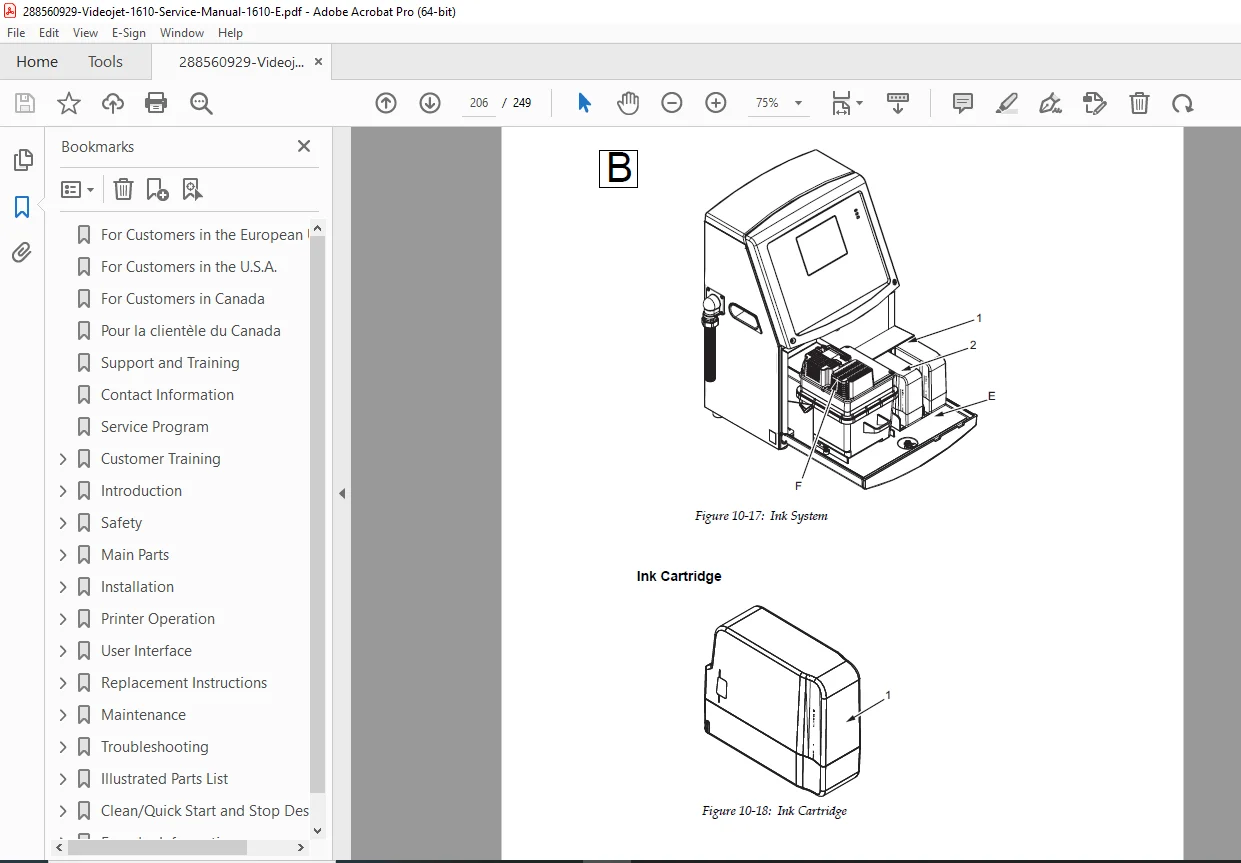
Ink system and core module
Printhead and condenser
Power supply, fan units, connector panels
Optional accessories:
Beacon kit
Dry-air kit
Static and mobile stands
Printhead stand and wash-station assembly
Appendix A — Clean / Quick Start & Stop
Step-by-step purge and shutdown procedures
Nozzle flushing cycles and automatic cleaning modes
Jet protection and quick-restart configuration
Appendix B — Encoder Information
Detailed setup for internal, external, and auto encoding
Wiring diagrams for encoder sensors and signal polarity
Parameter adjustments for line-speed synchronization
💡 Special Features & Technical Highlights
Full electrical and hydraulic schematics
Complete CE / FCC / CSA certification and safety documentation
Ink-system flowcharts and viscosity calibration data
Comprehensive bonding/grounding check tables
Exploded parts diagrams with OEM part numbers
Multi-language support references (EN, FR, DE, ES, IT, etc.)
Training recommendations under the Videojet Total Source® program
🧾 Who This Manual Is For
Service engineers and field technicians maintaining industrial CIJ printers
Factory maintenance departments
Technical trainers and documentation libraries
Independent repair professionals dealing with inkjet coding systems
File Details
| Manual Name | Videojet 1610 Excel Continuous Inkjet Printer Service Manual |
|---|---|
| Models Covered | Videojet 1610 & 1610 Excel Continuous Inkjet Printers |
| Year | August 2009 (Revision AA) |
| PDF Quality | OEM Factory Original – Text Searchable, High-Resolution |
| Total Pages | 249 Pages |