Zebra ZD420 Desktop Printer Service Manual Complete Repair Guide PDF
Original price was: $120.00.$18.95Current price is: $18.95.
Instant download Zebra ZD420 desktop printer service manual with complete repair procedures, troubleshooting guides, and parts replacement instructions. This comprehensive 131-page Zebra barcode printer service manual includes detailed cleaning procedures, diagnostic tests, wiring diagrams, exploded views, and step-by-step component replacement for thermal label printers. Professional printer technicians get full access to ZD420 troubleshooting flowcharts, firmware updates, calibration procedures, and complete parts lists.
Description
Zebra ZD420 Desktop Printer Service Manual Complete Repair Guide PDF DOWNLOAD
DESCRIPTION
Zebra ZD420 Series Desktop Printer Service Manual – Professional Repair & Maintenance Guide
Get instant access to the Zebra ZD420 service manual in downloadable PDF format. This official Zebra barcode printer service manual is the complete technical resource used by certified technicians worldwide. Whether you’re servicing thermal label printers in retail, healthcare, warehousing, or manufacturing environments, this ZD420 thermal printer troubleshooting guide provides everything needed for professional diagnostics and repairs.
📋 File Details
| Specification | Details |
|---|---|
| Manual Name | Zebra ZD420 Series Desktop Printers Service Manual |
| Document Number | 212529-001 Rev. B |
| Publication Date | May 2016 |
| Manufacturer | Zebra Technologies Corporation (ZIH Corp) |
| Total Pages | 131 Pages |
| File Format | PDF (Searchable Professional Quality) |
| Manual Quality | Factory Original OEM Documentation |
| File Size | 9.1 MB |
| Language | English |
🖨️ Printer Models Covered
This service manual covers the complete Zebra ZD420 Series family:
ZD420 Standard Models:
- ✅ ZD420 Direct Thermal Printers
- ✅ ZD420c Thermal Transfer Printers (Cartridge Ribbon)
- ✅ All print width configurations
- ✅ All resolution variants (203 dpi, 300 dpi)
Configuration Options Covered:
- ✅ Tear-off mode printers
- ✅ Label dispenser (peel) configuration
- ✅ Cutter option models
- ✅ Standard and healthcare models
- ✅ Various connectivity options (USB, Ethernet, Serial, Bluetooth, Wi-Fi)
📖 Complete Manual Contents
This Zebra desktop printer repair manual covers all technical aspects across 131 comprehensive pages:
CHAPTER 1 – INTRODUCTION (Pages 1-4)
Service Manual Overview:
- ✅ How repairs and maintenance procedures are documented
- ✅ CD-ROM content sharing and access
- ✅ Thermal printing technology overview
- ✅ Static-safe work area preparation (ESD protection)
- ✅ Proper packaging and shipping procedures
- ✅ Environmental and shock protection guidelines
- ✅ Long-term storage recommendations
- ✅ RTC battery information (10-year rated)
- ✅ Fuse specifications
Safety Information:
- Electrostatic discharge (ESD) precautions
- Thermal printhead burn warnings
- Electric shock prevention
- Proper protective equipment requirements
CHAPTER 2 – CLEANING AND MAINTENANCE (Pages 5-20)
Comprehensive Cleaning Procedures:
Printhead Cleaning:
- ✅ Step-by-step printhead cleaning procedures
- ✅ Recommended cleaning supplies and materials
- ✅ Cleaning frequency guidelines
- ✅ Preventive maintenance schedules
- ✅ Print quality optimization through cleaning
Media Path Cleaning:
- ✅ Complete media path component cleaning
- ✅ Roller cleaning procedures
- ✅ Dust and debris removal
- ✅ Adhesive residue removal techniques
Cutter and Label Dispenser Cleaning:
- ✅ Cutter blade maintenance
- ✅ Dispenser mechanism cleaning
- ✅ Option module care procedures
- ✅ Performance optimization
Sensor Cleaning:
- ✅ Gap/notch sensor cleaning
- ✅ Media sensor maintenance
- ✅ Black mark sensor care
- ✅ Ribbon sensor cleaning (thermal transfer models)
- ✅ Sensor calibration after cleaning
Platen Roller Cleaning:
- ✅ Drive roller maintenance procedures
- ✅ Cleaning solutions and methods
- ✅ Roller condition assessment
- ✅ Replacement criteria
Other Maintenance:
- ✅ Exterior cleaning procedures
- ✅ Ventilation cleaning
- ✅ General upkeep recommendations
CHAPTER 3 – TROUBLESHOOTING (Pages 21-52)
3-1. Indicator Light Patterns:
- ✅ Complete LED status indicator reference
- ✅ Normal operation patterns
- ✅ Error condition indicators
- ✅ Warning light sequences
- ✅ Quick diagnostic interpretation
3-2. Printing Issues Troubleshooting:
- ✅ No printing / Printer not responding
- Power supply diagnostics
- Cable connection verification
- Communication port testing
- ✅ Poor print quality issues:
- Faint or light printing
- Inconsistent darkness
- Voids in printing
- Streaks or lines
- Smudging problems
- ✅ Media feed problems:
- Skipping labels
- Misaligned printing
- Media jamming
- Incorrect label positioning
- ✅ Ribbon issues (ZD420c):
- Ribbon wrinkle troubleshooting
- Cartridge detection problems
- Ribbon breakage
- End-of-ribbon errors
3-3. Communications Problems:
- ✅ USB communication troubleshooting
- ✅ Ethernet/network connectivity issues
- ✅ Serial port communication diagnostics
- ✅ Bluetooth pairing problems
- ✅ Wi-Fi connection troubleshooting
- ✅ Driver installation issues
3-4. Miscellaneous Issues:
- ✅ Power-on failures
- ✅ Mechanical problems
- ✅ Sensor errors
- ✅ Firmware issues
- ✅ Configuration problems
3-5. Updating Printer Firmware:
- ✅ Firmware download procedures
- ✅ USB flash drive preparation
- ✅ Firmware installation steps
- ✅ Update verification
- ✅ Troubleshooting failed updates
3-6. USB Host Functionality:
- ✅ Flash drive compatibility
- ✅ File transfer procedures
- ✅ Configuration file management
3-7. Ribbon Cartridge Programming:
- ✅ ZPL commands for ribbon cartridges
- ✅ Cartridge recognition procedures
- ✅ Programming syntax and examples
3-8. Operator Darkness Control:
- ✅ Adjusting print darkness settings
- ✅ Optimal darkness for different media
- ✅ Troubleshooting darkness issues
3-9. Printer Diagnostics:
Power-On Self Test (POST):
- ✅ Automatic diagnostic procedures
- ✅ Component verification
- ✅ Error detection during startup
SmartCal Media Calibration:
- ✅ Automatic media sensing
- ✅ Gap, notch, and continuous media calibration
- ✅ Black mark detection setup
- ✅ Step-by-step SmartCal procedures
Test Printing:
- ✅ Configuration report printing
- ✅ Print quality report generation
- ✅ Network configuration printout
- ✅ Label format test prints
Factory Reset Procedures:
- ✅ Reset printer to factory defaults
- ✅ Network settings reset
- ✅ Reset button functionality
- ✅ Recovery procedures
Communication Diagnostics:
- ✅ Serial communication testing
- ✅ Network connectivity verification
- ✅ USB connection diagnostics
Sensor Profile:
- ✅ Media sensor readings
- ✅ Sensor threshold verification
- ✅ Calibration validation
3-10. Advanced Mode:
- ✅ Manual media calibration procedures
- ✅ Manual print width adjustment
- ✅ Manual print darkness adjustment
- ✅ Advanced configuration options
3-11. Factory Test Modes:
- ✅ Manufacturing test procedures
- ✅ Component-level diagnostics
- ✅ Quality control testing
CHAPTER 4 – REQUIRED TOOLS (Pages 53-54)
Tool List for Service:
- ✅ Screwdrivers (Phillips, Torx)
- ✅ Specialty tools required
- ✅ ESD protection equipment
- ✅ Cleaning supplies
- ✅ Testing equipment
- ✅ Measurement tools
CHAPTER 5 – REPLACING PARTS (Pages 55-104)
5-1. Repair Procedure Sequence:
- ✅ Component dependency flowcharts
- ✅ Logical repair sequences
- ✅ How to determine repair paths
- ✅ Example repair procedures
- ✅ Pre-repair and post-repair testing
5-2. Complete Part Replacement Procedures:
Printhead Replacement:
- ✅ Step-by-step printhead removal
- ✅ New printhead installation
- ✅ Cable routing and connection
- ✅ Printhead alignment
- ✅ Post-installation calibration
- ✅ Test print verification
Platen (Drive) Roller Replacement:
- ✅ Roller removal procedures
- ✅ Bearing and shaft service
- ✅ New roller installation
- ✅ Tension adjustment
- ✅ Alignment verification
Connectivity Option Modules:
- ✅ Removing existing modules
- ✅ Installing new connectivity options
- ✅ Configuration procedures
- ✅ Testing connections
Front Bezel Option Replacement:
- ✅ Tear-off bezel replacement
- ✅ Dispenser option installation
- ✅ Cutter module replacement
- ✅ Proper alignment procedures
Printer Base Removal:
- ✅ Access procedures for internal repairs
- ✅ Base removal steps
- ✅ Reassembly procedures
Printer Feet Replacement:
- ✅ Rubber foot removal and installation
- ✅ Leveling procedures
Window Replacement:
- ✅ Top window removal
- ✅ New window installation
- ✅ Seal verification
Cover Assembly Replacement:
- ✅ Complete cover removal procedures
- ✅ Hinge disconnection
- ✅ New cover installation
- ✅ Latch adjustment
Latch Assembly Replacement:
- ✅ Latch mechanism removal
- ✅ Spring replacement
- ✅ New latch installation
- ✅ Adjustment and testing
Control Panel PCBA Replacement:
- ✅ Panel removal procedures
- ✅ Cable disconnection
- ✅ New board installation
- ✅ Button functionality testing
Ribbon Sensor PCBA:
- ✅ Sensor board location
- ✅ Removal and replacement
- ✅ Calibration procedures
Motor Replacement:
- ✅ Stepper motor removal
- ✅ Cable disconnection
- ✅ New motor installation
- ✅ Alignment and testing
Head-Up Sensor Replacement:
- ✅ Sensor location and access
- ✅ Removal procedures
- ✅ Installation and testing
Main PCBA Replacement:
- ✅ Complete main board removal
- ✅ All cable disconnections
- ✅ New board installation
- ✅ Firmware and configuration restoration
- ✅ Complete system testing
Movable Sensor Replacement:
- ✅ Media sensor arm removal
- ✅ Sensor replacement
- ✅ Calibration procedures
- ✅ Position adjustment
Hinge Replacement:
- ✅ Cover hinge removal
- ✅ New hinge installation
- ✅ Alignment procedures
Ribbon Transport Replacement:
- ✅ Ribbon supply and take-up mechanism
- ✅ Complete transport assembly
- ✅ Installation and testing
Upper Media Sensor (Gap/Web) Replacement:
- ✅ Sensor location and removal
- ✅ New sensor installation
- ✅ SmartCal calibration
Print Mechanism / Upper Inner Frame:
- ✅ Complete mechanism replacement
- ✅ Major assembly procedures
- ✅ Full system reassembly
CHAPTER 6 – CABLE ROUTING (Pages 105-112)
Proper Cable Management:
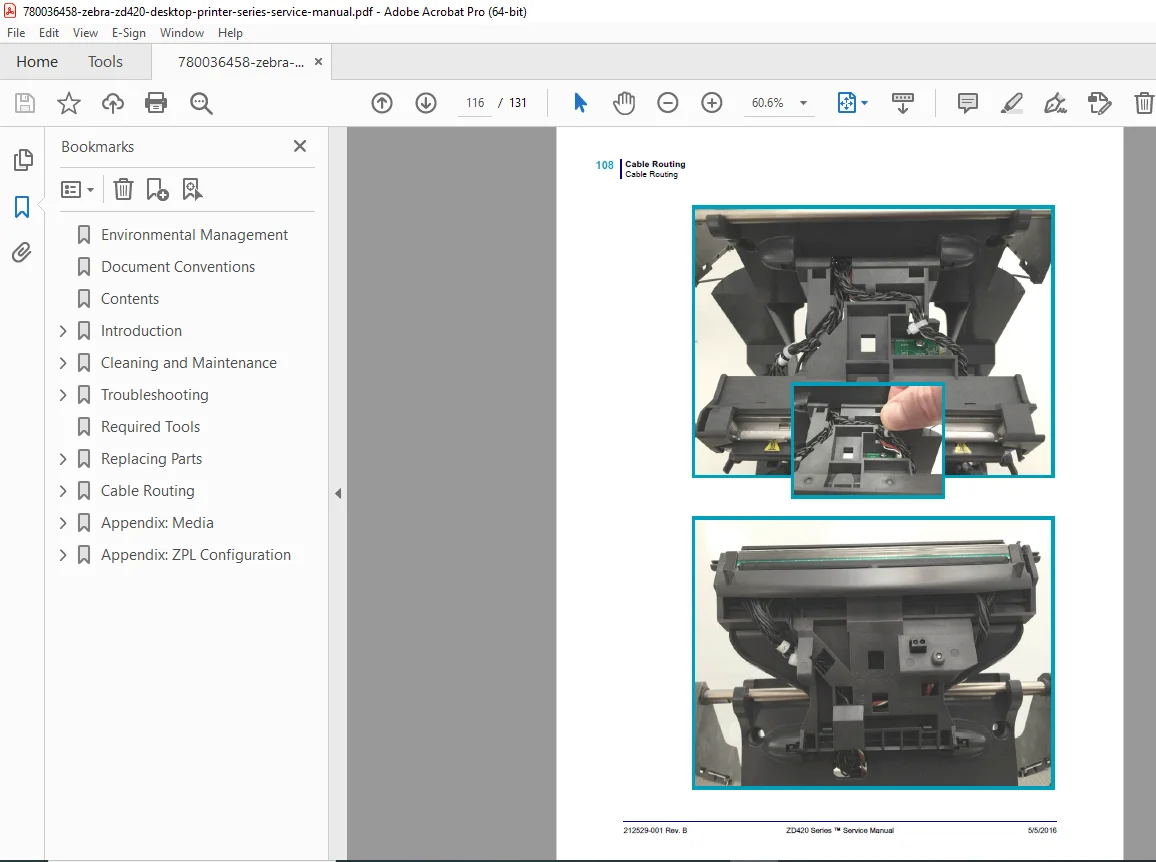
- ✅ Main PCBA cable connections diagram
- ✅ Detailed cable routing paths
- ✅ Connector identification
- ✅ Proper cable dress procedures
- ✅ Avoiding cable damage during assembly
- ✅ Cable tie-down locations
- ✅ Strain relief guidelines
Cable Routing Diagrams:
- Power supply cables
- Printhead cables
- Motor cables
- Sensor cables
- Communication cables
- Option module cables
APPENDIX A – MEDIA (Pages 113-116)
Thermal Media Technical Information:
- ✅ Types of thermal media (direct thermal vs. thermal transfer)
- ✅ Determining thermal media types
- ✅ Media quality assessment
- ✅ Label construction specifications
- ✅ Roll core sizes
- ✅ Maximum roll diameter
- ✅ Media width specifications
- ✅ Label length parameters
- ✅ Gap and notch specifications
- ✅ Black mark media specifications
- ✅ Continuous media guidelines
- ✅ Tag stock specifications
- ✅ Ribbon compatibility (for ZD420c)
General Media and Print Specifications:
- Media type compatibility
- Temperature ranges
- Storage recommendations
- Print quality optimization
APPENDIX B – ZPL CONFIGURATION (Pages 117-123)
ZPL Programming Reference:
- ✅ Managing ZPL printer configuration
- ✅ ZPL configuration file format
- ✅ Configuration command syntax
- ✅ Setting to command cross-reference
- ✅ Parameter descriptions
- ✅ Configuration examples
Printer Memory Management:
- ✅ Memory status reports
- ✅ File management commands
- ✅ Format storage procedures
- ✅ Graphics and font management
🔧 Professional Applications
This Zebra label printer technical manual is essential for:
- Printer Service Technicians – Field service and depot repair
- IT Support Professionals – Corporate printer fleet management
- Retail POS Technicians – Receipt and label printer maintenance
- Healthcare IT Departments – Medical specimen and wristband printer service
- Warehouse Maintenance Teams – Shipping label printer repairs
- Manufacturing Technicians – Production line printer support
- Independent Service Providers – Multi-brand printer service companies
- Technical Training Schools – Printer repair certification programs
⚡ Key Service Areas Covered
Thermal Printing Technology:
- Direct thermal printing principles
- Thermal transfer printing (ribbon-based)
- Printhead element operation
- Temperature control systems
- Media sensing technology
ZPL Programming Language:
- Zebra Programming Language basics
- Configuration commands
- Label format programming
- Printer control commands
- Status monitoring
Link-OS Technology:
- Cloud connectivity features
- Remote printer management
- Firmware over-the-air updates
- Print DNA architecture
Diagnostic Systems:
- SmartCal automatic calibration
- Self-test procedures
- Error code interpretation
- LED indicator diagnostics
- Configuration reports
💡 Advanced Features of This Manual
✔️ 131 Pages of Technical Content – Comprehensive repair coverage
✔️ Step-by-Step Procedures – Detailed instructions with photos
✔️ Cable Routing Diagrams – Proper reassembly guidance
✔️ Exploded Views – Component identification and ordering
✔️ Troubleshooting Flowcharts – Systematic problem resolution
✔️ Firmware Update Guide – USB flash drive procedures
✔️ ZPL Reference – Programming and configuration
✔️ Media Specifications – Compatibility information
✔️ ESD Safety Procedures – Component protection
✔️ Factory Test Modes – Advanced diagnostics
📱 Technical Support Resource
- ✅ Compatible with all devices (PC, Mac, tablet, smartphone)
- ✅ Searchable PDF for instant information access
- ✅ Print specific procedures for workbench reference
- ✅ Bookmark navigation for quick section access
- ✅ High-resolution diagrams and photos
- ✅ Lifetime access with no restrictions
🛠️ Common Repairs and Maintenance Covered
The manual guides you through:
- Printhead replacement and calibration
- Media sensor cleaning and adjustment
- Print quality troubleshooting
- Communication setup and diagnostics
- Firmware updates and recovery
- Label format programming
- Ribbon cartridge installation (ZD420c)
- Cutter blade replacement
- Dispenser adjustment
- Network configuration
- Bluetooth pairing
- Wi-Fi setup
- Motor and drive system repairs
- Circuit board replacement
- Complete printer disassembly/reassembly
🎯 Technical Specifications Included
- Print Methods – Direct thermal and thermal transfer
- Print Resolutions – 203 dpi and 300 dpi
- Print Widths – 2″, 4″, and 6″ models
- Print Speeds – Up to 6 inches per second
- Media Types – Labels, tags, receipts, wristbands
- Connectivity Options – USB, Serial, Ethernet, Bluetooth, Wi-Fi
- Programming Languages – ZPL, ZPL II, EPL
- Operating Systems – Windows, macOS, Linux compatibility
- Power Requirements – AC power specifications
📥 Download Your Service Manual Now!
Get instant access to your Zebra ZD420 service manual immediately after purchase! No waiting for shipping, no backorders – download all 131 pages of professional printer service documentation right now. This ZD420 parts replacement service guide provides the same factory-level technical information used by Zebra-certified technicians worldwide. Reduce printer downtime, increase first-time fix rates, and maintain your thermal label printing operations to factory specifications with this essential service resource!