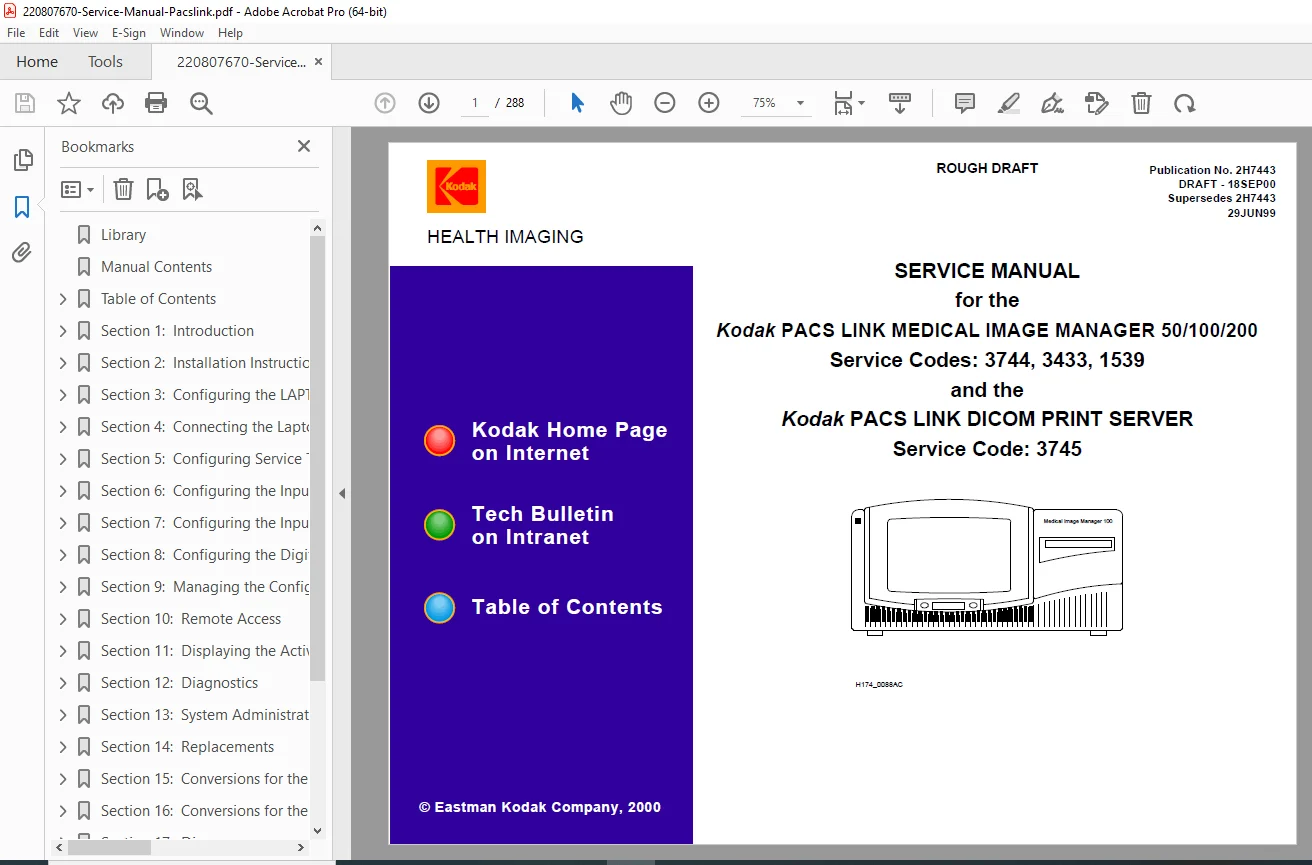
Kodak PACS Link Medical Image Manager 50/100/200 DICOM Print Server Service PDF
Original price was: $65.00.$18.95Current price is: $18.95.
Official Kodak factory service manual for PACS Link Medical Image Manager 50/100/200 and DICOM Print Server systems. This comprehensive 288-page technical manual covers installation, configuration, diagnostics, troubleshooting, and repair procedures for medical imaging PACS workstations. Includes Video 60/150 board setup, digital input configuration, network setup, remote access, software updates, hardware replacements, and complete circuit diagrams. Essential for biomedical technicians servicing Kodak medical imaging equipment.
Description
Kodak PACS Link Medical Image Manager 50/100/200 DICOM Print Server Service PDF DOWNLOAD
LONG DESCRIPTION
This is the official Kodak PACS Link Medical Image Manager Service Manual (Publication No. 2H7443, Draft 18SEP00) published by Eastman Kodak Company Health Imaging division. This comprehensive 288-page technical manual provides complete service information for Kodak’s medical imaging PACS (Picture Archiving and Communication System) equipment.
Models & Systems Covered
This Kodak PACS Link Medical Image Manager service manual covers:
- Kodak PACS Link Medical Image Manager 50 (MIM 50) – Service Code: 1539
- Kodak PACS Link Medical Image Manager 100 (MIM 100) – Service Code: 3433
- Kodak PACS Link Medical Image Manager 200 (MIM 200) – Service Code: 3744
- Kodak PACS Link DICOM Print Server – Service Code: 3745
- Kodak Distributed Medical Image Spooler (Video/Digital/DICOM versions)
- Kodak 3600 Distributed Medical Imager
- Kodak 1200 Imager
System Overview
The Kodak PACS Link Medical Image Manager systems are professional medical imaging workstations designed for:
- Image Acquisition – Capturing medical images from various modalities (CT, MRI, ultrasound, X-ray, fluoroscopy)
- Image Processing – Digital image enhancement and manipulation
- Image Storage – Hard disk and network storage of medical images
- Image Distribution – DICOM-compliant network transmission
- Film Output – Laser imager integration for hard copy production
- PACS Integration – Full Picture Archiving and Communication System compatibility
- HIS/RIS Gateway – Hospital Information System and Radiology Information System connectivity
Key System Features
MIM 50 Features:
- Single or multiple input configurations
- Video and/or digital input capability
- Compact design for modality-specific applications
- DICOM-compliant networking
- Image storage and retrieval
MIM 100 Features:
- Video 60 Board or Video 150 Board input options
- 4MB or 8MB Digital Board configurations
- Enhanced image processing capabilities
- Multiple input source support
- Conversion capability between video and digital interfaces
- Wall-mountable design
- Hard disk storage
- Network connectivity
MIM 200 Features:
- Advanced multi-modality support
- Display Keypad, Print Keypad, or Touchscreen Keypad options
- Integration with 3600 and 1200 Imagers
- Enhanced storage capacity
- Full PACS functionality
- Advanced networking capabilities
DICOM Print Server:
- DICOM-compliant print server functionality
- Network print job management
- Multiple imager support
- Queue management
- Print quality control
Comprehensive Manual Contents
This manual is organized into detailed sections covering all aspects of service and support:
SECTION 1: INTRODUCTION
- Using this manual effectively
- Prerequisites for technicians
- Special tools required
- Required disks and CDs
- Feedback procedures
- Complete documentation cross-reference
- Standards and shortcuts used throughout manual
SECTION 2: INSTALLATION INSTRUCTIONS
Unpacking Procedures:
- MIM 200 unpacking and handling
- MIM 100 unpacking procedures
- MIM 50 unpacking guidelines
- DICOM Print Server installation
- Shipping materials identification
- ESD (Electrostatic Discharge) precautions
Physical Installation:
- Site preparation requirements
- Mounting procedures
- Wall mounting template usage (MIM 100)
- Cable routing
- Power requirements
- Environmental specifications
Completing Installation:
- Initial power-up procedures
- System verification
- Network connection
- Imager connection
- Modality connection
SECTION 3: CONFIGURING THE LAPTOP
Service Laptop Setup:
- Introduction to service laptop requirements
- Installing MIM service software from CD-ROM
- Installing laptop software from floppy disks
- Laptop Basic Software V_2.0 installation (MIM 100)
- Data Access Objects (DAO) 3.0 installation
- Service software installation
- Laptop Basic Software V_3.0 installation
- Laptop Basic Software V_3.5 installation
Keypad Firmware Updates:
- Firmware update procedures
- Version verification
Software Installations:
- MIM Digital V_2.2 installation
- Video 150 Board V_1.3 installation
- MIM 100 V_A1.10 installation
- TCP/IP protocol installation
- Dial-Up Networking installation
- “Direct Connect to NT” setup
- Serial port configuration
- Creating Dial-Up Networking icons
SECTION 4: CONNECTING TO MIM PRODUCTS
Connection Methods:
- Connecting laptop to MIM products
- Using Dial-Up Networking
- Direct serial connection
- Network connection via TCP/IP
- Passthrough connection methods
Service Application Connection:
- Local MIM product connection
- Passthrough MIM product connection
- Disconnection procedures
SECTION 5: SYSTEM CONFIGURATION
Service Tracking Configuration:
- Service tracking information verification
- Service history logging
- System identification
Network Configuration:
- TCP/IP settings
- Subnet mask configuration
- Gateway settings
- DNS configuration
- Network testing and verification
Destination Configuration:
- DICOM destination setup
- Network printer configuration
- Imager destination setup
- PACS server configuration
- Archive destination setup
HIS/RIS Gateway Configuration:
- Hospital Information System integration
- Radiology Information System connectivity
- HL7 interface setup
- Worklist configuration
- Patient demographics integration
SECTION 6: VIDEO 60 BOARD CONFIGURATION
- Introduction to Video 60 Board
- Input parameter configuration
- Autofilming mode setup
- Image quality adjustment procedures
- Advanced leveling feature
- Black and white value definition
- Auto Setup procedures
- Pre-staged board configuration
- Non-pre-staged board configuration
- Troubleshooting video input issues
SECTION 7: VIDEO 150 BOARD CONFIGURATION
- Introduction to Video 150 Board
- Enhanced input parameters
- Autofilming mode configuration
- Auto Setup for MIM 100/Video 150
- Pre-staged vs. non-pre-staged boards
- Image capture optimization
- Signal quality verification
SECTION 8: DIGITAL INPUT CONFIGURATION
- Introduction to digital imaging
- Digital input parameters
- Autofilming mode for digital
- DICOM digital input configuration
- Image format settings
- Resolution settings
- Compression options
SECTION 9: CONFIGURATION MANAGEMENT
- Network input configuration
- Keypad date format settings
- Operating language selection
- Time zone configuration
- Disk management settings
- Storage quota management
- Configuration save procedures
- Configuration restore procedures
- Backup procedures
- Modality Store feature configuration
SECTION 10: REMOTE ACCESS
- External modem installation
- Modem configuration
- Remote service access setup
- Dial-in procedures
- Remote diagnostics
- Security considerations
- Remote software updates
SECTION 11: ACTIVITY AND ERROR LOGS
Logging System:
- Introduction to logging levels
- Setting logging verbosity
- Log file management
Activity History Log:
- Displaying activity logs
- Activity log interpretation
- Example activity logs
- Activity tracking
Error History Log:
- Error log display
- Error code interpretation
- Error log examples
- Error frequency analysis
Error Frequency Log:
- Frequency log display
- Clearing frequency logs
- Trend analysis
SECTION 12: DIAGNOSTICS
System Diagnostics:
- Beep codes (POST diagnostics)
- BIOS configuration
- Interrupt settings
- IRQ assignments
- DMA channel configuration
MIM 100 Troubleshooting:
- Systematic troubleshooting procedures
- Slot assignments
- Board identification
Optical Interface (OI) Board Diagnostics:
- OI board testing procedures
- CPOI troubleshooting
- Interface verification
Image Testing:
- Store and print test images
- Image quality verification
- Test pattern generation
Hardware Diagnostics:
- Component testing
- Board-level diagnostics
- Cable testing
Network Diagnostics:
- Network malfunction troubleshooting
- Connectivity testing
- DICOM verification
- Ping and trace route utilities
SECTION 13: SYSTEM ADMINISTRATION
Software Updates:
- Updating MIM application software
- Firmware updates
- Installing new software versions
- Reverting to previous software versions
- Version verification
License Management:
- Enabling software licenses (MIM 100/200/50)
- License key entry
- Feature activation
- License verification
SECTION 14: COMPONENT REPLACEMENTS
Hard Drive Replacement:
- Hard drive removal procedures
- Hard drive installation
- Formatting procedures
- Software reinstallation after drive replacement
Software Updates After Replacement:
- MIM application software installation
- Configuration restoration
- System verification
CPU Board Replacement:
- MIM 100 CPU board replacement procedures
- BIOS configuration after replacement
- Board-level replacement guidelines
SECTION 15: MIM 100 CONVERSIONS
Interface Conversions:
- Converting from Video to Digital interface
- Converting from Digital to Video interface
- Hardware modifications required
- Software reconfiguration
Memory Upgrades:
- Converting from 4MB to 8MB Digital Board
- Memory installation procedures
- Configuration changes
- Verification testing
SECTION 16: MIM 50 CONVERSIONS
Input Conversions:
- Converting from single input to multiple inputs
- Hardware additions
- Software configuration changes
- Testing multiple input sources
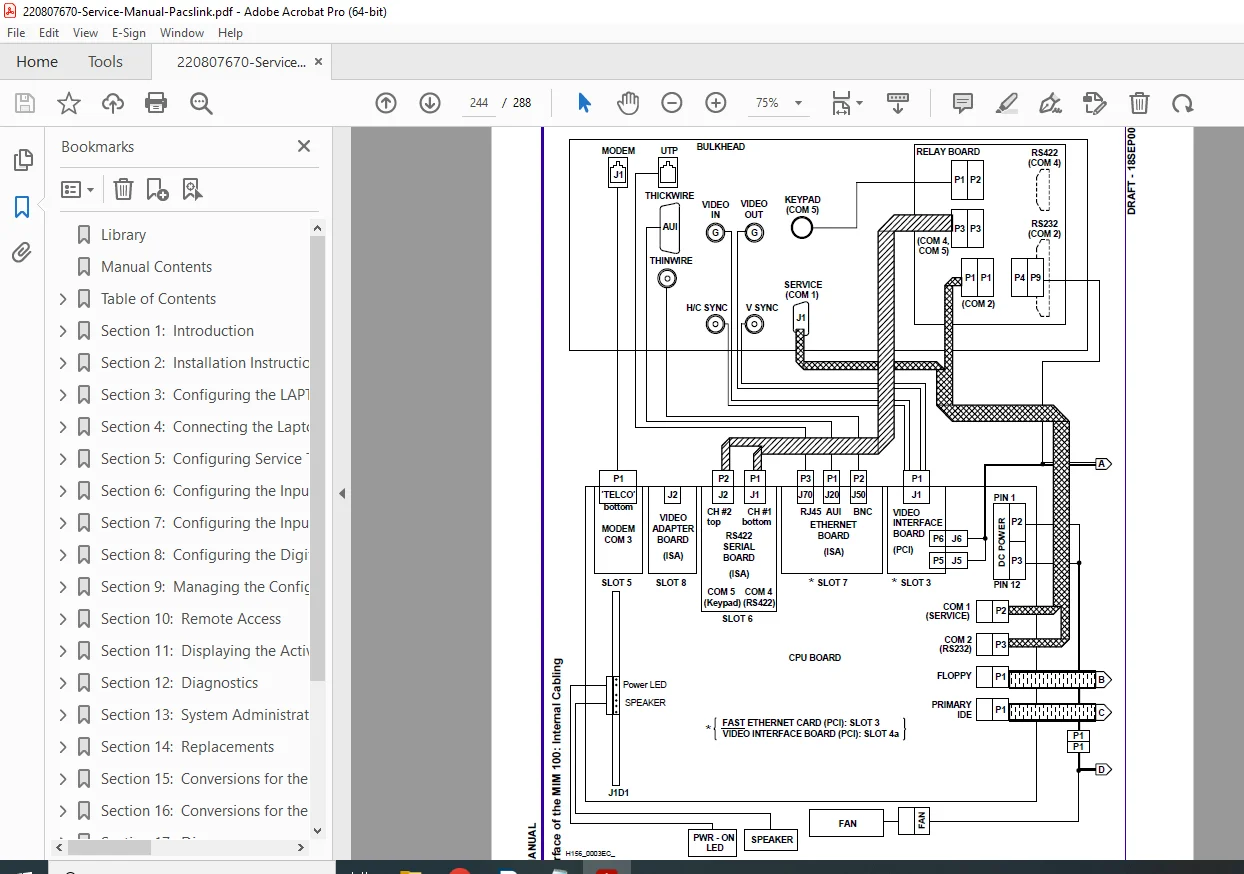
SECTION 17: DIAGRAMS
- Complete wiring diagrams
- Circuit board schematics
- Block diagrams
- Component location diagrams
- Cable interconnection diagrams
- Connector pinouts
- Signal flow diagrams
SECTION 18: THEORY OF OPERATION
- System architecture overview
- Image acquisition theory
- Image processing algorithms
- Storage architecture
- Network communication theory
- DICOM protocol overview
- Print spooling theory
SECTION 19: OPERATOR TRAINING
Training Materials:
- Introduction to training objectives
- Training module outlines
- Proficiency checklists for MIM systems
- Key operator responsibilities
- Basic operator procedures
SECTION 20: SERVICE FEEDBACK
- SCAN feedback system
- Service codes reference
- Mod 1 FILM MAILER procedures
- Unqualified modality handling
- Feedback submission
SECTION 21: GLOSSARY
- Complete medical imaging terminology
- PACS terminology
- DICOM terminology
- Technical acronyms
- System-specific terms
SECTION 22: APPENDIX
- Modality specification worksheet
- Configuration worksheets
- Service forms
- Reference materials
Safety & Regulatory Information
ESD Protection: ⚠ Equipment contains ESD-sensitive components
⚠ Use proper grounding procedures during all service
⚠ Anti-static wrist straps required
Medical Device Safety: ⚠ Medical imaging equipment requires qualified service personnel
⚠ System critical for patient care
⚠ Follow all hospital safety protocols
⚠ Coordinate service with radiology department
Network Security: ⚠ HIPAA compliance considerations
⚠ Patient data confidentiality
⚠ Secure remote access procedures
Technical Specifications
Supported Modalities:
- CT (Computed Tomography)
- MRI (Magnetic Resonance Imaging)
- Ultrasound
- X-Ray (Digital Radiography)
- Fluoroscopy
- Nuclear Medicine
- CR (Computed Radiography)
- DSA (Digital Subtraction Angiography)
Imaging Standards:
- DICOM 3.0 compliant
- HL7 interface support
- TCP/IP networking
- Ethernet connectivity
Storage Capabilities:
- Hard disk storage
- Network storage
- Optical storage options
- Disk management with quotas
Who Needs This Manual?
This Kodak medical imaging PACS system troubleshooting guide is essential for:
- Hospital biomedical engineering departments
- Authorized Kodak service technicians
- Medical imaging equipment service centers
- Radiology department technical staff
- PACS administrators
- Healthcare IT professionals
- Technical training programs for medical imaging equipment
Prerequisites for Technicians:
✓ Understanding of medical imaging concepts
✓ Computer networking knowledge (TCP/IP)
✓ Windows NT operating system experience
✓ DICOM protocol familiarity
✓ Electronic troubleshooting skills
✓ PC hardware knowledge
FILE DETAILS
| Detail | Specification |
|---|---|
| Manual Name | Service Manual for Kodak PACS Link Medical Image Manager 50/100/200 |
| Models Covered | MIM 50, MIM 100, MIM 200, DICOM Print Server |
| Service Codes | 3744 (MIM 200), 3433 (MIM 100), 1539 (MIM 50), 3745 (DICOM Print Server) |
| Publication Number | 2H7443 |
| Revision | Draft 18SEP00 (Supersedes 29JUN99 edition) |
| Author | Kodak Service and Support |
| Pages | 288 pages |
| PDF Quality | Good quality professional scan with clear diagrams |
| File Size | 6.4 MB |
| Language | English |
| Copyright | Eastman Kodak Company, 2000 |
| Division | Health Imaging |