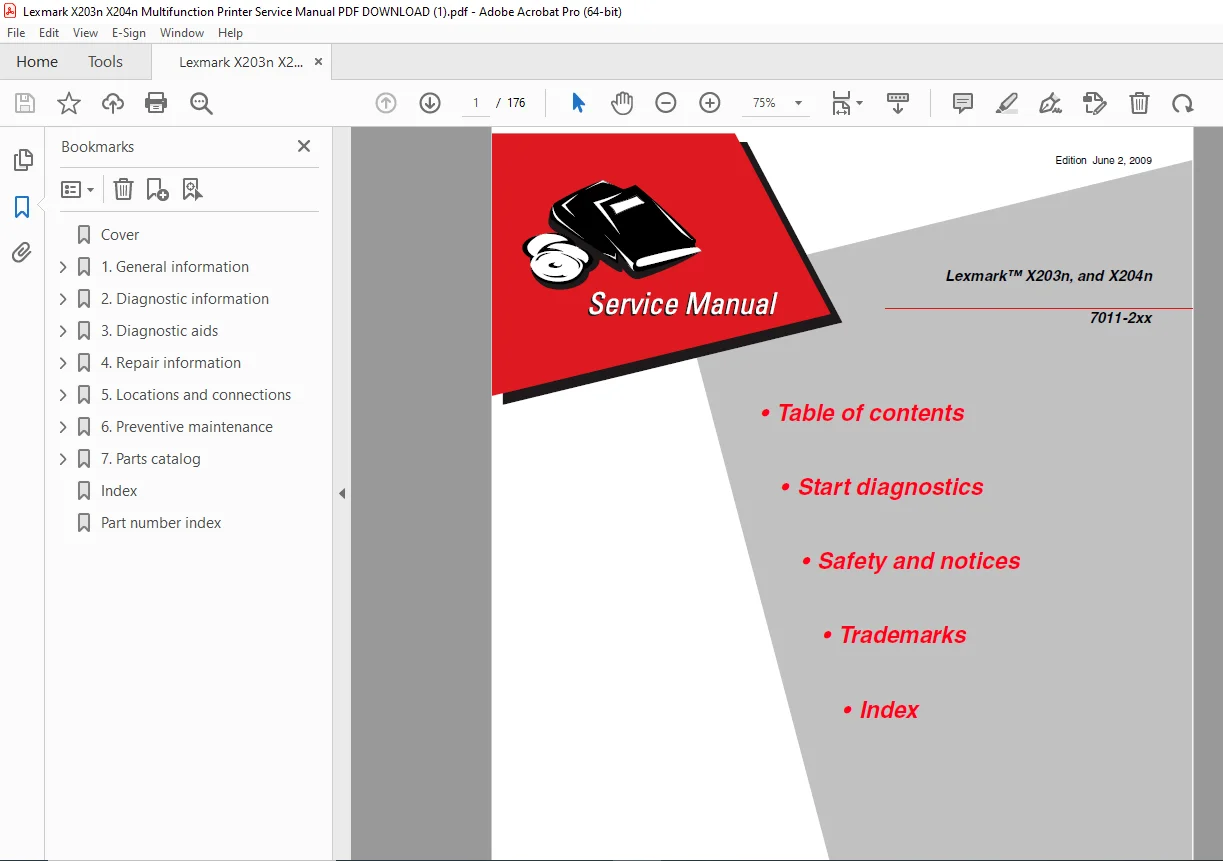
Lexmark X203n X204n Multifunction Printer Service Manual PDF 7011-2xx
Original price was: $85.00.$19.95Current price is: $19.95.
Official Lexmark factory service manual for X203n and X204n multifunction printers (Model 7011-2xx). This comprehensive 176-page technical manual covers diagnostics, troubleshooting, repair procedures, and maintenance for these all-in-one laser MFPs.
Includes detailed specifications, service checks, error codes, paper jam clearance, print quality diagnostics, scanner service, fax troubleshooting (X204), removal/replacement procedures, wiring diagrams, and preventive maintenance schedules.
Description
Lexmark X203n X204n Multifunction Printer Service Manual PDF DOWNLOAD
DESCRIPTION
This is the official Lexmark X203n and X204n Service Manual (Part Number 12G0272, Edition June 2, 2009) published by Lexmark International, Inc. This comprehensive 176-page technical manual provides complete service information for the Lexmark X203n and X204n multifunction laser printer systems (Model designation 7011-2xx).
Models Covered
This Lexmark multifunction printer repair guide covers:
- Lexmark X203n – Monochrome laser MFP with print, copy, scan, and network functions
- Lexmark X204n – Monochrome laser MFP with print, copy, scan, fax, and network functions
Both models share the 7011-2xx model designation and identical hardware platforms, with the X204n adding integrated fax capability.
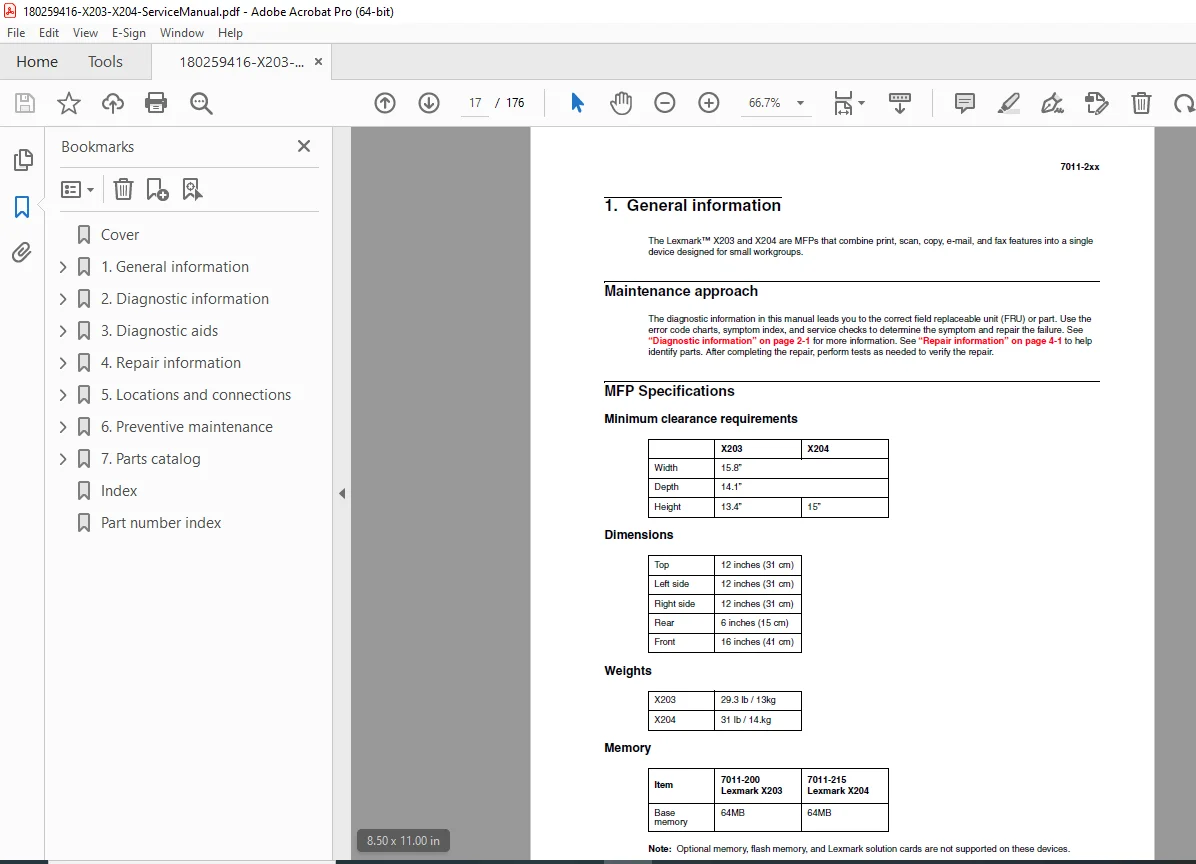
Complete MFP Specifications
Physical Specifications:
- Dimensions: Compact desktop multifunction design
- Weight: Specifications for service planning
- Clearance Requirements: Minimum clearances for proper ventilation
- Memory: Standard RAM configuration
Print Specifications:
- Print Speed: Fast monochrome laser printing
- Print Resolution: High-quality laser output
- First Print Time: Quick warm-up from ready mode
- Monthly Duty Cycle: Rated for office workloads
Connectivity:
- Network: Built-in Ethernet (both models have “n” network designation)
- USB: Hi-Speed USB 2.0 support
- Supported Networks: TCP/IP networking
- Compatibility: Windows, Mac, and Linux support
Paper Handling:
- Media Trays: Multiple input sources
- Capacity: Specifications for standard and manual feed
- Media Types: Plain paper, card stock, envelopes, labels, transparencies
- Supported Sizes: Letter, Legal, A4, A5, B5, Executive, and custom sizes
Scanner Specifications:
- Scanner Type: Flatbed with Automatic Document Feeder (ADF)
- Scan Resolution: High-resolution optical scanning
- ADF Capacity: Multiple-sheet automatic feeding
- Scan Functions: Scan to PC, scan to email, scan to network
Fax Specifications (X204n only):
- Fax Modem: Integrated fax modem
- Fax Speed: Standard fax transmission rates
- Fax Memory: Built-in fax storage
- Fax Features: Speed dial, broadcast fax, delayed send
Fonts:
- PCL Fonts: Complete scalable font set
- PostScript Fonts: PostScript emulation support
Comprehensive Manual Contents
This service manual is organized into detailed sections:
NOTICES AND SAFETY INFORMATION
- Laser safety notice (Class 1 laser product)
- Comprehensive safety warnings
- Electrical safety precautions
- ESD (Electrostatic Discharge) handling procedures
- High-voltage warnings
- Hot surface warnings (fuser)
- Moving parts safety
- Proper lifting techniques
PREFACE
- Manual conventions and symbols
- Documentation structure
- How to use this manual effectively
- Service approach philosophy
- Prerequisites for technicians
CHAPTER 1: GENERAL INFORMATION
Maintenance Approach:
- Service philosophy and methodology
- Recommended maintenance procedures
- Tools required for service
Complete MFP Specifications:
- Physical dimensions and weights
- Memory specifications
- Print speeds and resolution
- Scanner specifications
- Fax specifications (X204 only)
- Paper handling capabilities
- Environmental specifications
Tips on Preventing Jams:
- Paper selection guidelines
- Proper loading techniques
- Environmental factors
- Maintenance practices
Tools:
- Required service tools list
- Special tools identification
- ESD protection equipment
Acronyms:
- Complete glossary of technical acronyms
- MFP terminology
- Industry-standard abbreviations
CHAPTER 2: DIAGNOSTIC INFORMATION
Start Diagnostics:
- Systematic diagnostic approach
- Problem isolation methodology
Power-On Reset (POR) Sequence:
- Boot sequence documentation
- Initialization processes
- LED indicators during startup
Symptom Tables:
- POST Symptom Table – Power-on self-test issues
- MFP Symptom Table – Comprehensive symptom-to-solution mapping
Operator Panel:
- Understanding display messages
- Button functions
- LED indicators
- Navigation structure
MFP Menus:
- Complete menu structure
- Configuration menu options
- Diagnostics menu access
Messages and Error Codes:
- Service Error Codes (complete list with causes and solutions)
- Fax Error Codes (X204 specific)
- Paper Jam Messages (200, 201, 202, 241, 251, 290-294 series)
- User Attendance Messages
Service Checks (Comprehensive):
- ADF Service Check – Automatic document feeder diagnostics
- Flatbed Service Check – Scanner glass and mechanics
- Cold Fuser Service Check – Fuser cold-start issues
- Cooling Fan Service Check – Fan operation verification
- Controller Card Service Check – Main logic board diagnostics
- Cover Interlock Switch Service Check – Safety interlocks
- Dead Machine Service Check – No power diagnostics
- Fuser Service Check – General fuser diagnostics
- Hot Fuser Service Check – Overheating issues
- LVPS/HVPS Service Check – Power supply diagnostics
- Main Motor Service Check – Drive motor testing
- Modem Service Check – Fax modem diagnostics (X204)
- Networking Service Check – Network connectivity
- Operator Panel Service Check – Display and buttons
- Paperpath Sensor Service Check – Sensor verification
- Printhead Service Check – Laser scanner unit
- Transfer Roll Service Check – Transfer process
Paper Feed Service Checks:
- Paper jam error during POST
- Continuous paper feeding
- Paper stops halfway
- Paper never picks
- Multiple sheet feeding
- Paper curling/wrinkling issues
- Oversized paper handling
Print Quality Service Checks:
- Using print quality test pages
- Blank page diagnostics
- Black page issues
- Heavy background problems
- White spots and missing print
- Density variation
- Poor fusing
- Light print
- Lines and bands (vertical/horizontal)
- Toner on back of page
- Systematic print quality troubleshooting
840.xx Service Check:
- Specific service code diagnostics
- Print cartridge issues
Scan Quality Service Checks:
- Image unclear diagnostics
- Irregular movement
- No image troubleshooting
- CCD cleaning procedures
Fax Service Checks (X204):
- Diagnosing fax problems
- Fax transmission service check
- Fax reception service check
- Escalating fax issues to second-level support
CHAPTER 3: DIAGNOSTIC AIDS
Accessing Service Menus:
- Button sequence for service mode
- Hidden menu access
- Password requirements (if any)
Diagnostics Mode:
- Available diagnostic tests
- Registration Tests:
- Printer registration
- Quick test procedures
- Print Tests:
- Input source tests
- Print quality test pages
- Hardware Tests:
- Panel test
- Button test
- DRAM test
- Input Tray Tests:
- Feed tests for each tray
- Output Bin Tests:
- Output mechanism verification
- Base Sensor Test:
- All sensor verification
- Printer Setup:
- Factory defaults
- Permanent page count
- Serial number entry
- Engine settings 1-4
- Model name configuration
- Configuration ID
- Edge-to-edge settings
- EP (Electrophotographic) Setup:
- EP defaults
- Fuser temperature adjustment
- Transfer voltage settings
- Print contrast adjustment
- Charge roll settings
- Gap adjustment
- Auto dark adjust
- Reports:
- Main settings page printout
- Event Log:
- Display log
- Print log
- Clear log
- Scanner Tests:
- ASIC test
- Feed test
- Sensor test
Configuration Menu:
- USB scan to local
- Reset page counter
- Print quality pages
- Reports generation
- Panel menus access
- Demo mode
- Factory defaults restore
- Energy conserve settings
- Format fax storage (X204)
- ADF edge erase settings
- Flatbed edge erase settings
- Scanner manual registration
- Disable scanner option
- Font sharpening
- Reduced curl mode
- USB speed settings
- Exit configuration menu
SE (Service Engineering) Menu:
- Print SE menus
- General information
- Code revision info
- History logs
- MAC address information
- NVRAM contents
- NPAP settings
- TCP/IP configuration
Paper Jams:
- Avoiding jams (best practices)
- 200-201 Paper Jam – Pick/feed area
- 200 Paper Jam – Specific clearance procedure
- 201 Paper Jam – Registration area
- 202 Paper Jam – Fuser input
- 241 Paper Jam – Manual feed
- 251 Paper Jam – Output area
- 290-294 Paper Jams – ADF jams
- Detailed clearance procedures with illustrations
CHAPTER 4: REPAIR INFORMATION
Handling ESD-Sensitive Parts:
- Proper grounding techniques
- ESD wrist strap usage
- ESD-safe work area setup
- Component handling procedures
Complete Removal Procedures:
Covers:
- Front cover removal
- Left side cover removal
- Rear cover removal
- Right side cover removal
- Top cover removal
- Flatbed front cover removal
- Left and right flatbed cover removals
Major Assemblies:
- Card cage removal
- Controller card removal
- Cover open sensor removal
- Developer drive coupling assembly removal
- Exit sensor removal (on fuser)
- Fan removal
- Fax modem removal (X204)
- Feed rollers (autocompensator tires) removal
- Fuser removal (complete procedure)
- Fuser idle gear links removal
- Fuser power cable removal
- Input roller clutch and lever removal
- Input sensor #1 removal
- Input sensor #2 (manual feed) removal
- LVPS/HVPS card assembly removal
- LVPS/HVPS to controller card cable removal
- Manual feed clutch assembly removal
- Operator panel bezel removal
- Operator panel cable removal
- Operator panel assembly removal
- Paper exit guide assembly removal
- Printhead removal (laser scanner unit)
- Transfer roll removal
- Transport motor cable removal
Scanner Components:
- Scanner ADF paper tray removal
- Scanner ADF top cover removal
- Scanner ADF pick roll assembly removal
- ADF separator pad removal
- ADF assembly removal
- ADF cable removal
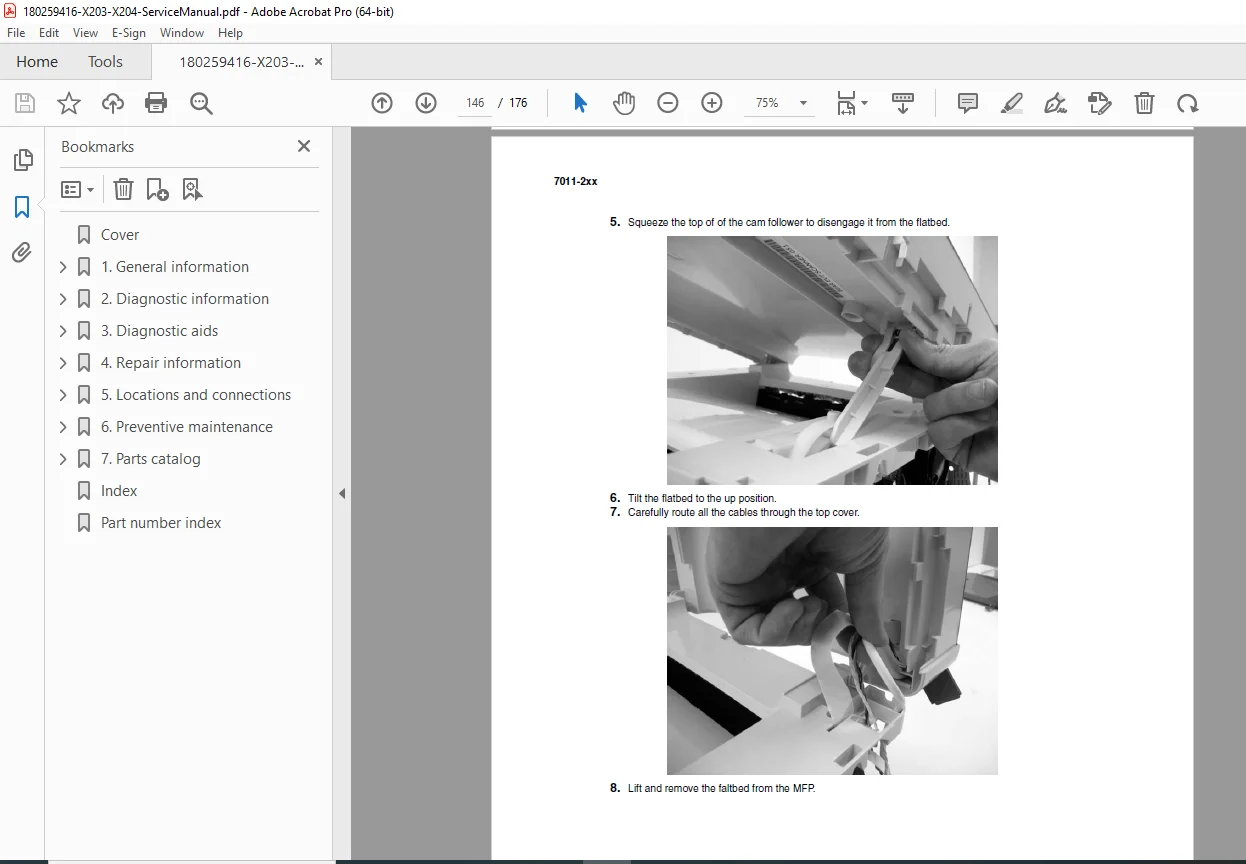
- Flatbed removal (complete scanner assembly)
All removal procedures include:
- Step-by-step instructions
- Detailed photographs
- Screw locations and types
- Cable routing information
- Reassembly notes
- Torque specifications where applicable
CHAPTER 5: LOCATIONS AND CONNECTIONS
Component Locations:
- Front view with callouts
- Rear view with callouts
- Internal component identification
Connections:
- Power Supply Board:
- Complete connection diagram
- Pin assignments
- Voltage specifications
- Controller Card:
- All connector locations
- Cable routing
- Connector pinouts
- Signal descriptions
CHAPTER 6: PREVENTIVE MAINTENANCE
Printer Engine Maintenance:
- Recommended maintenance schedule
- Cleaning procedures
- Lubrication points
- Wear item replacement intervals
- Page count-based maintenance
- Consumables replacement guidelines
Consumable Items:
- Print cartridge life expectancy
- Transfer roll replacement intervals
- Fuser replacement intervals
- Feed roller replacement
- Separation pad replacement
- ADF maintenance kit components
Key Diagnostic Features
LED Indicators:
- Power LED status meanings
- Error LED interpretations
- Network activity LED
- Fax LED status (X204)
Test Pages:
- Configuration page printing
- Network settings page
- Print quality test pages
- Demo page
- Menu settings page
- Event log printout
Built-in Diagnostics:
- Comprehensive self-test routines
- Sensor testing utilities
- Motor testing utilities
- Network diagnostic tools
- Fax line test (X204)
Who Needs This Manual?
This Lexmark X203 X204 MFP troubleshooting manual is essential for:
- Authorized Lexmark service technicians
- Independent printer repair specialists
- Corporate IT departments with in-house printer service
- Office equipment service companies
- Technical training centers
- Anyone performing component-level repair on X203n/X204n MFPs
Prerequisites:
✓ Basic electronics knowledge
✓ Computer and networking fundamentals
✓ Laser printer technology understanding
✓ Proper ESD handling training
✓ Basic mechanical aptitude
FILE DETAILS
| Detail | Specification |
|---|---|
| Manual Name | Lexmark X203n and X204n Service Manual |
| Models Covered | X203n (print/copy/scan), X204n (print/copy/scan/fax) |
| Model Designation | 7011-2xx |
| Part Number | 12G0272 |
| Related Part | 12G9435 (mentioned in metadata) |
| Edition | June 2, 2009 |
| Author | Lexmark International, Inc. D22A/mkc |
| Pages | 176 pages |
| PDF Quality | High-quality professional manual with clear diagrams and photos |
| File Size | 4.0 MB |
| Language | English |
| Copyright | 2006 Lexmark International, Inc. |
| Creator | FrameMaker 8.0 |