Ricoh Aficio SP 1000 Service Manual – PDF DOWNLOAD
Original price was: $85.00.$15.95Current price is: $15.95.
Comprehensive service manual for Ricoh Aficio SP 1000 series MFPs (models B279/B299), covering installation, preventive maintenance, component replacement, troubleshooting for paper jams and print quality issues, service tables, detailed descriptions of printing processes, and specifications. Includes safety notices and firmware download procedures. 2006 edition.
Description
Ricoh Aficio SP 1000 Service Manual – PDF DOWNLOAD
Description
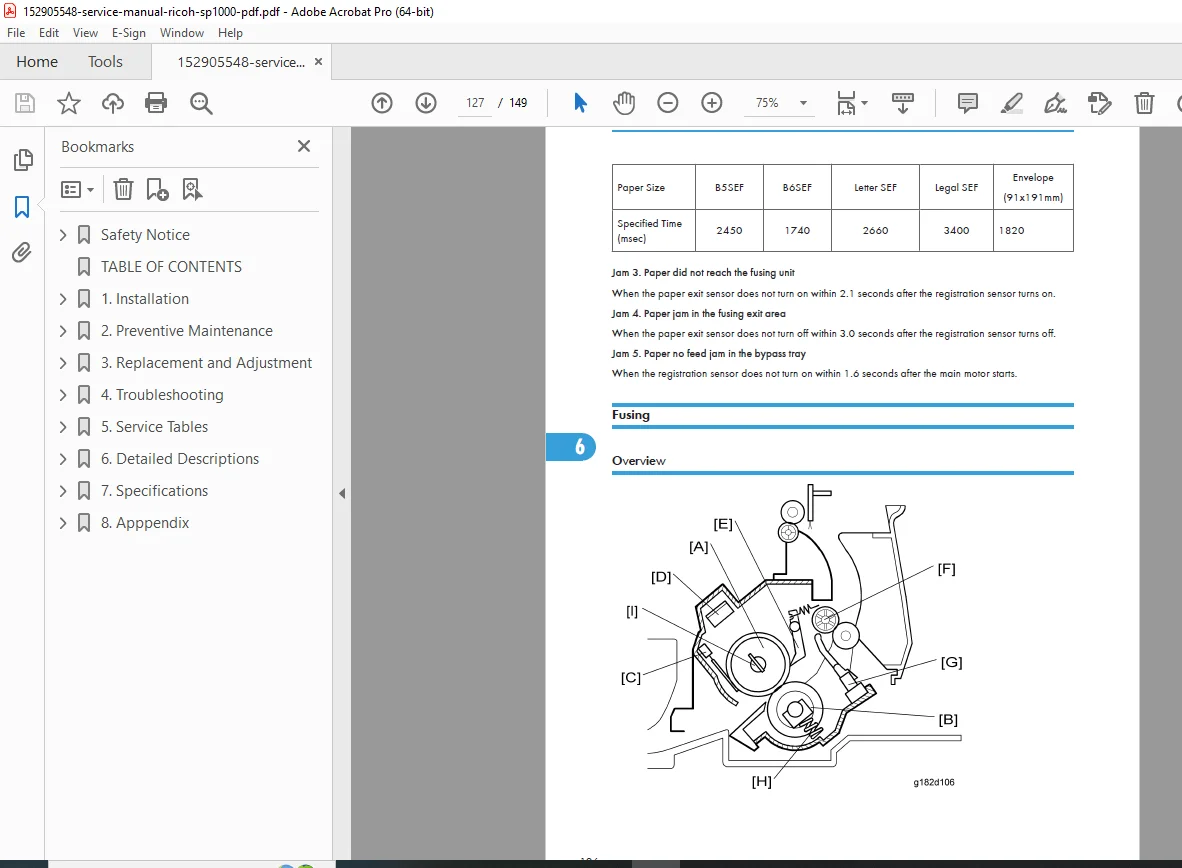
Access detailed technical support with the Ricoh Aficio SP 1000 service manual, an indispensable guide for servicing the Aficio SP 1000S (B279) and SP 1000SF (B299) multifunction printers. This 2006 edition provides step-by-step Ricoh SP1000 replacement procedures for components like the ADF assembly, laser unit, fusing unit, and scanner, alongside Aficio SP1000 troubleshooting guide for resolving paper jams, print quality defects such as blank copies, vertical lines, and ghost images, ensuring reliable operation in office environments. It covers mechanical and electrical layouts, including charge, exposure, development, transfer, and fusing processes, with emphasis on safety precautions to prevent injury and proper toner disposal.
Key Highlights:
Safety Notices: Details prevention of physical injury, health safety with toner, laser safety guidelines, and ecological disposal methods.
Extracted and Categorized Table of Contents: Organized into seven main sections for quick navigation:
Safety Notice (Page 1)
- Important Safety Notices (1)
- Laser Safety (2)
- Symbols and Abbreviations (2)
1. Installation (Page 9)
- Installation Procedure (9)
2. Preventive Maintenance (Page 11)
- PM Tables (11)
- Cleaning (12)
- Paper Transport Rollers (12)
- Paper Separator Module (13)
- CIS and Flatbed Window (13)
- Front Panel Keys and Covers (13)
3. Replacement and Adjustment (Page 15)
- General Precautions on Disassembly (15)
- General Precautions (15)
- Replacement Worksheet Chart (17)
- Operation Panel (18)
- ADF Scanner Cover and White Panel (19)
- Front Door and Side Covers (23)
- ADF Assembly (25)
- Feeder Assembly (25)
- Friction Pad and Cork Pad (26)
- Inside Paper Path Assembly (27)
- Upper Paper Guide Assembly (29)
- Motor Frame (30)
- Motor (31)
- Scan Path Guide/Analysis Roller/Antistatic Brush/ADF Sliders (31)
- CPU Board (35)
- Speaker (37)
- Scanner Assembly (38)
- Flatbed Scanner (38)
- Scanner Frame (39)
- CIS (41)
- CIS Flat Cable (42)
- CIS Slide (43)
- Scanner Motor (44)
- Back Cover (46)
- Middle Frame (47)
- Paper Cassette (48)
- Paper Cassette, Side Fence, Bottom Plate and Friction Pad (48)
- Laser Unit (50)
- Fusing Area (52)
- Fusing Unit (52)
- Paper Exit Assembly (53)
- Fusing Lamp and Hot Roller (53)
- Pressure Roller (56)
- Thermistor (57)
- Hot Roller Strippers (57)
- Thermostat (58)
- Paper Feed (59)
- Paper Feed Roller (59)
- Registration Roller (60)
- Others (62)
- Transfer Roller (62)
- Fan Motor (62)
- Main Motor (63)
- PSU (Power Supply Unit) (65)
4. Troubleshooting (Page 67)
- Paper Jam (67)
- Paper Jam 1 (67)
- Paper Jam 2 (70)
- Print Quality (74)
- Blank Copies (74)
- Black Copies (74)
- Dirty Background (75)
- Uneven Image Density (76)
- Vertical Black Lines (77)
- Horizontal Black Lines (78)
- Vertical White Lines (79)
- Horizontal White Lines (80)
- Black Dots/Spots (81)
- White Spots in Black Image Areas (82)
- Faint Copies (83)
- Vertical Black Band (84)
- Unfused Copies (84)
- Ghost Image (85)
- Toner on the Back of the Printer Paper (85)
- Error Code (87)
- Communication Error Codes (87)
- General Codes (87)
5. Service Tables (Page 91)
- User Mode (91)
- Tech Mode (92)
- How to go into Tech Mode (92)
- Installation Parameters (92)
- List of Configurations (SOS) (92)
- Administrator Functions (104)
- New Cartridge (106)
- Firmware Download (109)
- Via PC Connection (109)
- Downloading with the Miniboot (110)
- Reminders (111)
- Storing User Parameters (112)
6. Detailed Descriptions (Page 113)
- Component Layout (113)
- Mechanical Components (113)
- Printing (115)
- Printing Processes around the Drum (115)
- Charge (116)
- Laser Exposure (117)
- Development (119)
- Transfer and Separation (120)
- Drum Cleaning (121)
- Paper Feed and Registration (122)
- Fusing (126)
- Cover Switch (127)
- Paper Feed Drive Release and Fusing Drive Release (128)
7. Specifications (Page 129)
- General Features (129)
- Copier (129)
- Printer (130)
- Scanner (130)
- Fax (B299 only) (131)
- ADF (B299 only) (132)
- Supported Paper (133)
8. Appendix (Page 135)
- Block Diagram (135)
- Overview (135)
- Power Supply (136)
- Quartz (136)
- Reset (137)
- P-to-P (138)
- Operation Panel Card (138)
- CPU Card (140)
No dedicated index is present, but error codes and troubleshooting sections serve as quick references for Ricoh SP1000 error code diagnosis.
This manual integrates Ricoh SP1000 replacement procedures with diagrams for disassembly and reassembly, alongside an Aficio SP1000 troubleshooting guide for print defects and jams, making it essential for Ricoh MFP preventive maintenance and firmware updates.
Short File Details
- Manual Name: Service Manual
- Models Covered: PN-C1L (B279), PN-C1 (B299) (Aficio SP 1000S/SF)
- Year: 2006
- Manual PDF Quality: High (clear text, diagrams, and illustrations)
- No. of Pages: 149