Ricoh G104/G160/G161 Service Manual (CL4000DN/SP C410DN/C411DN) PDF
Original price was: $95.00.$18.95Current price is: $18.95.
Download the Ricoh G104/G160/G161 Service Manual PDF for pro-level repair, maintenance, adjustments, SC code troubleshooting, service program (SP) tables, firmware update procedures, paper feed/laser/PCU/transfer/fusing diagnostics, and full machine specs. Covers CL4000DN, SP C410DN, SP C411DN and equivalent Gestetner/Lanier/Savin models.
Description
Ricoh G104/G160/G161 Service Manual (CL4000DN/SP C410DN/C411DN) PDF DOWNLOAD
Ricoh G104 / G160 / G161 Service Manual – PDF Download
This is the official factory Service Manual for the Ricoh G104, G160 and G161 engine platform used across multiple branded models. It contains complete technical service information including installation, maintenance, troubleshooting, firmware updates, SP mode programming and full mechanical/electrical system breakdowns.
Perfect for professional technicians and advanced repair specialists.
✅ Models Covered
Ricoh
Aficio CL4000DN
Aficio SP C410DN
Aficio SP C411DN
Gestetner
C7425dn
C7526dn
C7531dn
Lanier
LP126cn
LP226cn
LP231cn
Savin
CLP26DN
CLP27DN
CLP31DN
📂 File Details
| Item | Details |
|---|---|
| Manual Name | G104 / G160 / G161 Service Manual |
| Document Code | 002111MIU |
| Models Covered | G104, G160, G161 + Rebranded Equivalents |
| Year | 2004 (Updated 2006) |
| PDF Quality | High-Quality Digital PDF |
| Pages | 569 Pages |
📑 Complete Table of Contents
1️⃣ Installation
Installation Requirements
Environment specifications
Space requirements
Power requirements
Machine leveling
Machine Installation
Unpacking procedure
Toner bottle installation
Paper loading
Power-up procedure
Language settings
Test print
Optional Unit Installation
Meter Charge Mode Settings
Tray Heater Configuration
2️⃣ Preventive Maintenance
User Replaceable Items & Yields
PCU
Transfer Belt
Waste Toner Bottle
Maintenance Kits
Service Maintenance Cleaning Procedures
3️⃣ Replacement & Adjustment
Electrical Components
Electrical Board Unit
Controller Board
IOB Board
Power Supply Unit
High Voltage Power Supply
LCD Panel
Laser Optics
LD Unit
Laser Driver Board
Polygon Mirror Motor
Sync Detector Board
Color Registration Adjustment
Skew Adjustment Procedure
Paper Feed System
Feed Rollers
Friction Pads
Registration Sensor
Paper Feed Motor
Clutches
Tray Sensors
Mechanical Sections
Development Unit
Drive Mechanism
Duplex Unit
Fusing Unit
4️⃣ Troubleshooting
Service Call (SC) Codes
Engine SC Code Descriptions
Controller Error Codes
Print Quality Troubleshooting
Blank Prints
All-Black Prints
Missing CMY Colors
Light Print Issues
Vertical/Horizontal Lines
Streaking & Ghosting
Unfused Prints
Skewed Prints
Image Centering Problems
Electrical Troubleshooting
Sensor Checks
Fuse Conditions
LED Diagnostics
5️⃣ Service Tables & SP Mode
Entering Service Mode
Navigation & Programming
SP1 / SP2 / SP3 / SP5 / SP7 / SP8 / SP9 Tables
Input Check Mode
Output Check Mode
Bit Switch Programming
Firmware & SD Card Procedures
SD Card Handling
Firmware Upload / Download
NVRAM Backup & Restore
Error Handling Procedures
6️⃣ Detailed Technical Descriptions
Component Layout
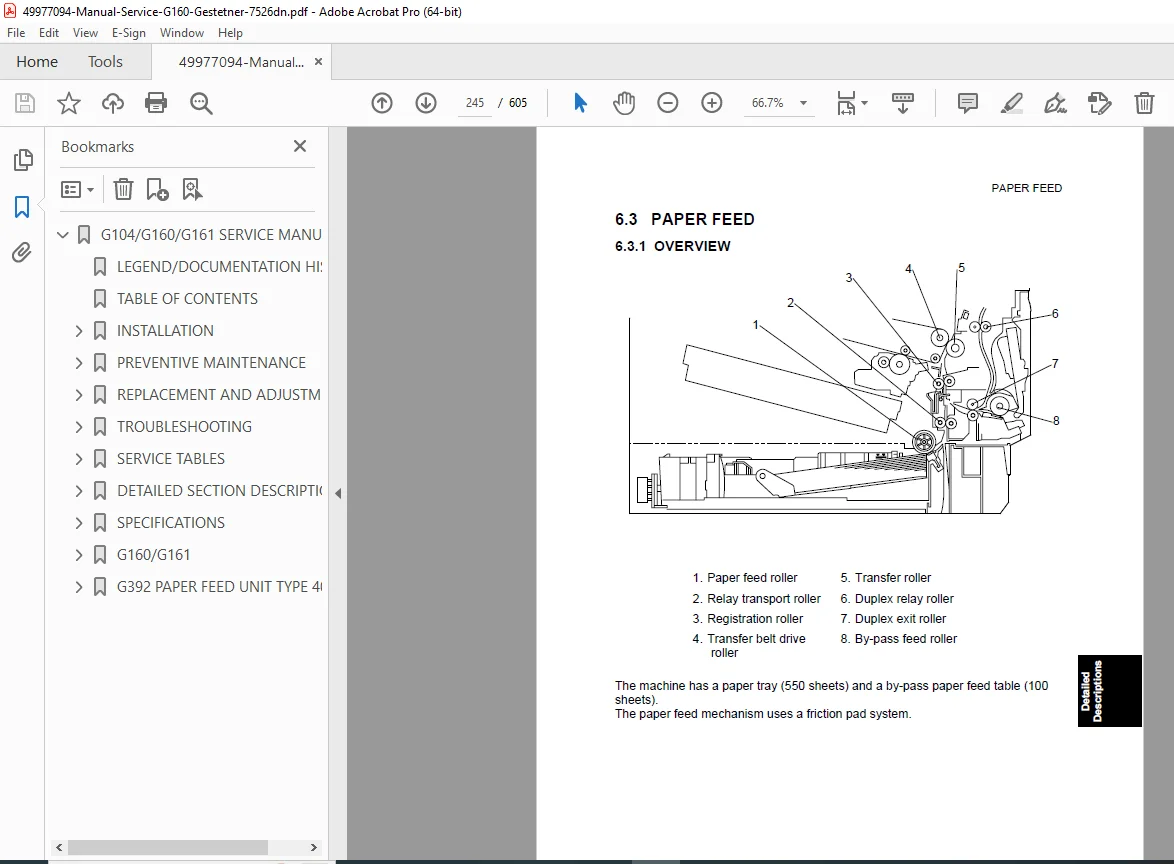
Paper Path Layout
Drive Layout
Electrical Board Structure
Printing Process
Process Control
Toner Supply Control
Developer Initialization
Image Transfer System
Fusing Temperature Control
Controller Overview
7️⃣ Specifications
General Machine Specifications
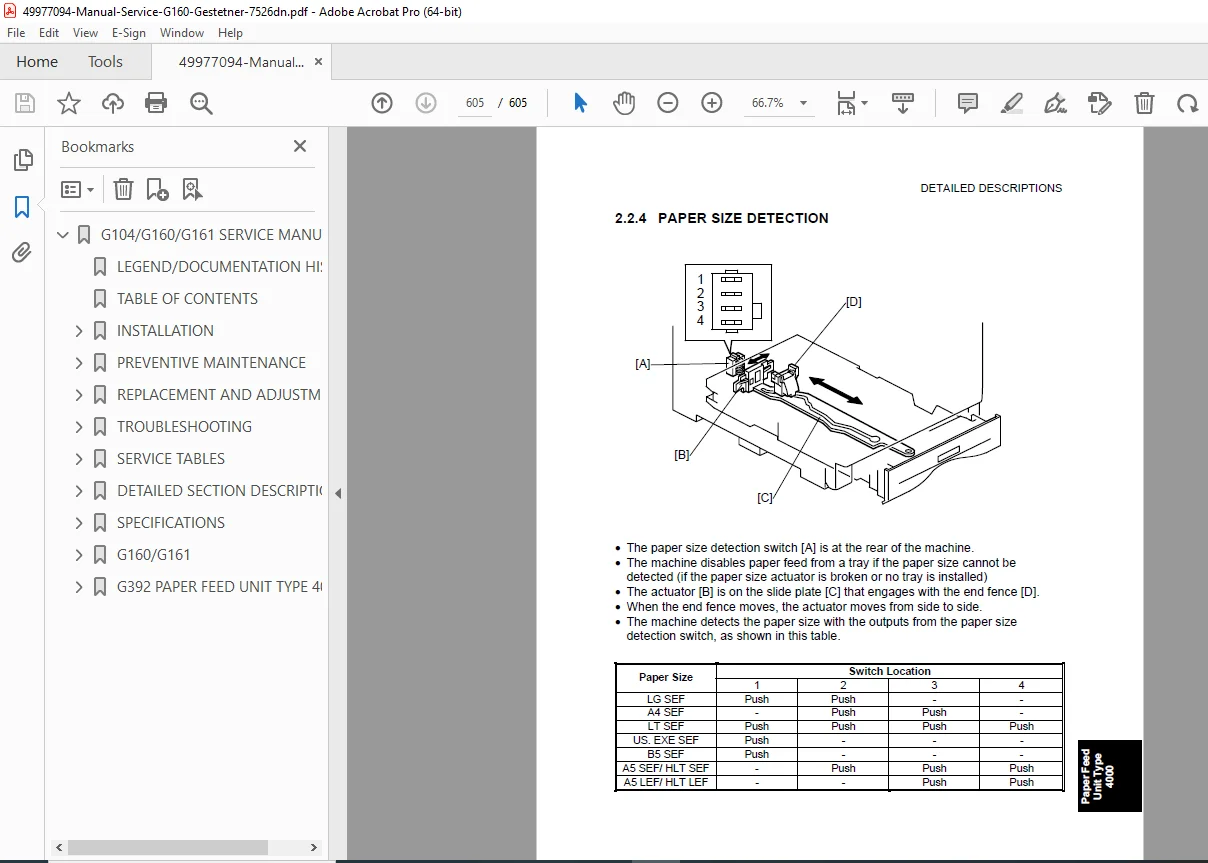
Supported Paper Sizes
Optional Equipment
Configuration Details
⭐ Why This Manual Is Essential
✔ Full factory-level diagnostics
✔ Complete SC error code breakdown
✔ Advanced SP mode programming tables
✔ Firmware and NVRAM procedures
✔ Detailed disassembly and adjustment guides
This is not a basic user guide — this is the complete professional service manual used by authorized technicians.
🚀 Instant Download – Start Repairing Today
Get immediate access to the complete factory service manual and fix your Ricoh printer with confidence. Download instantly and perform professional-grade repairs without delay.