Ricoh MP 171 Aficio Copier Service Manual PDF
Original price was: $100.00.$18.95Current price is: $18.95.
Official Ricoh service manual for MP 171 series multifunction copiers including Aficio MP 171, MP 171F, MP 171SPF models (D067/D068/D069/D072). Complete technical documentation covering installation, preventive maintenance, component replacement, troubleshooting, and electrical diagrams. Essential resource for copier service technicians maintaining Ricoh, Gestetner, Lanier, and Savin branded MFP systems. Includes ARDF service, laser unit repair, and controller board procedures.
Description
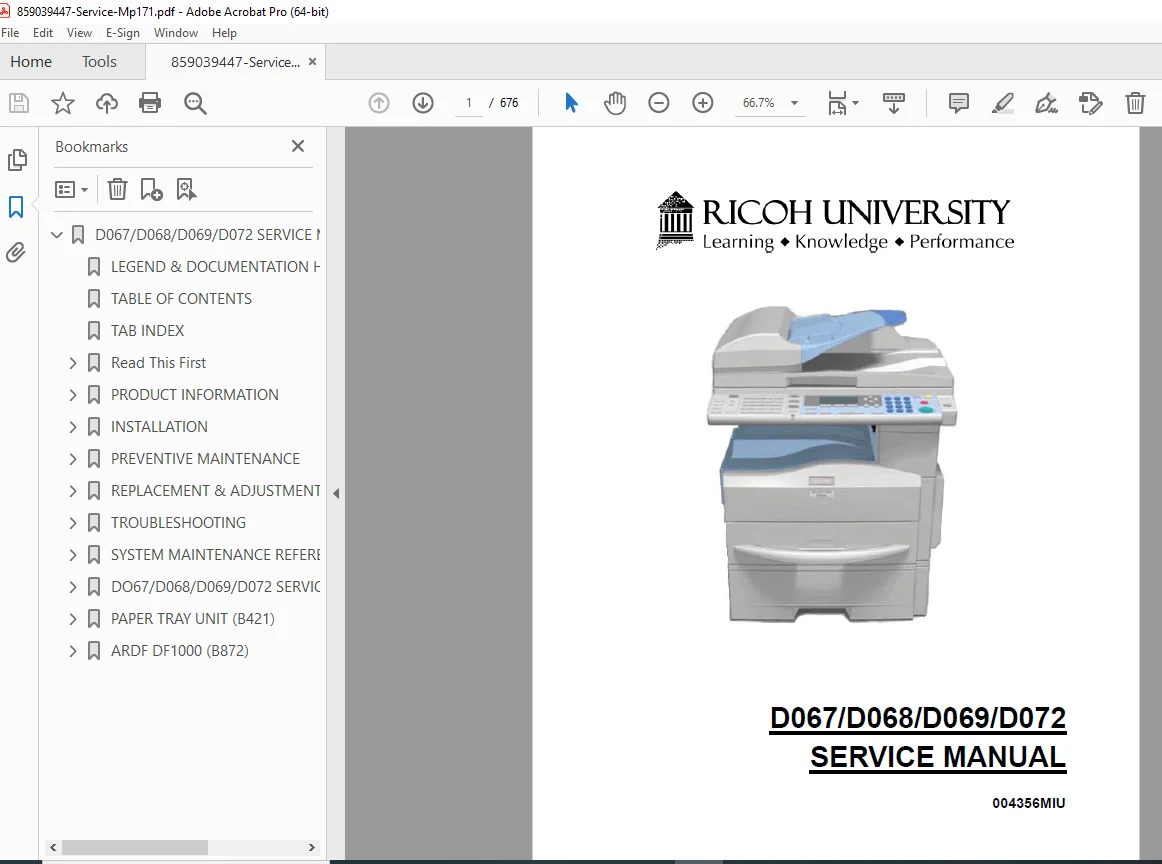
Ricoh MP 171 Aficio Copier Service Manual D067 D068 D069 D072 Repair PDF DOWNLOAD
DESCRIPTION
Professional Service Manual for Ricoh MP 171 Series Multifunction Copiers
This official Ricoh MP 171 service manual provides complete technical documentation for professional office equipment technicians servicing the MP 171 series multifunction copiers. This comprehensive Aficio copier repair guide PDF contains factory-authorized procedures, component replacement instructions, detailed electrical diagrams, and troubleshooting protocols essential for maintaining these versatile office machines.
FILE DETAILS
- Manual Name: D067/D068/D069/D072 Service Manual
- Document Code: 004356MIU
- Models Covered:
- Gestetner: MP 171, MP 171F, MP 171SPF
- Lanier: LD 117, LD 117F, LD 117SPF
- Ricoh: Aficio MP 171, Aficio MP 171F, Aficio MP 171SPF
- Savin: 917, 917F, 917SPF
- Product Codes: D067 (Latin America), D068 (Fax), D069 (Scanner/Printer/Fax), D072 (Basic)
- Manufacturer: Ricoh Americas Corporation
- Format: Official Technical PDF
- Pages: 676 pages
- Quality: High-resolution factory original
- Language: English
- File Size: 13.4 MB
- Publication Date: March 2009
- Equipment Type: Desktop Multifunction Copier/Printer/Scanner/Fax
COMPLETE MANUAL CONTENTS
This multifunction printer technical documentation is organized into comprehensive sections covering every aspect of service and repair:
SECTION 1: PRODUCT INFORMATION
Machine Specifications
- Complete technical specifications table
- Performance characteristics
- Operating requirements
Machine Configuration
- Mainframe (Basic Models: D067/D072)
- Mainframe (Fax Models: D068 MP 171F)
- Mainframe (Scanner/Printer/Fax Models: D069 MP 171SPF)
- System components overview for D068/D069
- Configuration options and variations
Overview and Component Layout
- Mainframe Component Layout
- Internal component identification
- Access panel locations
- Major assembly positions
- ARDF (Automatic Reverse Document Feeder) Layout
- Document feed mechanism
- Sensor locations
- Drive components
Electrical Components
- Electrical Components Layout 1 – Control boards and power supplies
- Electrical Components Layout 2 – Sensors and switches
- ARDF Electrical Components – Document feeder electronics
- Wiring harness routing diagrams
Paper Path
- Complete paper path diagram
- Feed rollers and transport mechanisms
- Duplex path routing
- Bypass tray operation
- Exit path and finishing
Drive Layout
- Mainframe drive system
- Main motor and drive train
- Clutch locations and functions
- Gear assemblies
- ARDF drive system
- Feed motor
- Transport motor
- Clutch mechanisms
Predecessor Product Guidance
- Migration information for experienced technicians
- Key differences from previous models
- Service procedure changes
SECTION 2: INSTALLATION (Comprehensive Coverage)
Installation Cautions and Requirements
- Safety precautions for installation
- Environmental requirements
- Machine leveling procedures
- Minimum operational space requirements
- Power requirements and electrical specifications
Copier Installation
- Accessory Check
- Basic Model (D067/D072) components
- Fax Model (D068) components
- Printer/Scanner/Fax Model (D069) components
- Installation Procedures
- Step-by-step setup instructions
- Cable connections
- Interface settings for D068/D069
- Copier settings configuration
- Fax settings for D068/D069
- Optional Handset Installation (D068/D069 only)
- Component verification
- Installation procedure
- Testing protocols
Optional Equipment Installation
Paper Tray Unit
- Accessory check
- Installation procedure
- Configuration settings
Paper Tray Unit Heater
- Component verification
- Installation steps
- Electrical connections
ARDF (B872) – Automatic Reverse Document Feeder
- Complete accessory checklist
- Detailed installation procedure
- Mechanical adjustments
- Electrical connections
- Testing and verification
USB 2.0/SD Slot Type B
- Component check
- Installation procedure
- Handset compatibility installation
- Testing SD card and USB slot functionality
Optional Paper Tray Grip Handle
- Accessory identification
- Installation procedure
Printer/Scanner Unit
- Complete accessory verification
- Installation procedure
- Configuration and testing
Controller Options
- Overview of controller upgrades
- PostScript 3 Installation
- Component verification
- Installation procedure
- Configuration settings
- Wireless LAN (IEEE 802.11A/G)
- Accessory check
- Installation steps
- SP Mode settings configuration
- IEEE 1284 Installation
- Component verification
- Installation procedure
- VM Card Type L (D467)
- Accessory check
- Installation process
- Gigabit Ethernet
- Installation requirements
- HDD Option (D467) for D067/D068
- Component verification
- Installation procedure
- Post-installation configuration
- Data Overwrite Security Unit Type I (D362)
- Pre-installation procedures
- Seal check and removal
- Installation steps
- HDD Encryption Unit (D377)
- Pre-installation requirements
- Seal verification
- Installation procedure
- Recovery procedures
- Encryption key restoration
- NVRAM clearing
SECTION 3: PREVENTIVE MAINTENANCE
Maintenance Tables
- Complete preventive maintenance schedule
- Component replacement intervals
- Cleaning procedures
- Inspection points
PM Counter Management
- How to clear PM counters
- Counter reset procedures
- Service tracking
SECTION 4: REPLACEMENT & ADJUSTMENT (Detailed Procedures)
General Precautions
- Safety guidelines for service work
- Lithium battery handling precautions
- Halogen-free cable requirements
Special Tools and Lubricants
- Required service tools list
- Approved lubricants specifications
- Tool usage instructions
Exterior Covers and Operation Panel
- Rear cover removal and installation
- Copy tray removal
- Scale plate (D067 only)
- Operation panel and upper covers
- Right door access
- Bypass tray removal
- Platen cover sensor replacement
Scanner Unit Service
- Exposure glass replacement
- Lens block removal and installation
- Exposure lamp replacement
- Lamp stabilizer board
- Scanner motor replacement
- Scanner HP (Home Position) sensor
- Scanner alignment adjustment procedures
Fusing System
- Complete fusing unit replacement
- Exit sensor replacement
- Hot roller stripper pawls
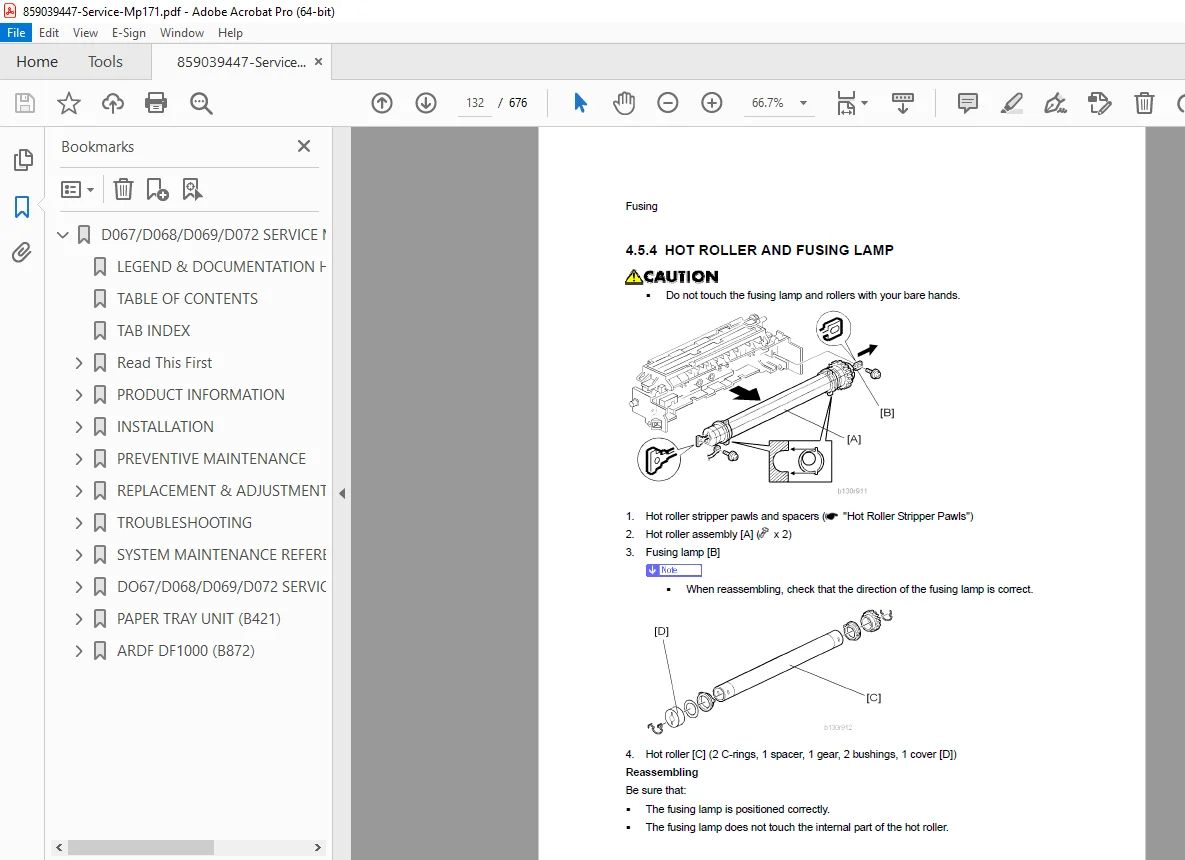
- Hot roller and fusing lamp replacement
- Thermoswitches and thermistor replacement
- Pressure roller service
- NIP band inspection procedures
PCU and Quenching Lamp
- PCU (Process Cartridge Unit) replacement
- Quenching lamp replacement
Exhaust Fan and Main Motor
- Exhaust fan removal and installation
- Main motor replacement procedures
Paper Feed System
- Paper feed roller and friction pad replacement
- Paper end sensor replacement
- Registration sensor service
- Bypass paper end sensor
- Bypass feed roller replacement
- Bypass feed clutch and friction pad
- Paper feed and registration clutches
Image Transfer Components
- Transfer roller replacement
- ID sensor and duplex roller
- Discharge plate service
BICU and Controller Board
- BICU (Basic Interface Control Unit)
- Preparation procedures
- Removal and installation
- Controller Board (F/SPF Models: D068/D069)
- Preparation requirements
- Replacement procedure
- NVRAM replacement protocol
- Printer/Scanner Unit installation requirements
Other Critical Replacements
- Duplex motor replacement
- High-voltage power supply board
- PSU (Power Supply Unit)
- Contact-release solenoid
- Toner supply clutch
- FCU (Fax Control Unit) for D068/D069
- Lithium battery precautions
- Replacement procedure
Laser Unit Service
- Laser caution decal locations
- Complete laser unit replacement
- LD (Laser Diode) unit replacement
- Polygon mirror motor service
ARDF Service Procedures
- Complete ARDF removal and installation
- DF rear cover access
- Original feed unit service
- Separation roller replacement
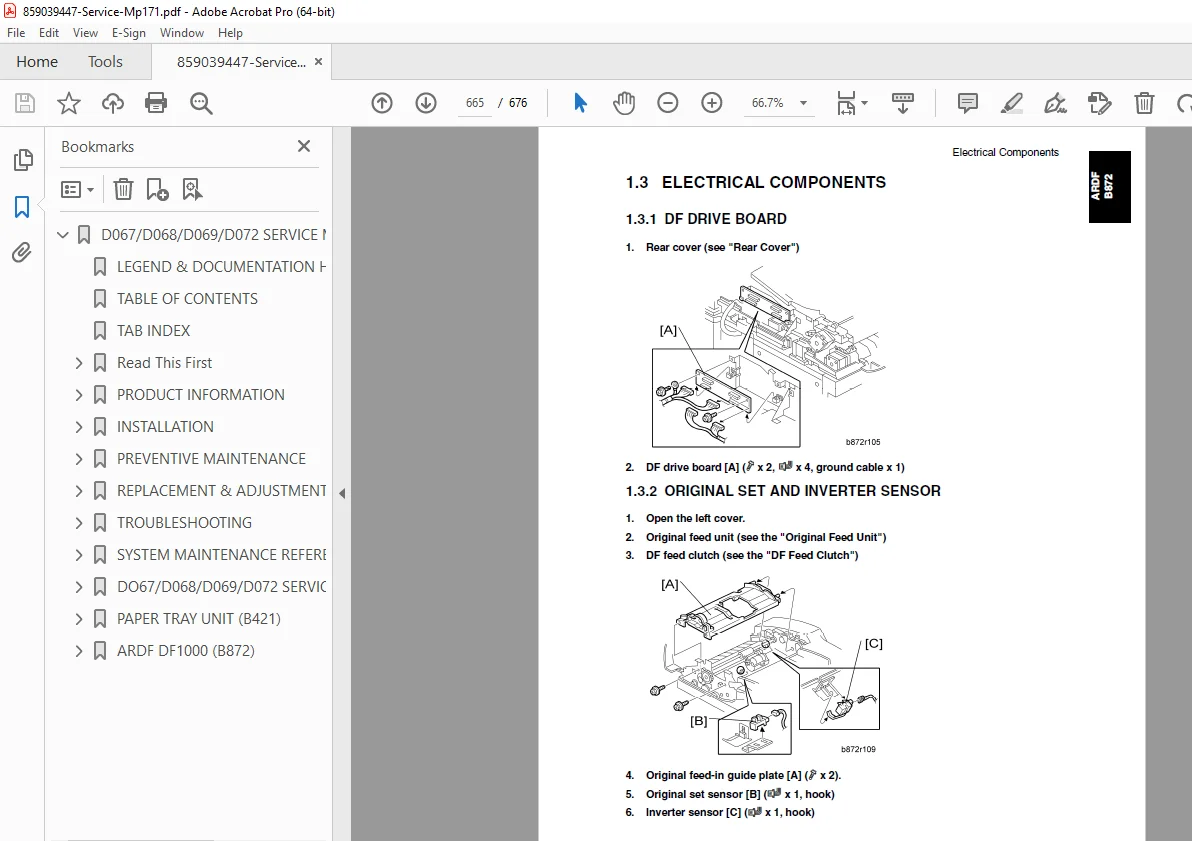
- DF drive board replacement
- Original set and DF inverter sensor
- DF registration and exit sensor
- Registration sensor reflector
- DF feed motor replacement
- DF transport motor
- DF feed clutch service
ADDITIONAL SECTIONS COVERED
Troubleshooting and Diagnostics (Throughout manual)
- Error code identification
- Diagnostic mode access
- Component testing procedures
- Electrical circuit diagnosis
Electrical Diagrams (Comprehensive)
- Complete wiring schematics
- Circuit board layouts
- Component connection diagrams
- Power distribution diagrams
- Signal flow diagrams
Appendix: Specifications
- Detailed technical specifications
- Performance characteristics
- Environmental requirements
- Power consumption data
WHO NEEDS THIS D067 D068 D069 TROUBLESHOOTING PROCEDURES MANUAL?
This copier maintenance manual is essential for:
- Certified Copier Technicians – Authorized Ricoh service providers
- Office Equipment Service Centers – Independent repair facilities
- Corporate IT Support Teams – In-house equipment maintenance
- MFP Service Engineers – Multi-vendor service specialists
- Technical Training Instructors – Teaching copier repair courses
- Field Service Technicians – On-site repair specialists
- Managed Print Service Providers – Fleet maintenance operations
KEY FEATURES OF THIS OFFICE EQUIPMENT SERVICE GUIDE
MULTI-BRAND COMPATIBILITY
Covers Ricoh Aficio, Gestetner, Lanier, and Savin branded models – all using identical service procedures under different brand names.
COMPREHENSIVE COVERAGE
Every component from paper feed mechanisms to laser units, from fusing systems to controller boards – complete disassembly and reassembly instructions.
FACTORY-AUTHORIZED PROCEDURES
Official Ricoh Americas Corporation documentation ensures proper service techniques and maintains warranty compliance.
INSTALLATION EXPERTISE
Detailed instructions for installing optional equipment including ARDF, wireless LAN, security units, and storage upgrades.
ELECTRICAL DIAGNOSTICS
Complete wiring diagrams and electrical component layouts enable precise fault diagnosis and repair.
SAFETY-FOCUSED
Critical warnings throughout the manual protect technicians from electrical hazards, laser exposure, and mechanical injuries.
TECHNICAL SPECIFICATIONS COVERED
| Feature | Details |
|---|---|
| Equipment Type | Desktop Multifunction Copier |
| Models | Basic (D067/D072), Fax (D068), Scanner/Printer/Fax (D069) |
| Functions | Copy, Print, Scan, Fax (model dependent) |
| Document Feeder | ARDF (Automatic Reverse Document Feeder) optional |
| Connectivity | USB 2.0, Network, IEEE 1284, Wireless LAN options |
| Security | Data Overwrite, HDD Encryption options |
| Storage | Optional HDD for document storage |
ADVANCED SERVICE CAPABILITIES COVERED
✓ Laser Unit Service – LD unit, polygon mirror motor, optical alignment
✓ Fusing System Maintenance – Hot roller, pressure roller, temperature sensors
✓ Scanner Calibration – Alignment adjustments, sensor positioning
✓ Controller Board Service – BICU, FCU, NVRAM replacement
✓ Paper Path Adjustments – Feed timing, registration, duplex routing
✓ Electrical Troubleshooting – Power supplies, control boards, sensors
✓ ARDF Complete Service – Feed mechanisms, sensors, drive systems
✓ Security Module Installation – Data overwrite, encryption units
OPTIONAL EQUIPMENT COVERED
Document Handling
- ARDF (B872) – Automatic Reverse Document Feeder
- Paper Tray Unit
- Paper Tray Unit Heater
- Optional Grip Handle
Connectivity and Storage
- USB 2.0/SD Slot Type B
- Wireless LAN (IEEE 802.11A/G)
- IEEE 1284 Parallel Interface
- Gigabit Ethernet
- Optional Handset (D068/D069)
Controller Upgrades
- PostScript 3 Unit
- VM Card Type L (D467)
- HDD Option (D467)
- Printer/Scanner Unit (D468)
Security Options
- Data Overwrite Security Unit Type I (D362)
- HDD Encryption Unit (D377)
SERVICE TOOL REQUIREMENTS
Manual includes specifications for:
- Special service tools
- Torque specifications
- Approved lubricants
- Measurement instruments
- Diagnostic equipment
PREVENTIVE MAINTENANCE SCHEDULING
Complete PM schedules including:
- Daily cleaning requirements
- Weekly inspection points
- Monthly service tasks
- Quarterly component replacement
- Annual comprehensive service
- PM counter reset procedures
MULTI-MODEL SERVICE EFFICIENCY
This single manual covers:
- 4 Product Codes: D067, D068, D069, D072
- 4 Brand Names: Ricoh, Gestetner, Lanier, Savin
- Multiple Configurations: Basic copier, Fax, Printer/Scanner/Fax
- Regional Variants: Including Latin America specific model D067
Technicians servicing mixed fleets benefit from unified service procedures across all brands and models.
WHAT YOU’LL RECEIVE
Upon purchase, you receive instant download access to the complete 676-page Ricoh MP 171 service manual in PDF format. This is the identical technical documentation used by Ricoh-certified technicians and authorized service centers worldwide, containing every specification, procedure, diagram, and troubleshooting protocol needed for professional-level multifunction copier service and repair.
Don’t struggle with incomplete information or guesswork—get the official factory service manual trusted by certified technicians worldwide. Download instantly and service your Ricoh, Gestetner, Lanier, or Savin MP 171 series equipment with complete confidence today!