
Toshiba Xario 200 / Xario 100 (TUS-X200 / TUS-X100) Ultrasound System Service Note – SD730-440END
Original price was: $34.95.$20.95Current price is: $20.95.
227-page Toshiba Xario 200 / Xario 100 (TUS-X200/TUS-X100) ultrasound Service Note: PWB functions, transducer list, options, service menu, network/DICOM setup, and full troubleshooting. Instant PDF.
Description
Toshiba Xario 200 / Xario 100 (TUS-X200 / TUS-X100) Service Note
This is the official Toshiba Xario 200 / Xario 100 Service Note, document code SD730-440END*B (Revision B), a 227-page field-service manual for the TUS-X200 and TUS-X100 diagnostic ultrasound systems. Where the two models differ in hardware or software, the Xario 200 / Xario 100 Service Note documents both side by side, so a technician supporting either the Xario 200 or the Xario 100 gets the correct board list, options, and procedures for the exact unit on the bench.
File Details
- Manual type: Service Note
- Brand / Models: Toshiba Xario 200 (TUS-X200) and Xario 100 (TUS-X100)
- Document number: SD730-440END*B
- Revision: B, dated 11/’13 (adds TUS-X100 coverage to the original Xario 200 release)
- Language: English
- Page count: 227 pages
- File format: PDF, instant digital download
IMAGES PREVIEW
Chapters Covered
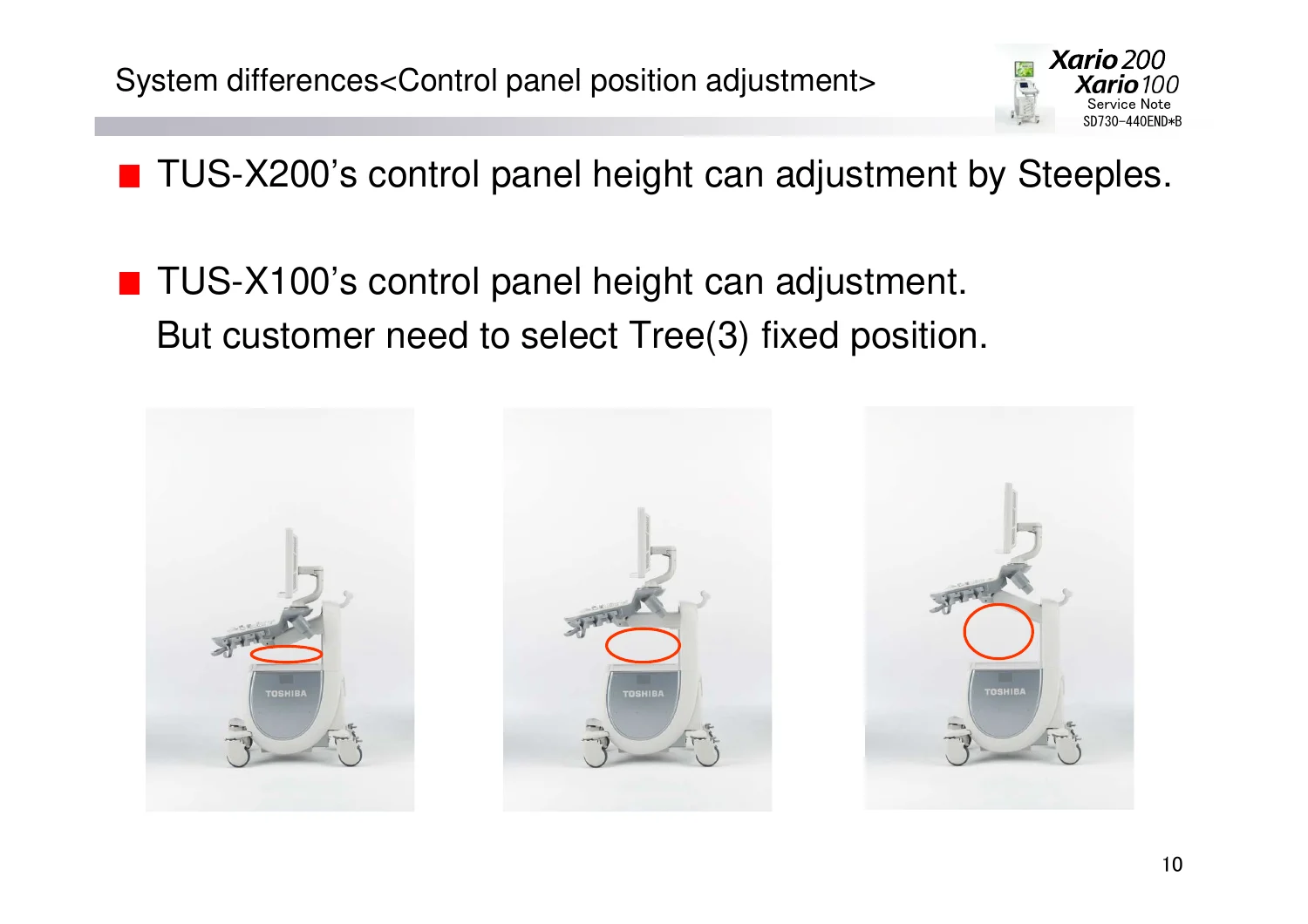
- System lineup, system overview, and system differences (appearance, application/imaging technology, mechanical, caster, control panel adjustment, PWB)
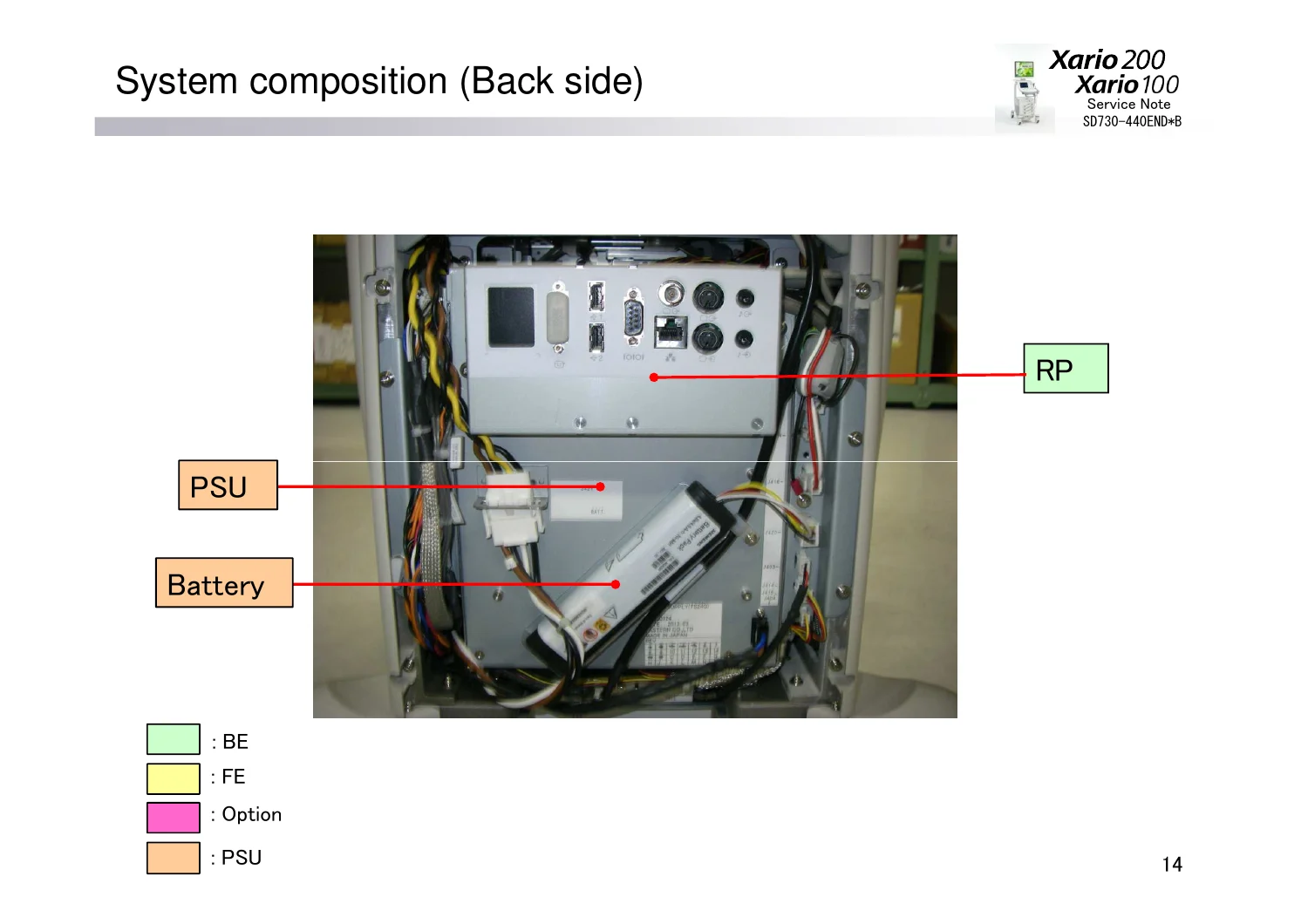
- System appearance and system composition (right side, back side, left side)
- General block diagram
- General functions for each PWB: PIFH (Probe Interface), TX (Transmit), RXH (Receive Control), CB (Continuous Beamformer, option), MC (option), USSP, BP
- Signal path for each imaging mode
- Main Panel layout and partition of HDD
- Connector layout (RP)
- Transducer list, cross-referencing each probe model against TUS-X200 / TUS-X100 compatibility
- Option kits: CHI, Panoramic View, Stress Echo, DICOM, Differential THI, Dynamic Flow (ADF), Protocol Assistant, Elastography-FLR, and more
- Version up record and licensing: how to access the service menu, trial license codes and activation, System ID confirmation, service license updating, optional software installation
- Mandatory work procedures and list of passwords
- Preset data backup and preset data restoring
- TCT (TCS Customize Tool) and User Function
- Taking an IQ-Report and log collection
- How to show Task Manager and touch panel calibration
- Trouble shooting for power supply and LCD monitor
- Basic operation walkthrough
- Network configuration and DICOM configuration
- General trouble shooting: missing echo (single- and multi-channel, screwdriver check procedure), abnormal image (2D, CDI, PW/CW), noise (typical mode, patterned/RFI noise with ferrite-core fix, interference from special devices), Panel Lock recovery, TUS_IMG_xx and TUS_PIMS_xx error codes, and DICOM/Network troubleshooting
- SDS (System Diagnostic/Data Sheet) sections for both TUS-X200 and TUS-X100
- Appendix: additional reference information
Together these chapters take a field engineer from a customer-reported symptom all the way to a confirmed root cause on the Xario 200 or Xario 100 platform – from board-level function down to the exact log-collection keystrokes needed before escalating a stuck unit.
Hardware and Option Detail
The Xario 200 / Xario 100 Service Note lists 17 transducer models with their model codes and per-system compatibility, plus the note that connecting the PET-512MC transesophageal probe requires the UAEH-X200A hanger kit. On the software side the manual documents each licensable option kit by model number and applicable version range: the CHI contrast-imaging kit (USHI-X200A), Panoramic View kit (USPV-X200A), Stress Echo kit (USSE-X200A, requiring the UJUR-X200A/X201A ECG unit), DICOM kit (USDI-X200A, covering verification, storage, storage commitment, MPPS, MWM, and structured reporting), Differential THI kit, Dynamic Flow / ADF kit, Protocol Assistant kit, and Elastography-FLR kit. The PWB comparison table shows the Xario 200 uses two TX boards for 128-channel transmission while the Xario 100 uses a single TX board for 64 channels, with both systems sharing PIFH, RXH, and USSP boards – detail a technician needs before ordering or swapping a replacement board.
What This Service Note Enables
With this Xario 200 / Xario 100 Service Note in hand, a biomed technician or ultrasound service engineer can identify which PWB (PIFH, TX, RXH, CB, MC, USSP, BP) is responsible for a given fault, run the documented screwdriver check for missing-echo complaints, work through the noise and RFI decision trees including the ferrite-core cabling fix, decode TUS_IMG and TUS_PIMS error codes, back up and restore preset data before service work, activate trial and paid software license kits through the correct service-menu path, and configure network and DICOM connectivity for PACS integration. Because the manual documents official Toshiba board names, connector layouts, and mandatory work steps rather than generalized guesses, technicians can service the TUS-X200 or TUS-X100 to the same standard the OEM’s own field staff would follow, avoiding trial-and-error swaps of front-end and back-end boards.
This Toshiba Xario 200 / Xario 100 Service Note is delivered as an instant PDF download the moment your order completes – no shipping, no waiting. Open the SD730-440END*B manual on a laptop, tablet, or phone in the service bay, or print the pages you need for a bench reference. It’s the same document field technicians already rely on, just available immediately after checkout.

Reviews
There are no reviews yet.