
Crown ES/ET4000 Series Maintenance Manual 812597-006 – PDF Download
Original price was: $49.95.$34.95Current price is: $34.95.
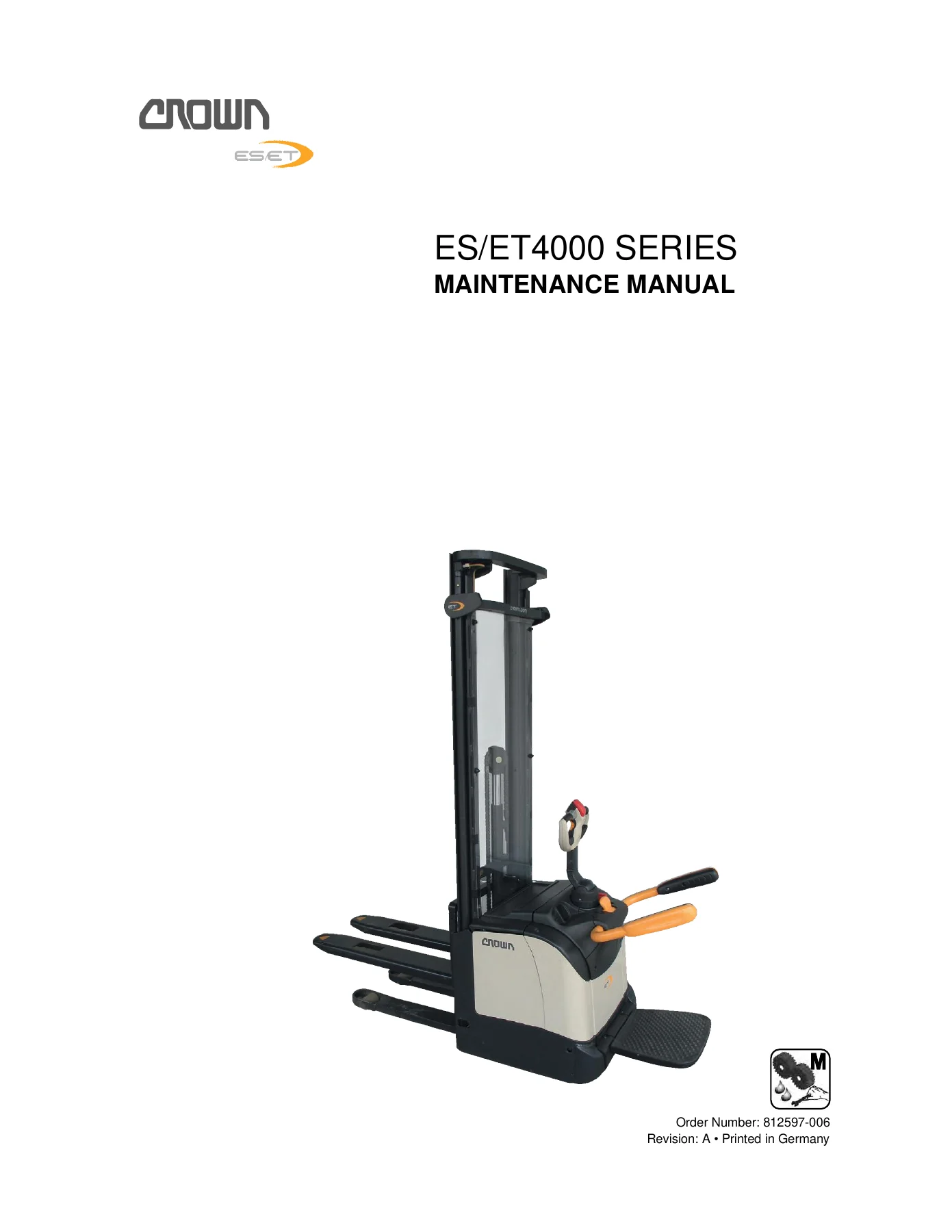
Complete Crown ES/ET4000 Series Maintenance Manual, document 812597-006. Covers ES 4020-MW, ES 4020-EW, ET 4040-MF and ET 4040-EF trucks. 199 pages of event codes, calibration procedures, parameter settings, motor service, wiring diagrams and more. Instant PDF download.
Description
Crown ES/ET4000 Series Maintenance Manual 812597-006
This is the complete Crown ES/ET4000 Series Maintenance Manual, document number 812597-006, written for the ES 4000 and ET 4000 range of Crown pedestrian and platform trucks. It covers the ES 4020-MW, ES 4020-EW, ET 4040-MF and ET 4040-EF variants and spans both mechanical and electric steering systems. Across 199 pages in English, the manual documents the electronic control architecture, the Access 1 / 2 / 3 / 5 / 8.1 module layout, the event codes these modules log, and the full calibration and parameter-setting procedures needed to keep an ES/ET4000 truck running to specification.
File Details
- Manual Type: Maintenance Manual
- Brand: Crown
- Series: ES/ET4000 (ES 4000, ET 4000)
- Models Covered: ES 4020-MW, ES 4020-EW, ET 4040-MF, ET 4040-EF
- Document Number: 812597-006
- Language: English
- Page Count: 199
- File Format: PDF
Chapters Covered
- Truck Data Number
- Input Signals and Operating Mode Definitions
- Platform and Side Restraint Logic
- Accessing the Service Levels
- Software Versions and Menu Structure
- Calibration
- Event Codes
- Software Parameter Settings
- Motor Maintenance and Disassembly
- Electrical Components
- Servicing the Parking Brake
- Control Module PMT Test
- Servicing and Replacing Control Modules
- Modifications
- Wire Colour Codes and Wiring Diagrams
Truck Data Number and Equipment Identification
The manual opens with a full breakdown of the truck data number as it appears on the data plate, decoding each of the eleven fields: maximum capacity in tonnes, model name (ES for pedestrian truck, ET for platform truck), model number, steering type (M = Mechanical, E = Electric), battery tray size, straddle width, fork length, load wheel version (single or tandem), operator position version, mast type (TT, TL, TF) and lift height in millimetres. Every subsequent procedure, parameter and spare part reference in the Crown ES/ET4000 manual is tied back to this identifier, so getting the data number right is the first practical step before any service work begins.
Input Signals, Operating Modes and Platform Logic
A dedicated section defines the truck’s standby state and the inputs that the analyzer menu expects to see, including the assumptions the diagnostic system makes about the side restraints, platform and rabbit/turtle switch. The manual lays out the four operating modes in use across ES/ET4000 trucks: pedestrian mode, comfort mode, rider mode and Quick Exit. It explains the relationship between side restraint position and platform position for each mode and the corresponding speed limits, including the creep-speed restriction that applies when the operator rides with the restraints up. Platform and side restraint logic is documented with a dedicated table showing the state of PLS1, PLS2, SR1 and SR2 sensors against each mode for the ET 4040-MF and ET 4040-EF, and the manual notes that the platform sensors only connect when the platform has been folded down as far as the stop.
Service Levels, Menu Structure and Software Versions
The service-level access procedure is documented step by step for both level 2 and level 3, including how to enter the PIN and where the analyzer menu appears on the display. The menu structure chapter maps the operator menu and service menu in full: message mode, hour, events, performance, calibration, features, utilities and analyzer. Software version tables list the item numbers and versions used by Access 1 (display), Access 2 and 3 (TCM/HCM), Access 5 (SCM) and Access 8.1, along with which truck data numbers each version belongs to. This is the reference used to confirm a control module has the correct software before parameters are set or recalibrated.
Calibration Procedures
The calibration chapter is one of the most practical parts of the manual. It walks through the full electric-steering calibration sequence: acquiring the tiller centre position, adjusting the drive tire centre, calibrating the right and left steering locks, and applying rough and fine adjustments until the drive wheel sits at exactly 90 degrees for full lock. It also details calibrating proportional lifting and lowering via the lift/lower rotary encoder, including the exact switch sequence for pressing lift max and lower max before confirming. Each calibration step lists the display prompts, the security prompts, the key presses needed to save, and the reminder to switch the truck off and on again so the new settings are activated. A test-run check is included to confirm the load wheels turn in the opposite direction for a full steering lock when travelling very slowly.
Event Codes and Diagnostics
Event codes are grouped by their starting digit: 1 for Access 1 (display), 2 for Access 2 (hydraulic control module), 3 for Access 3 (traction control module), 5 for Access 5 (steering control module), and 8 for Access 8.x CAN interfaces. For each event code the manual gives the display text, the LED status, the explanation, the possible causes and a step-by-step remedy. Typical coverage includes HCM voltage faults, pump motor current faults, main contactor driver faults, EEPROM and watchdog errors, CAN bus termination faults, traction motor phase faults, encoder faults, brake driver faults, steering potentiometer faults, SAHS sensor faults and internal steering module errors. Where relevant, the manual includes the exact measurement values, resistance ranges, voltage readings and pin references used to isolate a fault.
Software Parameter Settings
Two dedicated chapters cover the parameter settings for the ES 4020-MW/-EW and the ET 4040-MF/-EF. The parameter tables show the performance settings P1 through P14 across the four factory settings, along with each parameter’s range and description. Parameters include walkie travel speed, walkie acceleration, walkie plugging, walkie coasting, BDI setting, max and min EVP, EVP open and close delay, pump acceleration and deceleration, adjust battery, rider turtle speed, walkie turtle speed, turtle mode brake, BS acceleration, BS deceleration, stand reduction on turns and panic steering. This is the section that lets a technician adapt the truck’s response to the specific load profile and working environment it operates in.
Motor, Brake and Control Module Service
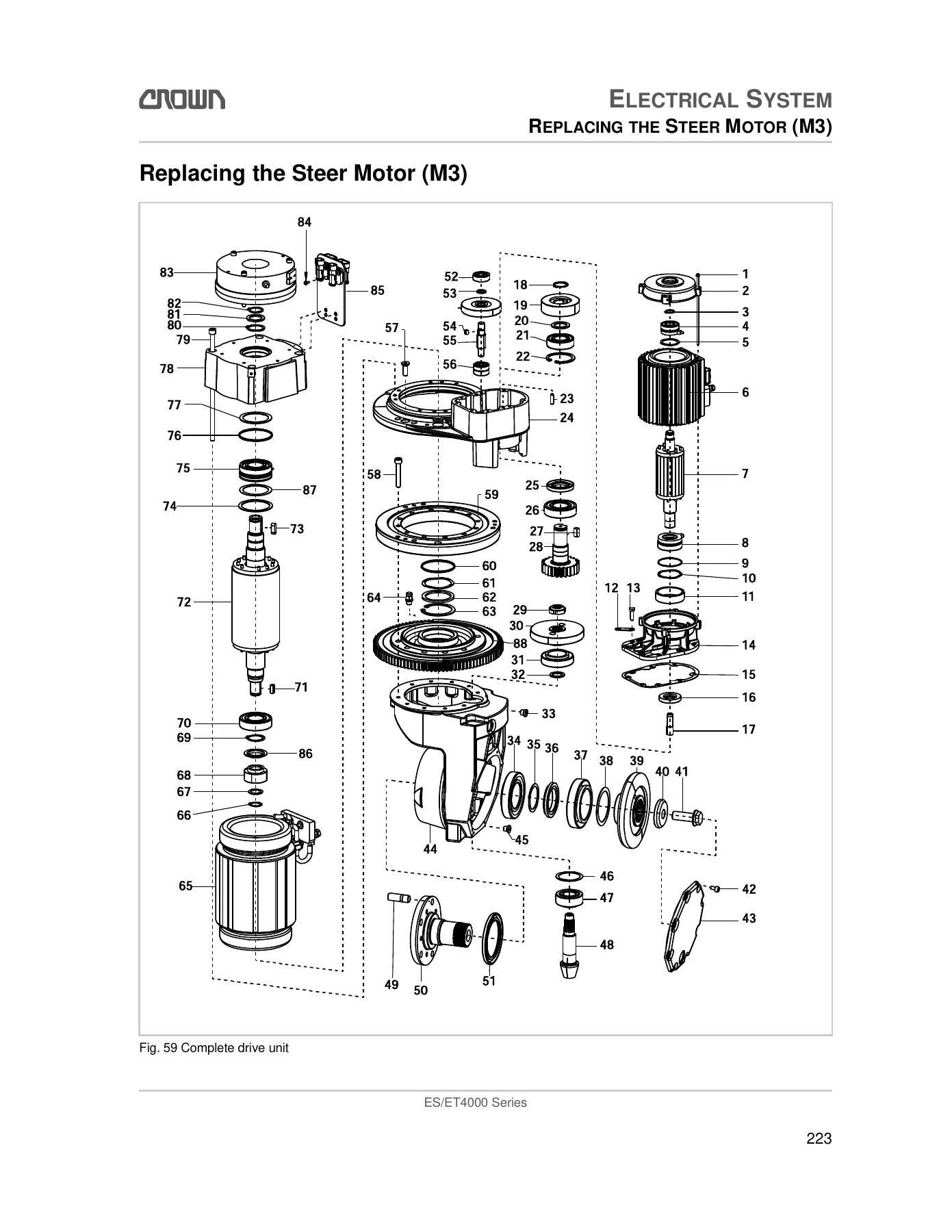
General DC motor maintenance instructions cover brush inspection and replacement, brush pressure and run-in requirements, motor cleaning, commutator inspection and rotor servicing. The traction motor (M1) chapter provides disassembly and assembly procedures with exploded-view illustrations, tie rod torque figures, splined-shaft greasing notes and brake attachment details. Pump motor M2 and steer motor M3 are covered in their own sections with the same level of detail, including special tools and pinion greasing. Parking brake servicing is documented with the air gap measurement procedure, the wear part kit contents and the correct torque for the brake mounting screws. Control module servicing covers capacitor discharge, heat conducting paste application, power cable torques for Access 2/3 (5.6–8.4 Nm) and Access 5 (5 Nm), and the parameter steps required after fitting a replacement module.
PMT Test, Wiring Diagrams and Modifications
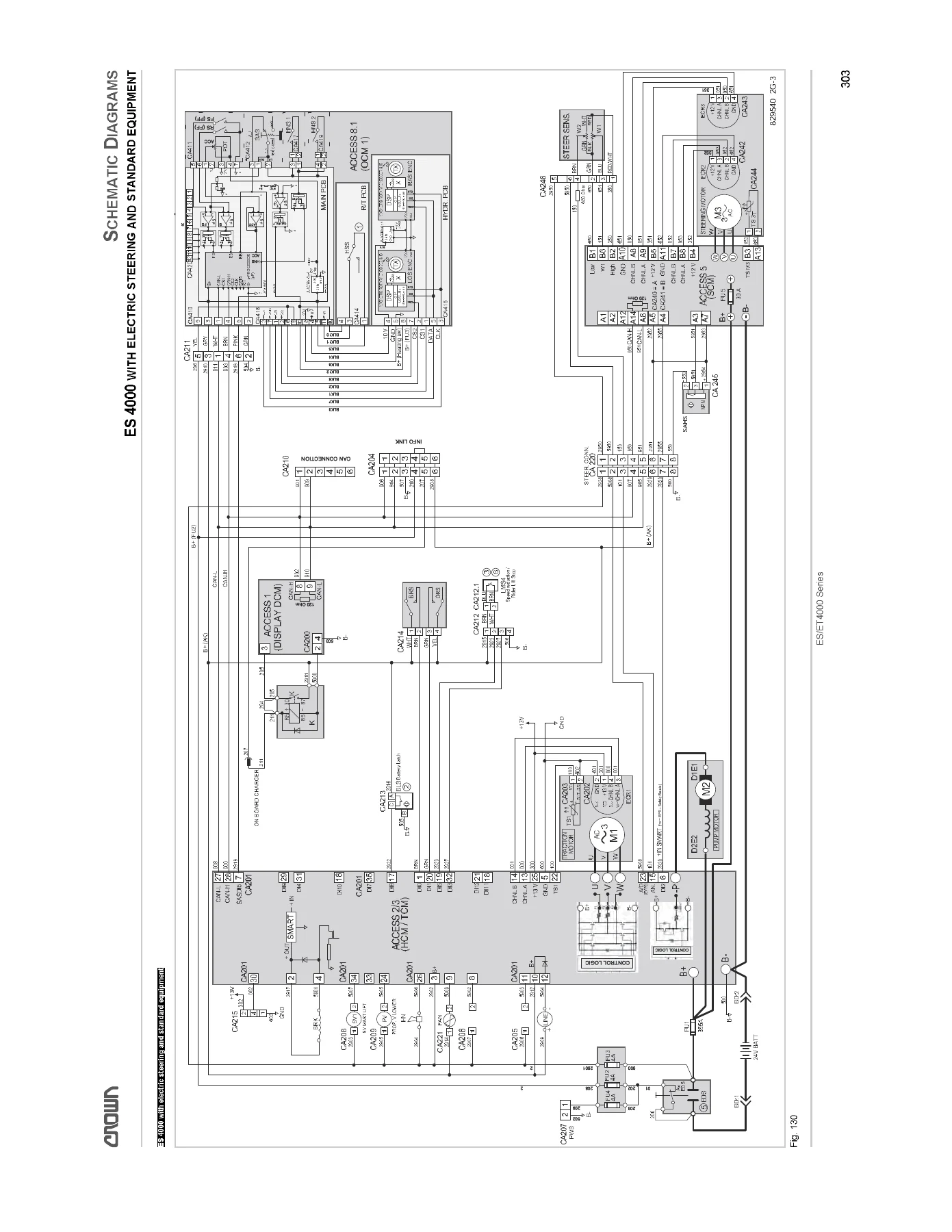
The Pulse Monitor Trip (PMT) test is documented for Access 2, Access 3 and Access 5 in line with EN 1175-1, with the required test wire specification, the expected event code for each successful test, and the safety warnings about jacking up the truck. The wiring diagram chapter covers the ES 4000 series with electric steering and standard equipment, and the reference sections include the full Crown wire colour code, contact symbol abbreviations and the standard electrical symbols used in the diagrams. Modification procedures cover converting the truck from Enter key to key switch power-up (and back), including the relay K1 removal, key switch adapter fitment, and the FEATURES menu settings needed to enable or disable the keyless function.
Why This Crown ES/ET4000 Maintenance Manual Matters
Modern Crown ES/ET4000 trucks are controlled by a network of modules that talk to each other over a CAN bus, and almost every fault — from a truck that won’t lift to a steering lock that won’t calibrate — ends up as an event code on the display. Without the correct code list and the matching remedy steps you are guessing at wiring, potentiometers, encoders and contactors. This manual gives you the actual values the control modules expect, the actual pin references to measure, the actual torque figures for the power cables and brake screws, and the exact parameter ranges to enter through the service menu. It lets a technician move from a fault symptom to a confirmed component in far fewer steps than swapping parts on suspicion.
IMAGES PREVIEW
Instant PDF Delivery
The Crown ES/ET4000 Series Maintenance Manual 812597-006 is delivered as an instant PDF download after checkout — no shipping, no waiting for a physical book. Open it on a laptop in the workshop, a tablet next to the truck, or a phone at the machine. Print only the pages you need for the job at hand, from a single event code to the entire wiring diagram set. Whether you run a fleet, work in a service department or maintain a single ES/ET4000 truck, having the correct maintenance manual on hand is the difference between a repair that holds and a comeback. This is the same document a Crown-trained technician would work from, and it is ready to download now.
Reviews
There are no reviews yet.