
GE CARESCAPE Central Station MAI700 MAS700 Software Version 2 Technical Manual 2048001-445
Original price was: $29.95.$18.95Current price is: $18.95.
Complete 372-page GE CARESCAPE Central Station technical manual for the MAI700 integrated processing unit and MAS700 desktop processing unit running software version 2. Document 2048001-445, 2nd edition, covering installation, configuration, licensing, checkout, troubleshooting, FRU replacement, software reload and product security.
Description
GE CARESCAPE Central Station MAI700 MAS700 Software Version 2 Technical Manual
This is the complete 372-page technical manual for the GE CARESCAPE Central Station, covering the MAI700 integrated processing unit and the MAS700 desktop processing unit running software version 2. Document 2048001-445 in its 2nd edition, dated 2018, is the service-level reference used to install, configure, license, check out, troubleshoot, and repair the central station down to the field replaceable unit level. The manual states plainly that it is written for service representatives and technical personnel with experience servicing medical equipment, and that reading it does not qualify an untrained person to service the equipment.
File Details
- Manual type: Technical Manual (service, maintenance and repair reference)
- Brand: GE Healthcare / GE Medical Systems Information Technologies, Inc.
- Models: MAI700 (Integrated processing unit), MAS700 (Desktop processing unit)
- Software: CARESCAPE Central Station software version 2 (version 2.1 referenced throughout)
- Document number: 2048001-445
- Edition: 2nd edition
- Publication date: 2018-11-13
- Language: English
- Page count: 372
- File format: PDF
What This CARESCAPE Central Station Service Manual Contains
The manual opens with intended-use and manufacturer-responsibility statements, then works through the system in the order a service technician actually encounters it: what the hardware is, what the software does, how to get into the service interfaces, how to install it, how to configure it, how to license it, how to prove it works, and how to fix it when it does not. Every procedure is written as a numbered sequence with the exact menu path or Webmin module named, so the reader is never left to guess whether a setting lives in the clinical application, in the service mode, in the alarm service mode, or in the Webmin browser interface.
Safety content is not an afterthought in this document. Chapter 2 runs the full warning and caution set, including the alarm-volume hazards, the leakage-current rules for laser printers and remote displays placed in the patient environment, the network-integrity warnings about installing the central station directly on the hospital enterprise network, and the loss-of-monitoring warnings that apply any time the central station is shut down, restarted, or placed in service mode. The safe restart and safe shutdown procedures are given step by step, including the requirement to remove any USB memory stick before rebooting.
Chapters Covered
- 1. About This Manual – intended audience and use, conventions, common terms, ordering manuals, trademarks, related manuals, revision history
- 2. Safety Precautions – signal words, danger/warning/caution/notice messages, safety symbols, safely restarting, safely shutting down
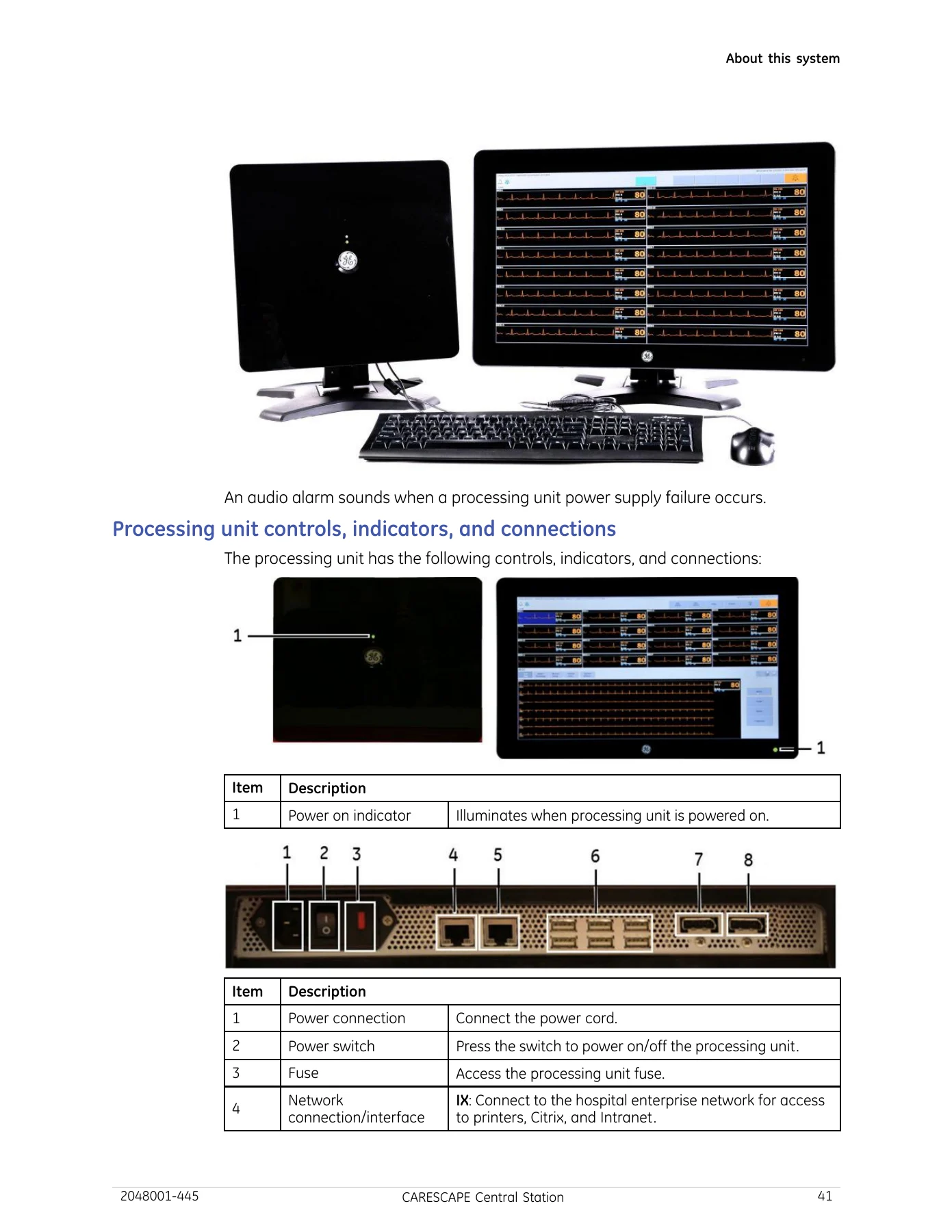
- 3. About This System – intended use, CE marking, manufacturer responsibility, service requirements, processing unit, stand-alone display, primary and secondary displays, mirrored central displays, remote and cloned displays, keyboard and mouse, external speakers, writer, stable power source, laser printer, controls and connections, device symbols, device identification, UDI, serial number
- 4. About This Software – configuration levels, Multi-Viewer overview, patient Multi-Viewer window, Multi-Viewer flashing, Single Viewer, user interface symbols, networking, time management on the CARESCAPE Network, IP address allocation, patient monitoring network description, intranet access and Citrix, data types, network data, data review tools, time focus, Full Disclosure, trends, calipers, ST Monitoring Status, ST Review, PDF printer, EMR
- 5. Service Interfaces – service interfaces overview and access, switching to the Field Service windows account, logging on and off the clinical application, service mode, alarm service mode, Webmin access local and remote, TightVNC, changing passwords, resetting Webmin passwords, configuring the service computer network properties
- 6. Hardware Installation – installation safety precautions, installation requirements, site requirements, electrical requirements, visually inspecting equipment, mounting options, installing the processing unit stand and processing unit, primary display, secondary display, remote display with video splitter, remote display with video extender, keyboard and mouse, external speakers, writer, local laser printer, network laser printer, first power-up
- 7. Configuration – configuration levels, getting started, configuration requirements, time management, IP address allocation, examining central stations on the network, touchscreen calibration, cursor movement, keyboard layout, Webmin settings including Set Flags, language, time zone, time and date, network IP address, network and USB laser printers, PDF printer, print locations, Remote Service, MultiKM, Browser Favorites, Citrix, EMR, label customization, Clinician Review Workstations, asset settings, certificate management, display calibration, service-level defaults, beds and transmitters, Full Disclosure licensing and mode, clinical application service-level and alarm-level defaults
- 8. Licenses – license codes, license packages, changing licenses, deactivating licenses, activating licenses automatically and manually, completing license changes, temporarily deactivating and reactivating licenses
- 9. Installation Checkout – processing unit checkout, status of installed licenses, unit defaults, date and time settings, network connectivity and printing, Full Disclosure, MultiKM, access to other units, audio alarm tones, speaker volume, Remote Service, backing up system settings, writer, mirrored central display
- 10. Preventative Maintenance Checkout – maintenance schedule, visual inspection, cleaning, writer maintenance and paper changing and storage, power cord and plug test, power outlet test, electrical safety tests, ground continuity, ground wire leakage current, enclosure leakage current
- 11. Functional Checkout – date and time settings, central station system status messages, Check Centrals utility, network connectivity and printing, Full Disclosure, MultiKM, access to other units, audio alarm tones, speaker volume, processing unit internal temperature and voltage status, video function, asset information, watchdog countdown, system files integrity, Remote Service, mirrored central display, consolidated configuration information
- 12. Troubleshooting – central station system status messages, monitoring device messages, error messages, boot failure, re-image failure, software image mismatch, out-of-unit audio alarms, audio alarms when removing patient windows, reboot loops, blank screen with blinking cursor, browser connectivity, display issues, MultiKM issues, time issues, printer issues, configuration issues, license activation, settings restore, Remote Service connection, Full Disclosure issues, log files, Webmin diagnostics, duplicate TTX, video extender LED indication
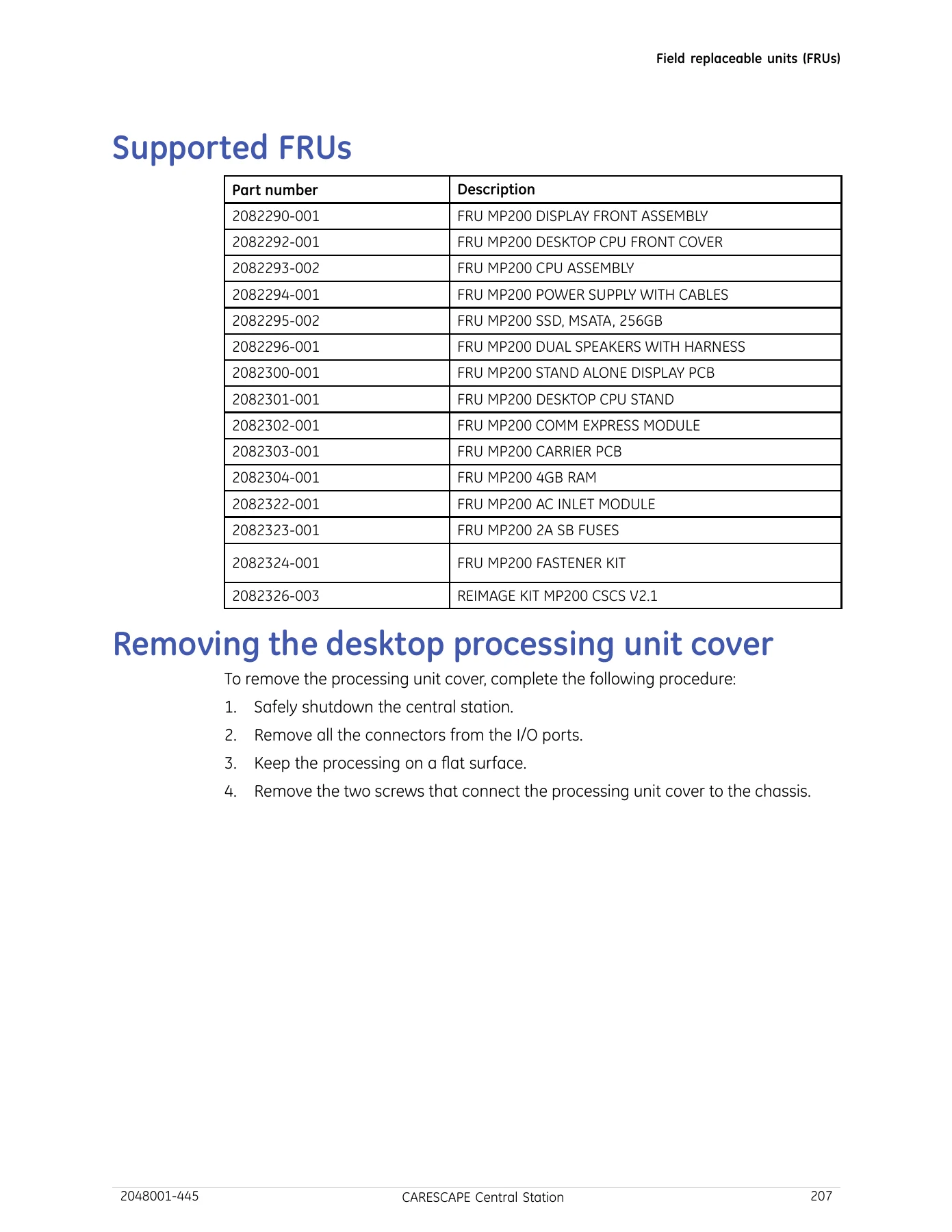
- 13. Field Replaceable Units (FRUs) – FRU safety precautions, ESD guidelines, supported FRU part numbers, desktop and integrated processing unit cover removal and replacement, stand-alone display controller PCB, front display assembly, stands, COMM express module, carrier PCB, RAM, AC inlet, fuses, processing unit assembly, mSATA SSD, power supply assembly, speaker assembly, plus the checkout procedure for each
- 14. Reloading/Re-imaging Software – reload software requirements, reloading software, restoring system settings, performing a full restore, performing a partial restore
- 15. Updating Software – updating software overview, equipment requirements, updating central station software, software checkout procedures
- 16. HL7 Interface – HL7 standard background, multiple segments, data elements, HL7 communication, observation results interfaces, observation result interface, low level communications, client/server connections, MLLP framing, interface data content, ORU result reporting message, MSH, PID, PV1, OBR, OBX and NTE field lists, sample HL7 message
- 17. Product Security – security features, access controls, authentication, authorization, audit controls, malicious software protection, antivirus considerations, desktop security, data protection, network security, media access control points, product change management, remote service, MDS2 statement
- Appendix A: Full Disclosure – safety precautions, overview, discharged data sessions, Full Disclosure Master, determining the master, licensing, rules, mirroring rules, multi-Full Disclosure rule, twin bed rule, bed number and IP address changes, time change effects, bed assignment, ST Review, pushing 12SL reports to MUSE, events, compatibility, printing, procedures
- Appendix B: Citrix Farm Information – Citrix farm configuration, Data Collector and XML service addressing
- Appendix C: Electromagnetic Compatibility – EMC safety precautions, guidance and manufacturer’s declaration, emissions, immunity, essential performance, recommended separation distances, compliant cables and accessories
- Appendix D: Restored Modules – platform settings, local central station settings, Central Defaults, Display Configuration, FD Session Search, licenses, patient Multi-Viewer window assignment and control settings, Citrix, PDF printer, EMR, printing attributes, caliper settings, Set Flags, custom defaults, unit default settings, Telemetry Unit Defaults, Telemetry Alarm Setup Defaults, current telemetry listings, Full Disclosure Defaults
- Appendix E: Networking Disclosure – purpose and scope, purpose of the central station network connection, network interface technical specifications, network information flows, required network characteristics and configuration, potential risks from IT network failure
- Appendix F: Checklists – high-level installation and commissioning overview, system installation checklist, software upgrade checklist, software reload checklist, preventative maintenance checklist, FRU replacement checklist
- Appendix G: Presets – presets overview, Central Defaults, telemetry presets, Telemetry Unit Defaults, Telemetry Parameter Limits and Alarm Levels, Telemetry Arrhythmia Alarm Levels, Telemetry Technical Alarm Priorities, Display Configuration, Full Disclosure Defaults, FD Page, Graphic Trends Groups, Numeric Trends Groups, ST Review
- Appendix H: Custom Defaults and Settings – Central Defaults settings, telemetry custom defaults, Telemetry Unit Defaults, parameter limits and alarm levels, arrhythmia alarm levels, technical alarm priorities, Display Configuration, Full Disclosure Defaults, FD Page, Graphic Trends Groups, Numeric Trends Groups, ST Review, Save As Favorites
- Appendix I: Glossary – terminology used throughout the manual
- Appendix J: Abbreviations and Symbols – abbreviation list and symbol definitions
Field Replaceable Unit Coverage in the MAI700 and MAS700 Manual
Chapter 13 is the hands-on portion of the book. It lists the supported FRU part numbers and then walks each replacement as a numbered disassembly: the desktop processing unit cover, the integrated processing unit cover, the stand-alone display controller PCB, the integrated processing unit and stand-alone display front display assembly, both stands, the COMM express module, the carrier PCB, RAM, the AC inlet, the fuses, the processing unit assembly, the mSATA SSD, the power supply assembly, and the speaker assembly. Each replacement is followed by its own checkout procedure so the technician has a defined test path rather than a judgement call.
Electrostatic discharge guidelines, including wrist strap and work surface requirements, sit at the front of the chapter. The manual also records the small details that decide whether a repair succeeds, such as the Loctite on the M4 shoulder screws and the caution not to over-torque them because the standoffs may break.
Software Reload, Update, and Configuration Reference
Chapter 14 handles reloading and re-imaging from the USB memory stick, including the first-boot sequence where the system runs setup on its own and the technician is told not to touch the restart dialog. Chapter 15 covers software package updates pushed from a service computer over the CARESCAPE Network IX using the Software Transfer Utility, with the IP list, the transfer, and the activation steps all shown. Chapter 7 is the largest single reference in the book and covers every Webmin configuration module in turn, from Set Flags and time zone through Citrix, EMR, certificate management, MultiKM, and the service-level and alarm-level default sets.
Checkout Procedures and Electrical Safety Tests
Three separate chapters define how the central station is proven fit for clinical use: installation checkout, preventative maintenance checkout, and functional checkout. Between them they cover the electrical safety tests with their measured limits, the internal temperature and voltage windows for the processing unit, the video and audio tests, the store integrity test, the watchdog countdown test, and the consolidated configuration information page. The preventative maintenance chapter also sets the twelve-month schedule and covers writer paper handling and storage conditions.
Who This GE CARESCAPE Central Station Technical Manual Supports
Biomedical engineering departments maintaining CARESCAPE Central Stations in a hospital unit will use it for the initial install, the license changes, the annual preventative maintenance visit, and the electrical safety record. Field service engineers will use the FRU chapter and the troubleshooting chapter together. Network and integration staff will use the HL7 interface chapter, the networking disclosure appendix, and the product security chapter, which documents the port-level information flows the central station expects on the mission-critical and information-exchange networks.
Get the Complete CARESCAPE Central Station Service Reference
IMAGES PREVIEW
With this manual on hand, a technician can install and configure an MAI700 or MAS700 central station, activate and transfer licenses, calibrate displays, build a MultiKM keyboard and mouse group, set up mirrored central displays, configure a PDF printer or an EMR/HL7 feed, run the full installation and preventative maintenance checkout sequence, diagnose boot and display faults, and replace any supported FRU with the correct procedure and the correct follow-up test. The value is in the specificity: exact menu paths, exact Webmin modules, exact torque and screw callouts, and exact leakage-current limits rather than general advice. Delivered as an instant PDF download with no shipping, it opens on any computer, tablet, or phone and can be printed for the bench or the equipment room.

Reviews
There are no reviews yet.