★ TRUSTED BY 321,897+ PROFESSIONALS WORLDWIDE
🏒
Trusted Business
Verified & Licensed
πŸ›‘οΈ
Virus Free Files
100% Safe Downloads
πŸ”’
Secure Payment
SSL Protected
⚑
Instant Delivery
Available Immediately
Sale!

GE Giraffe OmniBed Carestation CS1 User Manual 2077950-001 Rev L – PDF Download

Original price was: $34.95.Current price is: $21.95.

Complete GE Giraffe OmniBed Carestation CS1 User Manual, document 2077950-001 Revision L. Covers operation, modes, setup, alarms, maintenance, and specifications for the Giraffe OmniBed infant incubator and radiant warmer system. 156-page PDF in English.

⚑
Instant PDF Download
Available immediately
πŸ’Ύ
Save to Your Device
Download & keep forever
πŸ›‘οΈ
Antivirus Scanned
100% virus-free
🌍
Trusted Worldwide
175,000+ customers

Description

GE Giraffe OmniBed Carestation CS1 User Manual – 2077950-001 Rev L

This is the complete GE Giraffe OmniBed Carestation CS1 User Manual, document number 2077950-001 Revision L. It covers the operation, setup, safety, and maintenance of the Giraffe OmniBed combination infant incubator and radiant warmer system. The manual is written for trained healthcare professionals who operate the device in neonatal care settings.

File Details

  • Manual Type: User Manual (Operation Manual)
  • Brand: GE Healthcare
  • Model: Giraffe OmniBed, Carestation CS1
  • Document Number: 2077950-001 Revision L
  • Language: English
  • Page Count: 156 pages
  • File Format: PDF
  • Copyright: 2016-2021 General Electric Company

Chapters Covered

  • About this Manual – Intended Audience, Getting Help, Conventions
  • Understanding Modes – Air Mode, Baby Mode, Baby Mode Control Algorithm, Manual Mode, Warm-up and Pre-heat Modes, Incubator/Warmer Operation Mode Transition
  • Safety and Regulatory Information – Intended Use, Safety Information, Symbols, Regulatory, User Responsibility
  • System Description – Front View, Rear View, Optional Equipment Installation
  • Understanding the Control Panel – Home Screen, Away Screen, Using the Keyboard, On-screen Help
  • Setup Features – Patient Setup, Alarms Setup, System Setup, System Defaults
  • Pre-use Checkout – Mechanical Checks, Options Checks, Control Panel Checks, Humidifier Checks, Oxygen Checks
  • Using the OmniBed – Powering the Device, Setting up for Admission, Admitting the Patient, Skin Temperature Probe, Portholes and Bed Panels, Mattress, Canopy, Bed Height, X-ray Tray, Oxygen, Humidifier, Scale, Air Boost, Timer, Trends, Comfort Zone, Nurse Call
  • Understanding Alarms – Alarm Priorities, Temperature Regulation Alarms, Pedal Alarms, Oxygen Alarms, Humidifier Alarms, Other Alarms, Notifications
  • Maintenance, Cleaning, and Disinfection – Repair Guidelines, Maintenance Schedule, Cleaning Guidelines, Disassembly, Component Cleaning, Reassembly
  • Troubleshooting – Common issues and remedies
  • Specifications – Power Requirements, Operating Environment, System Performance, Weight Scale, Servo Oxygen, Humidity, Mechanical
  • Options – Available accessories and part numbers
  • Electromagnetic Compatibility (EMC) – EMC Guidance, Manufacturer’s Declarations, Separation Distances

This manual gives you the full operating picture of the Giraffe OmniBed – from the three environmental control modes (Air, Baby, Manual) and the control panel interface, through to the setup screens, pre-use checkout procedures, and the complete alarm reference. The alarm section alone covers temperature regulation alarms, pedal alarms, oxygen alarms, humidifier alarms, and system notifications with activation criteria, possible causes, and required actions for each.

Key Systems Covered

  • Thermoregulation: Air Mode (closed bed), Baby Mode (servo skin temperature control), Manual Mode (radiant heater power percentage), Comfort Zone temperature guidance
  • Skin Temperature Monitoring: Single and dual probe operation, probe attachment procedures, temperature alarm thresholds
  • Oxygen System: Servo-controlled oxygen delivery, calibration procedures, FiO2 monitoring, oxygen alarms
  • Humidifier: Water reservoir operation, humidity settings (30-95% RH), humidity alarms
  • In-Bed Scale: Patient weighing, weight trending, re-weigh function
  • Canopy and Bed: Canopy raise/lower, bed height adjustment, mattress sliding/rotating/tilting, porthole and bed panel operation
  • Air Boost: Fan speed control for thermal performance
  • Nurse Call and Remote Monitoring: RS-232 interface, alarm relay output

Complete PDF Bookmark Tree

Complete Bookmarks

The complete bookmarks in the β€œGE Giraffe OmniBed Carestation CS1 User Manual 2077950-001 Rev L – PDF Download” are as follows:

Chapter 1: About this Manualp. 9
Intended Audiencep. 9
Getting Helpp. 9
Conventionsp. 10
Chapter 2: Understanding Modesp. 11
Air Modep. 11
Baby Modep. 11
Baby Mode Control Algorithmp. 12
Manual Modep. 13
Warm-up and Pre-heat Modesp. 14
Incubator/Warmer Operation Mode Transitionp. 14
Intended Usep. 15
Safety Informationp. 15
Symbolsp. 24
Regulatoryp. 28
User Responsibilityp. 29
Chapter 1: System Descriptionp. 31
Front Viewp. 32
Rear Viewp. 35
Optional Equipment Installationp. 36
Installing the Scalep. 36
Mounting Rail System Componentsp. 36
Gas Cylinder Holderp. 37
Tubing Management Armp. 37
Porthole Coverp. 37
Silo Support Armp. 38
Chapter 2: Understanding the Control Panelp. 39
Home Screenp. 40
Away Screenp. 41
Using the Keyboardp. 42
On-screen Helpp. 42
Chapter 3: Setup Featuresp. 43
Navigating the Setup Screenp. 43
Patient Setupp. 43
Current Timep. 44
Baby Namep. 44
Date of Birthp. 45
Gestational Agep. 45
Comfort Zonep. 46
Alarms Setupp. 46
Temperature Unitsp. 46
Skin Temp Alarm (Baby Mode)p. 46
Skin Temp Alarm (Air/Manual Mode)p. 47
Alarm Volumep. 48
Hands Free Alarm Silencep. 48
System Setupp. 48
Canopy Raise Pedalp. 48
Bed Elevationp. 49
Away Screen Timeoutp. 49
Screen Brightnessp. 50
Calibrate Oxygenp. 50
Themesp. 51
System Defaults for Setupp. 52
Chapter 4: Pre-use Checkoutp. 55
Mechanical Checksp. 55
Options Checksp. 57
Control Panel Checksp. 58
Humidifier Checksp. 59
Oxygen Checksp. 59
Chapter 5: Using the OmniBedp. 61
Powering the Devicep. 61
Setting up for Admissionp. 63
Admitting the Patientp. 64
Attaching the Skin Temperature Probep. 65
Operating with Two Skin Temperature Probesp. 67
Manipulating Portholes and Bed Panelsp. 68
Opening and Closing Portholesp. 69
Opening and Closing Bed Panelsp. 69
Using the Mattressp. 71
Sliding out the Mattressp. 71
Rotating the Mattressp. 72
Tilting the Mattressp. 72
Raising the Canopyp. 73
Raising and Lowering the Bedp. 75
Using the X-ray Trayp. 76
Administering Oxygenp. 76
Connecting Oxygenp. 77
Calibrating Oxygenp. 77
Administering Oxygenp. 78
Using the Humidifierp. 79
Administering Humidityp. 79
Using the Scalep. 80
Trending Weightsp. 81
Using Air Boostp. 82
Setting the Timerp. 83
Displaying Trendsp. 84
Setting the Air Temp in Air Modep. 85
Setting Air Set Temperature Manuallyp. 85
Using the Comfort Zonep. 85
Nurse Call System and Remote Monitoringp. 87
Using the Remote Monitoring Interfacep. 87
Using the Nurse Call System Interfacep. 88
Chapter 6: Understanding Alarmsp. 89
Alarm Prioritiesp. 90
Understanding The Control Panel Displayp. 90
Understanding Audio Tonesp. 90
Silencing Alarmsp. 91
Multiple Alarmsp. 92
Temperature Regulation Alarmsp. 92
Enter Settingp. 92
High Air Temperaturep. 92
Low Air Temperaturep. 93
Patient Hot – Check Probe 1p. 93
Patient Cold – Check Probe 1p. 94
Air Temperature Greater Than 38Β° Cp. 95
Air Temperature Greater Than 40Β° Cp. 96
Disconnected Skin Temperature Probe 1p. 96
Disconnect Probe 2 for Baby Modep. 97
Fan Failurep. 97
Fan Always in High Speedp. 98
Compartment Sensor Disconnectedp. 98
Compartment Sensor Failurep. 99
In Transition – Heat Offp. 99
Skin Temperature Probe 1 Failurep. 99
Skin Temperature Probe 2 Failurep. 101
Check Patientp. 101
Check Patient-Heat Offp. 102
Temperature Out of Calibrationp. 102
Radiant Heater Failurep. 103
Heater Doors Not Closedp. 103
Heater Doors Not Openedp. 103
Bed Heater Failurep. 104
Pedal Alarmsp. 104
Canopy Pedal Pressedp. 104
Bed Raise Pedal Pressedp. 104
Bed Lower Pedal Pressedp. 105
Canopy Pedal Disabledp. 105
Bed Height Pedals Disabledp. 105
Canopy Pedal Failurep. 106
Bed Raise Pedal Failurep. 106
Bed Lower Pedal Failurep. 106
Oxygen Alarmsp. 107
Low Oxygenp. 107
High Oxygenp. 107
Calibrate Oxygenp. 108
Oxygen Sensor Failurep. 108
Oxygen System Failurep. 109
Check O2 Supplyp. 109
FiO2 > 26%p. 110
O2 Cal Lost – No O2p. 110
Humidifier Alarmsp. 111
Add Waterp. 111
Water Reservoir Not Engagedp. 111
Humidity Sensor Failurep. 111
Humidity Failurep. 112
Other Alarmsp. 112
System Failurep. 112
Power Failurep. 113
Motor Drive Failurep. 113
Scalep. 114
Notificationsp. 114
Clock Batteryp. 114
Chapter 7: Maintenance, Cleaning, and Disinfectionp. 115
Repair Guidelinesp. 115
Maintenance Schedulep. 116
User Maintenance, Cleaning, and Disinfection Frequencyp. 116
Service Maintenance Frequencyp. 117
Cleaning and Disinfection Guidelinesp. 118
Cleaning and Disinfecting Solutionsp. 120
Cleaning and Disinfecting Method Recommendationsp. 121
Cleaning and Disinfecting the Touch Screenp. 121
Preparing to Clean and Disinfect the Devicep. 121
Disassembling the Devicep. 122
Cleaning and Disinfecting Individual Componentsp. 127
Cleaning and Disinfecting the Humidifier Water Reservoirp. 128
Cleaning and Disinfecting the Skin Temperature Probep. 128
Cleaning and Disinfecting the Mattressp. 129
Reassembling the Devicep. 130
Additional Chemically compatible solutionsp. 132
Chapter 8: Troubleshootingp. 135
Appendix A: Specificationsp. 137
Appendix B: Optionsp. 141
Appendix C: Electromagnetic Compatibility (EMC)p. 143
EMC Guidancep. 143
Degraded performance characteristicsp. 143
Manufacturer’s Guidance And Declaration – Electronic Emissionsp. 144
Manufacturer’s Guidance And Declaration – Electronic Immunityp. 145
IEC Guidance And Declaration – Electronic Immunityp. 146
Recommended separation distance between portable and mobile RF communications equipment and the Devicep. 148

Who This Manual Is For

This manual is intended for trained clinical professionals – nurses, physicians, and biomedical technicians – who operate and maintain the Giraffe OmniBed Carestation CS1 in hospital neonatal intensive care units, delivery rooms, and other infant care environments. It assumes a working knowledge of thermoregulation and neonatal care practices.

Why This Manual Matters

The Giraffe OmniBed transitions between incubator and radiant warmer operation, and each mode has its own control logic, alarm conditions, and safety requirements. Using the device correctly – setting the right air temperature, attaching the skin temperature probe properly, calibrating the oxygen system on schedule, and responding to alarms appropriately – depends on having the manufacturer’s operating instructions at hand. This manual provides those instructions in full, including the pre-use checkout procedures that should be performed before every patient use and the cleaning/disinfection protocols required between patients.

IMAGES PREVIEW

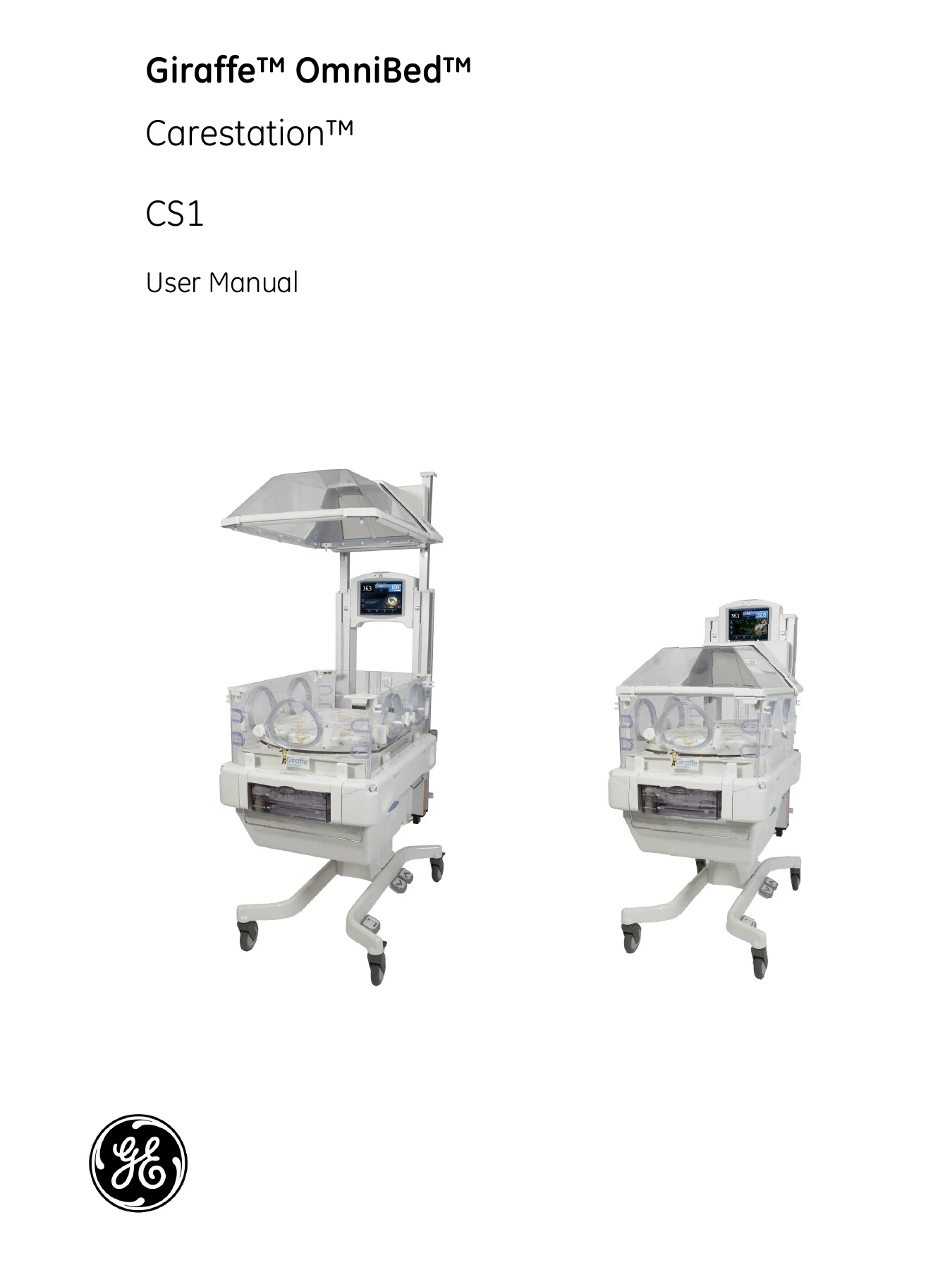
GE Giraffe OmniBed Carestation CS1 User Manual 2077950-001 Rev L - PDF Download β€” PDF page 1 preview
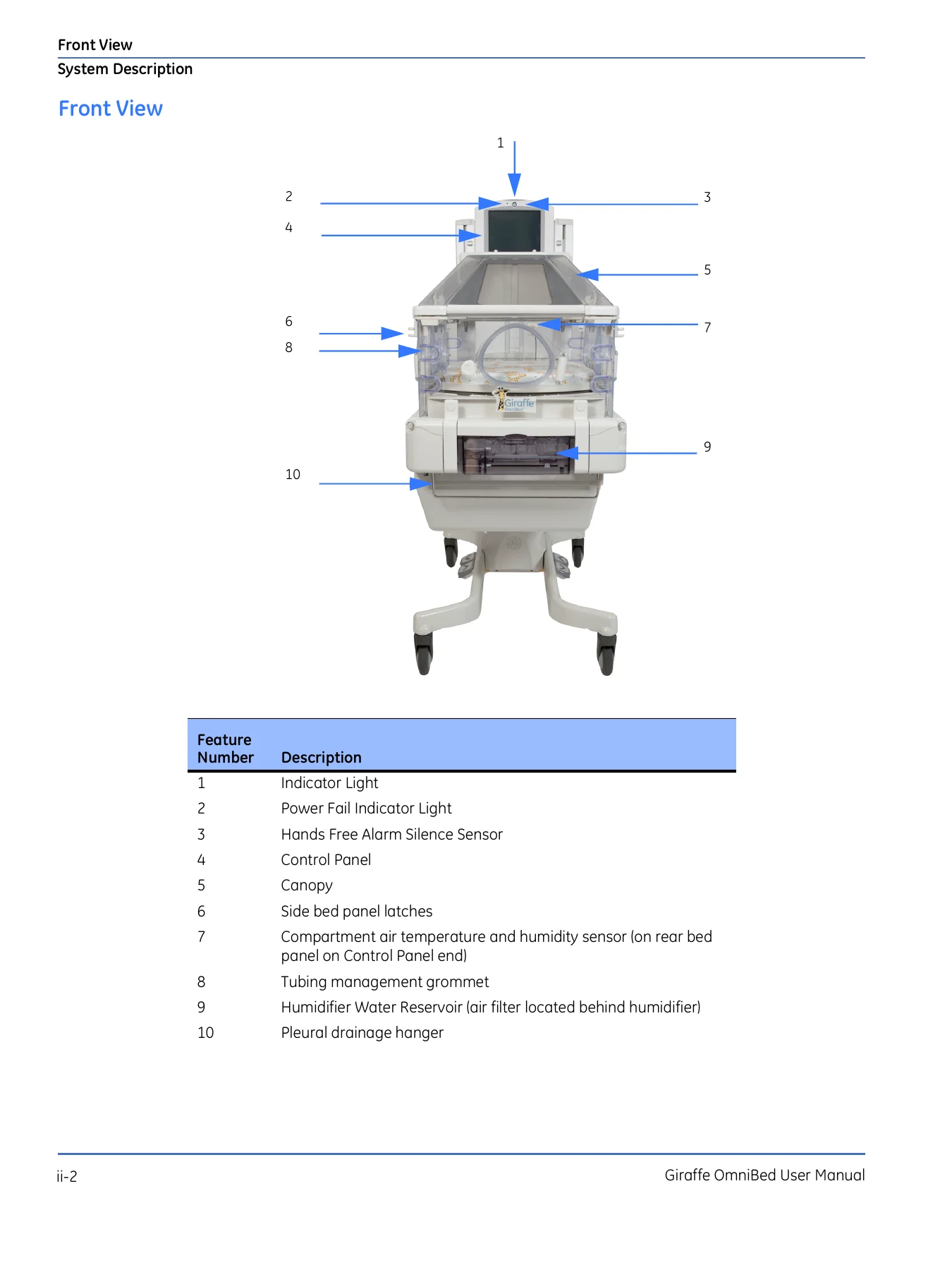
GE Giraffe OmniBed Carestation CS1 User Manual 2077950-001 Rev L - PDF Download β€” PDF page 32 preview
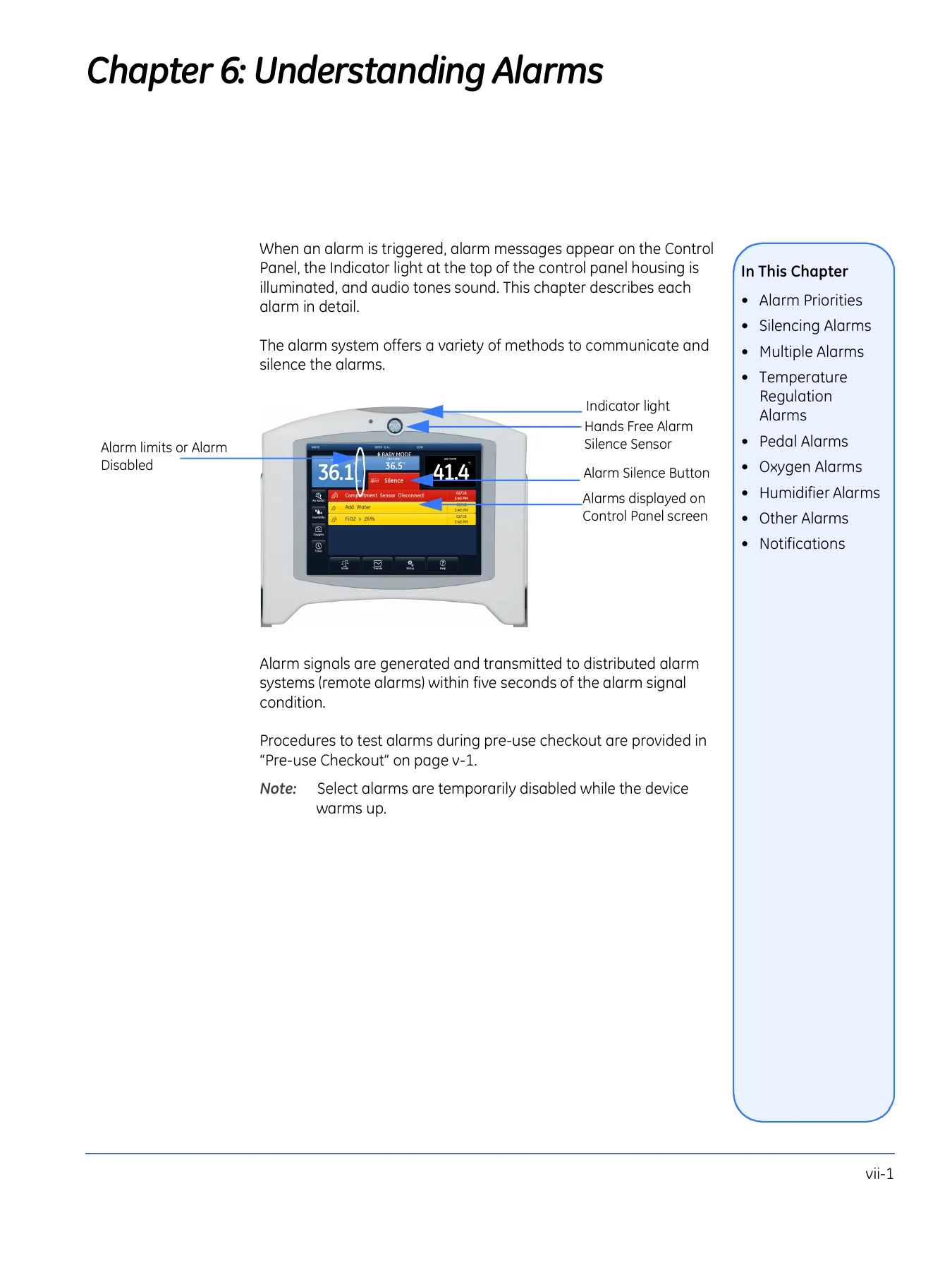
GE Giraffe OmniBed Carestation CS1 User Manual 2077950-001 Rev L - PDF Download β€” PDF page 89 preview

Instant PDF Delivery

This GE Giraffe OmniBed Carestation CS1 User Manual is delivered as an instant PDF download after payment. There is no shipping, no waiting for a physical book, and no restrictions on which device you use to read it. You can print the pages you need, keep the file on a ward computer or tablet, and reference it whenever you need to check a procedure, verify a specification, or troubleshoot an alarm. The PDF format makes it easy to navigate and carry the complete manual wherever the device goes.


Reviews

There are no reviews yet.

Be the first to review “GE Giraffe OmniBed Carestation CS1 User Manual 2077950-001 Rev L – PDF Download”

What Our Customers Say

β˜…β˜…β˜…β˜…β˜… Live reviews from customers
Loading customer reviews...
0
    0
    Your Cart
    Your cart is emptyReturn to Shop
    πŸ›’
    Recently Purchased
    πŸ•’ verified order