Kyocera FS-C5020N / FS-C5030N Printer Service Repair Manual – PDF
Original price was: $85.00.$15.95Current price is: $15.95.
This is the official Kyocera FS-C5020N / FS-C5030N Service Manual, essential for professional repairs and maintenance. It provides detailed instructions for FS-C5030N fuser unit replacement, drum unit servicing, and troubleshooting Kyocera printer error codes. Technicians can access comprehensive FS-C5020N firmware update procedures, electrical wiring diagrams, and self-diagnostic guides. Whether you are resolving FS-C5020N paper jams or need a complete Kyocera FS-C5030N disassembly guide, this manual covers every mechanical and electrical aspect of these color laser printers.
Description
Kyocera FS-C5020N / FS-C5030N Printer Service Repair Manual – PDF DOWNLOAD
Description
This comprehensive service manual covers the Kyocera FS-C5020N (16 ppm) and FS-C5030N (24 ppm) color laser printers. It is an indispensable resource for service engineers, detailing everything from installation and maintenance mode settings to complex mechanical disassembly and board-level troubleshooting. The manual includes high-quality diagrams, timing charts, and specific error code resolutions.
📋 Table of Contents & Key Sections
1. General Information & Specifications
Specifications: Detailed specs for both the 16ppm and 24ppm models.
Parts Names: Diagrams of the operation panel, main frame, and cross-section views.
Handling Precautions: Critical safety steps for the drum unit and installation environment.
2. Installation & Setup
Unpacking: Step-by-step installation of toner containers and waste toner boxes.
Optional Equipment: Instructions for installing expansion memory (DIMM), memory cards, network interface cards (IB-20/21E/22), and hard disk units.
3. Maintenance Mode
Service Mode: How to execute service modes for diagnostics.
Status Pages: Printing event logs, color calibration, and test pages.
Resets: Procedures for resetting the maintenance kit counters and developer refreshing.
4. Troubleshooting
Error Codes: A complete list of self-diagnostic codes (e.g., F000, 6000 Fuser Error) and corrective measures.
Paper Jams: Detailed diagrams for locating and clearing jams in the cassette, MP tray, duplexer, and exit areas.
Image Quality: Solutions for issues like white streaks, background coloring, and repetitive defects.
Electrical Problems: Troubleshooting sensor and switch failures.
5. Assembly and Disassembly Detailed removal and refitting instructions for:
Outer Covers: Top, rear, left, and right covers.
Feed Units: Paper feed unit, rollers, and MP tray feed unit.
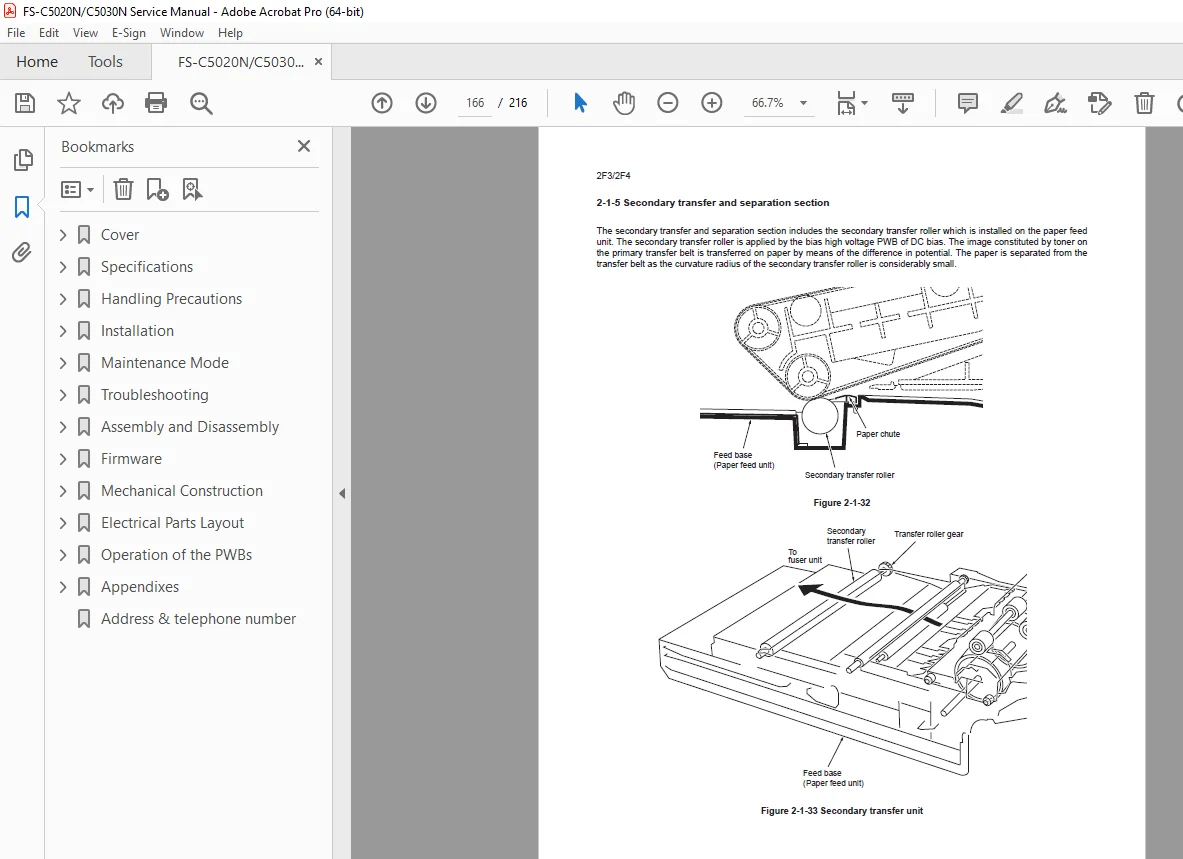
Imaging System: FS-C5030N fuser unit replacement, Drum unit, LED print heads, and Primary transfer unit.
Circuit Boards (PWBs): Main controller, Engine controller, Power supply, and High voltage PWBs.
Drive Units: Main drive, fuser drive, and toner motors.
6. Mechanical Construction & Theory
Process Explanation: Touch-down developing method, drum charging, and transfer systems.
Unit Operations: In-depth look at the Fuser unit (heat roller/press belt) and Drum section.
7. Diagrams & Appendix
Timing Charts: Detailed operation timing for various paper sizes and modes.
Wiring Diagrams: Complete schematics for 16ppm and 24ppm models.
Repetitive Defects Gauge: Ruler for identifying faulty rollers based on image defect spacing.
🗃️ Short File Details
Manual Name: Kyocera FS-C5020N / FS-C5030N Service Manual
Models Covered: FS-C5020N, FS-C5030N
Year: 2006 (Rev. 5)
Manual PDF Quality: High-quality, vector-based text and diagrams (fully searchable).
No. of Pages: 216 Pages