
Mindray CAL 8000 Auto Sample Processing System Service Manual
Original price was: $39.95.$23.95Current price is: $23.95.
Complete service, repair, and troubleshooting manual for the Mindray CAL 8000 Auto Sample Processing System. This comprehensive guide covers fluidics, hardware, mechanical modules, software, LIS connection, installation, error codes, and detailed exploded views.
Description
Comprehensive Mindray CAL 8000 Service Manual
Equip your laboratory or biomedical service team with the ultimate technical resource for the Mindray CAL 8000 Auto Sample Processing System. This extensive service manual is designed for skilled and trained medical professionals who require in-depth knowledge of circuitry, fluidics, quality control, and mechanical troubleshooting. Whether you are performing routine maintenance, diagnosing complex mechanical errors, or installing a brand-new processing line, this manual provides the exact procedures, specifications, and diagrams needed to keep the system operating at peak performance.
File Details
- Brand: Mindray
- Model: CAL 8000 (Auto Sample Processing System)
- Manual Type: Service Manual
- Language: English
- Format: PDF
- Document Number: HXQ-19009-CAL8000 2.0
- Version: 1.0
- Page Count: 538 pages
Chapters Covered
- Chapter 1: Using This Manual – Intended use, software terms, and safety symbols.
- Chapter 2: Fluidics System – Pneumatic system introduction, pressure and vacuum components, gas valves, air accumulators, and barometers.
- Chapter 3: Hardware System – Connection diagrams, wires, sensors (digital/analog reflective and transmissive), Main Control Board, Drive Board, Keypad, Power Board, and Single Motor Drive Board.
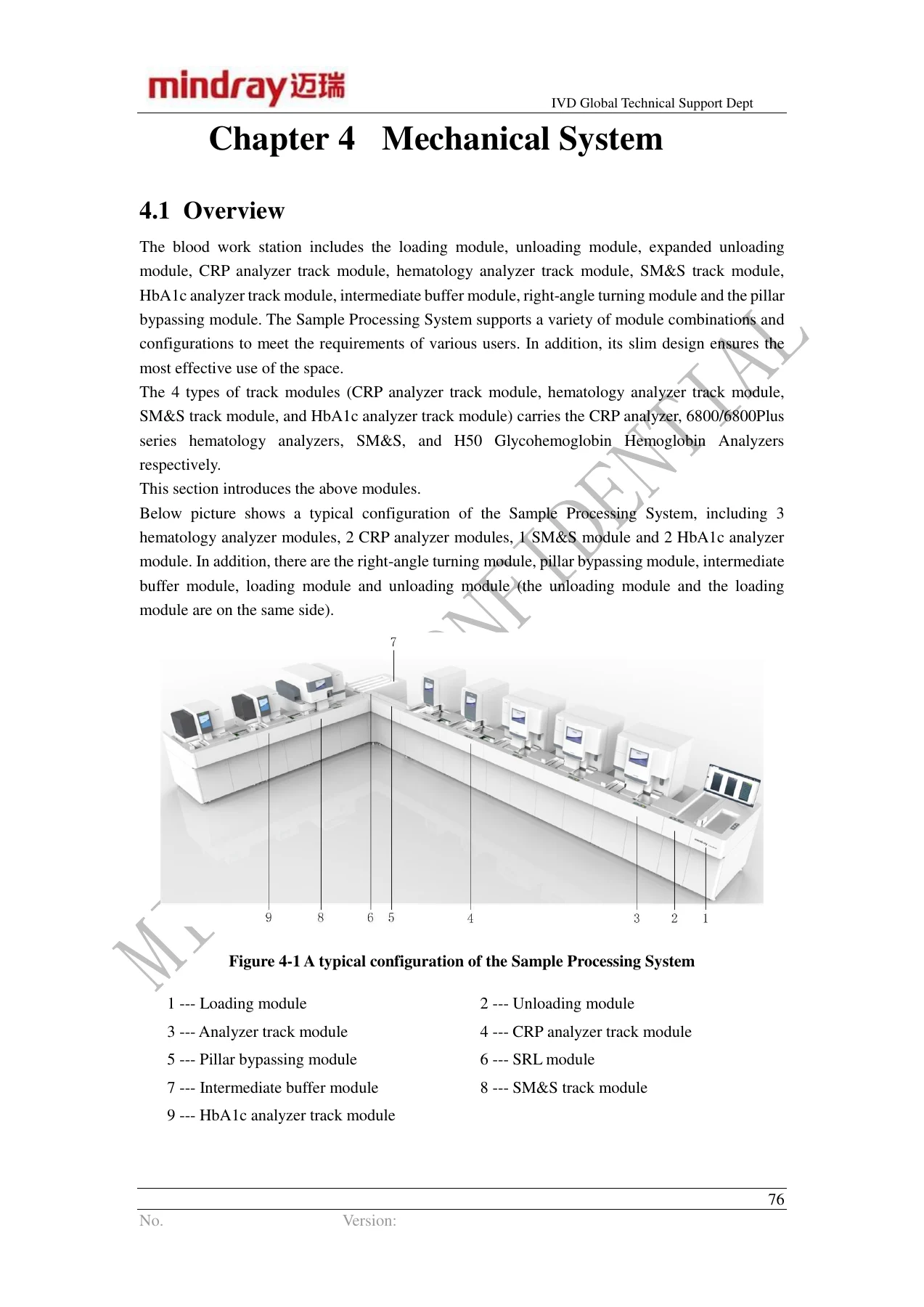
- Chapter 4: Mechanical System – Loading module, unloading module, track modules (Hematology, CRP, SM&S, HbA1c), intermediate buffer module, right-angle turning module, and pillar bypassing module.
- Chapter 5: Software System – CMU software installation and update, connecting setup, IP configuration, LabXpert system setup, and Service Auxiliary Tool operations.
- Chapter 6: LIS Connection and Common Faults – Network setup, communication parameter setup, protocol setup (HL7/ASTM), ACK synchronous transmission, and LIS troubleshooting FAQs.
- Chapter 7: Instrument Installation – Unpacking, removing fixing components, module splicing, track connection, pneumatic system connection, power supply connection, initial start-up, and performance verification.
- Chapter 8: Replacing the FRUs – Detailed procedures for removing and installing covers, loading assemblies, CRP analyzer track modules, and hematology analyzer track modules.
- Chapter 9: Alignment – Fixture Use Introduction – Instructions for using the 3202 Track Centering Fixture, Gripper axis adjusting fixture, and Sample probe positioning fixture.
- Chapter 10: Error Reporting and Troubleshooting Solution – Comprehensive error code lists (0x1001 to 0x8040) with causes and troubleshooting steps.
- Chapter 11: Common Troubleshooting – Quick reference guides for display screen issues, power supply problems, mechanical errors, tube rack jams, and LIS communication failures.
- Chapter 12: Active Maintenance – Maintenance plans (3-month, half-year, annual), tools, consumables, and replacing life-limit parts.
- Chapter 13: Accessory List – Detailed fluidic diagrams, pipe material lists, switching tubes, connectors, and valves.
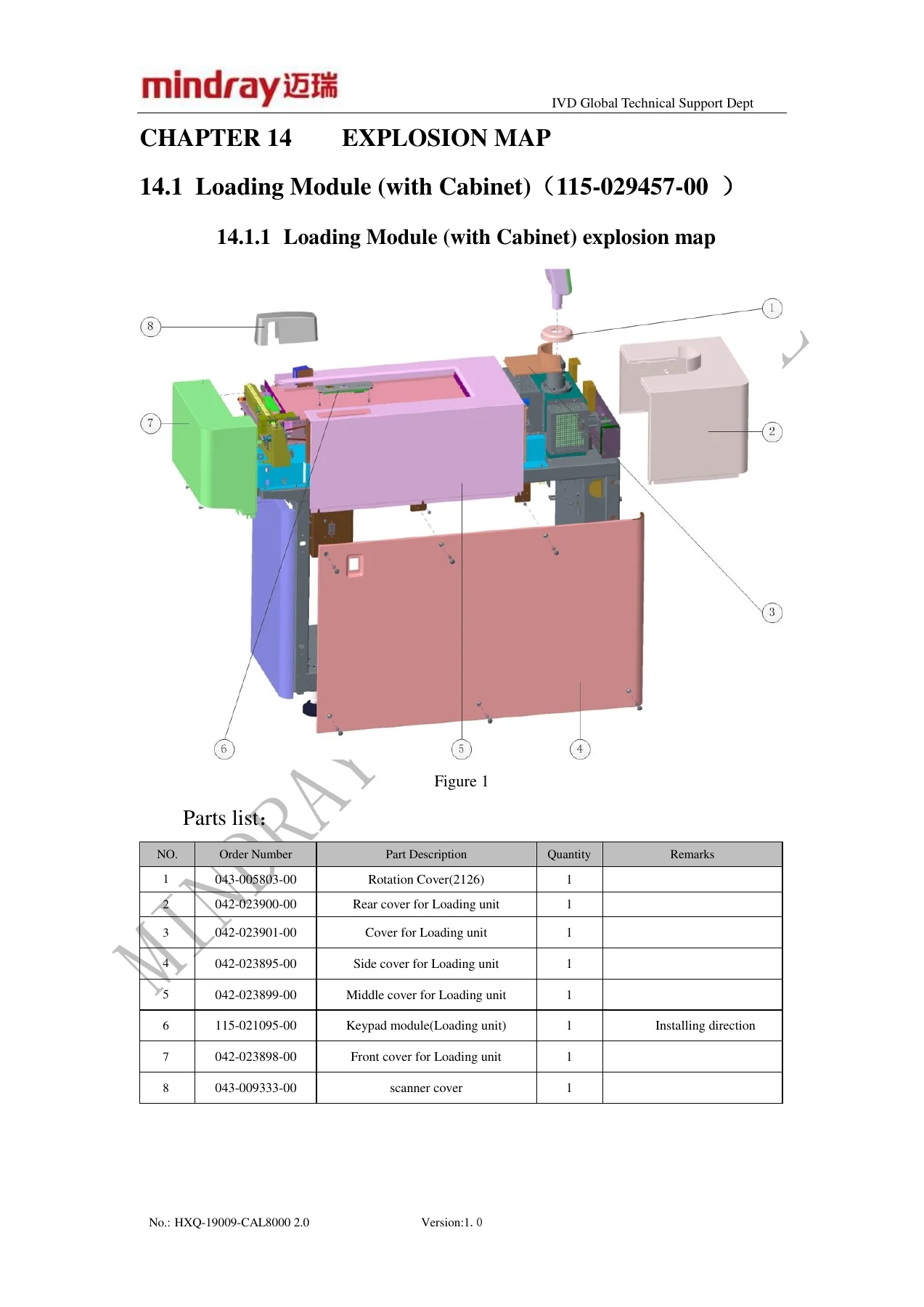
- Chapter 14: Explosion Map – Extensive visual breakdowns of the Loading Module, Analyzer Racktrans, Slide Maker, Unloader, Buffer, Turn Assembly, and Minor/Major Jumpers.
In-Depth System Coverage and Diagnostics
This Mindray CAL 8000 workshop manual goes far beyond basic maintenance. It breaks down the complex architecture of the automated sample processing line, detailing how the pneumatic unit provides pressure and vacuum, how the CAN bus network interconnects the system, and how the CMU schedules tube rack flow. Technicians will find complete pin-out descriptions, test points, and indicator LED explanations for the Main Control Board and Drive Board, making electrical diagnosis straightforward.
For mechanical systems, the manual provides comprehensive breakdowns of the loading unit, unloading assembly, and the various track modules (CRP, Hematology, SM&S, HbA1c). It explains the exact alignment procedures using specialized fixtures, ensuring that track splicing and gripper positioning are perfectly calibrated to prevent tube jams and processing errors.
The troubleshooting chapters are exceptionally thorough. With an extensive error code database, technicians can quickly identify issues ranging from sensor failures and motor errors to LIS data transmission bottlenecks. The text provides step-by-step resolutions, such as how to handle a tube rack stuck on the barcode scanner or how to resolve a track initialization failure.
Installation and Configuration Guide
Setting up a complete automated line is a complex task. This manual guides you through unpacking specific modules, removing transport fixing components, and leveling the tracks. It covers the critical steps of connecting the CAN communication cables, establishing the pneumatic interconnections, and validating the relay delays. Furthermore, it includes detailed instructions for configuring the IP addresses for the analyzers, the main control board, and the PC, as well as setting up the LabXpert server and client software for seamless LIS integration.
Your Ultimate Service and Repair Companion
Having the Mindray CAL 8000 Auto Sample Processing System Service Manual on hand allows biomedical engineers and lab technicians to perform factory-standard repairs, reducing downtime and ensuring patient sample results are delivered accurately and on time. From replacing life-limit parts like air filters and air dryers to conducting deep mechanical alignments and software updates, this manual enables you to safely and effectively manage the entire processing line.
IMAGES PREVIEW
Get immediate access to this vital technical document. Upon checkout, the PDF is instantly available for download with no shipping delays. You can view it on any computer, tablet, or smartphone, and print out specific chapters or exploded views to use directly at the workbench. Save time, avoid costly service delays, and maintain your laboratory automation with confidence.
Reviews
There are no reviews yet.