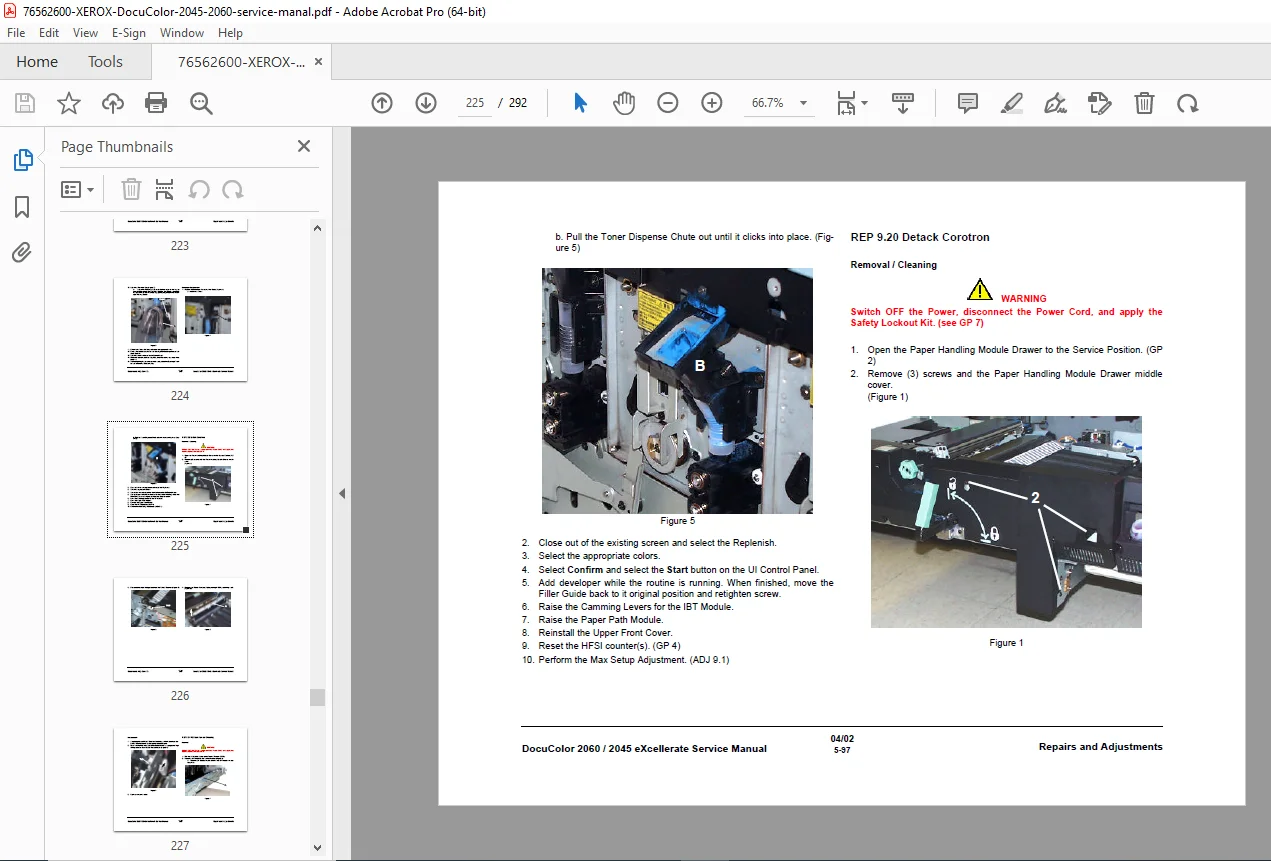
Xerox DocuColor 2060 2045 eXcellerate Service Manual 701P37867 Repair Guide PDF
Original price was: $95.00.$18.95Current price is: $18.95.
Official Xerox eXcellerate service manual for DocuColor 2060 and DocuColor 2045 digital color copiers and printers. This comprehensive 292-page technical manual (document 701P37867, April 2002) covers fault code procedures, output defect troubleshooting, preventive maintenance schedules, repair procedures, component removal/replacement, and general service procedures. Essential for certified service technicians maintaining these professional color production systems.
Description
Xerox DocuColor 2060 2045 eXcellerate Service Manual 701P37867 Repair Guide – PDF DOWNLOAD
DESCRIPTION:
Xerox DocuColor 2060 / 2045 – Complete eXcellerate Service Manual
This is the official factory service manual (Document No. 701P37867, April 2002) published by Xerox Corporation Global Knowledge and Language Services for the DocuColor 2060 and DocuColor 2045 digital color copier/printer systems. This comprehensive technical guide provides certified service technicians with complete fault code procedures, troubleshooting methods, preventive maintenance schedules, repair procedures, and component-level service information for these professional color production systems.
File Details:
- Manual Name: DocuColor 2060 / 2045 eXcellerate Service Manual
- Models Covered: DocuColor 2060, DocuColor 2045
- Document Number: 701P37867
- Publication Date: April 2002
- Publisher: Xerox Corporation, Global Knowledge and Language Services, Webster, NY
- Manual PDF Quality: Excellent – Factory original with detailed diagrams
- Total Pages: 292
IMPORTANT NOTICE:
Intended for Certified Service Personnel Only: This Xerox service documentation is designed for use by certified, product-trained service personnel who have received DocuColor 2060/2045 eXcellerate training. This manual provides information to correct problems or make decisions regarding Customer Support Center contact. Xerox does not warrant completeness and customer service of equipment may void warranties. This documentation does not replace proper technical training.
Prepared by: Xerox Corporation
Global Knowledge and Language Services
780 Salt Road
Webster, N.Y. 14580
Copyright: 2001/2002 Xerox Corporation
All Xerox product names are registered trademarks.
COMPREHENSIVE MANUAL STRUCTURE:
FRONT MATTER:
Introduction:
- About this manual
- How to use the service manual
- When to use each section
- When to call for assistance
- Service strategy overview
Safety Information:
- System Safety – Critical procedures and restrictions
- Chemical Safety – Handling liquid chemicals safely
- Work Area Safety – Maintaining safe service environment
- Laser Safety – CLASS laser product precautions
- Safety Symbols – Warning, Caution, Laser, and Notice definitions
- Safeguard Labels – Laser danger label locations
- Safety Lockout Kit – Mandatory power isolation procedures
Tools and Cleaning Supplies:
- Required Tools:
- Safety Glasses (Part # 600T563)
- Straight Slot Pocket Screwdriver
- 5.5mm Combo Wrench (600T40501)
- Magnetic Pick-up (600T41911)
- Safety Lockout Kit (600T1933)
- Long Magnetic Metric Nut Driver 5.5mm (600T1988)
- Needle Nose Pliers (600T40901)
- #1 Cross Slot Screwdriver (499T356)
- 6mm x 100mm Straight Slot Screwdriver (600T1989)
- 150mm Scale (600T41503)
- Test Pattern (600T40205)
- Kynar Dusting Pouch (82E13120)
- Black Protective Bag (95P2362)
- Cleaning Supplies:
- Oval Cleaning Brush (600T41901)
- Anti Static Fluid – ADF (8R90273)
- Formula “A” Cleaner (43P48) – General purpose
- Cotton Swabs (35P2162) – Sensor cleaning
- Lens and Mirror Cleaner (43P81)
- Optics Cleaning Cloth (499T90417)
- Plastic Gloves (99P3024)
- Cleaning Cloth (600S4372)
- Film Remover (43P45) – Silicone oil/dry ink removal
- Drop Cloth (35P1737)
Glossary: Comprehensive technical terminology including:
- A: A3, A4, ARRF (Active Retard Roll Feeders), ASG (Analog Screen Generator), ADF, ADC, ADH, ALC, etc.
- B: Background defects, Belt (photoreceptor), BPO, BSD, BTR (Bias Transfer Roll), Bypass
- C: CC (Charge corotron), CCD, CMYK color mode, Corotron, CPM, C-POP, CQ
- D: DADF, Developer, DFE (Digital Front End), Drum, Duplex
- E: Edge Erase, EPC Print, ESD, ESV (Electrostatic Voltmeter)
- F: FCOT (First Copy Out Time), Fuser, F-Tra (Feeder Transports)
- G: GFI, GFP, GSM, GP (General Procedure), HFSI
- H: HCF, HCSS, HDD, HVPS (High Voltage Power Supply), H-Tra
- I: IBT (Intermediate Transfer Belt), IIT (Image Input Terminal), IPS, IQ
- K-P: Kynar, LCD, LED, LUT, Machine service log, NVM, Optics, Photoreceptor
- R-Z: ROS (Raster Output Scanner), UI (User Interface), and more
DocuColor 2060/2045 Service Log Sheet:
- Service call tracking
- Problem documentation
- Solution recording
- Parts used logging
SECTION 1: HOW TO USE THIS MANUAL
Manual Navigation:
- Understanding when to use this manual
- Types of problems you can solve
- When to call Customer Support Center
- Service strategy for DocuColor 2060/2045
Problem Categories:
- Fault codes displayed on User Interface
- Output defects (image quality issues)
- Preventive maintenance requirements
- Component failures requiring repair
Service Flow:
- Initial Action – First diagnostic step
- Call Flow Chart – Systematic approach
- Final Actions – Verification procedures
- When to escalate – Calling for assistance
Manual Sections Overview:
- Section 1: How to Use This Manual
- Section 2: Fault Code Procedures
- Section 3: Output Defect Procedures
- Section 4: Preventive Maintenance
- Section 5: Repair Procedures
- Section 6: General Procedures
RAP – Repair Analysis Procedure:
- Systematic fault diagnosis
- Troubleshooting methodology
- Decision trees
REP – Repair:
- Component replacement procedures
- Adjustment procedures
- Verification testing
SECTION 2: FAULT CODE PROCEDURES
Status Fault Codes: Complete fault code reference table with:
- Column 1: Fault code numbers
- Column 2: Fault descriptions
- Column 3: Probable causes
- Column 4: Corrective actions
Fault Code Categories:
- Paper Feed Faults – Tray, ARRF, transport issues
- Image Quality Faults – ROS, developer, transfer problems
- Fuser Faults – Temperature, nip, web issues
- Scanner Faults – IIT, CCD, lamp problems
- System Faults – Controller, memory, communication errors
- Mechanical Faults – Motors, clutches, sensors
- Electrical Faults – HVPS, LVPS, power issues
Fault Code Procedures Include:
- Symptom identification
- Systematic diagnostic steps arranged by probability
- Test procedures
- Measurement specifications
- Component testing
- Replacement procedures
- Adjustment requirements
- Verification steps
- When to call for assistance
Service Notes:
- Always follow repair procedures exactly
- Switch machine power properly
- Use Safety Lockout Kit when required
- Record all service activities
- Verify repairs before returning to service
SECTION 3: OUTPUT DEFECT PROCEDURES
Image Quality Troubleshooting:
Defect Categories with Illustrations:
Black Copy Defects:
- Entire image area black
- Diagnostic procedures
- ROS, developer, transfer checks
Blank Copy:
- No image on paper
- Exposure, developer, transfer diagnosis
- Component testing
Background Issues:
- Excessive background toner
- Non-image area contamination
- Cleaning and adjustment procedures
Light Copy:
- Faded or weak images
- Developer concentration checks
- HVPS voltage verification
- ROS power measurement
Dark Copy:
- Overly dark images
- Density control adjustment
- Developer housing service
Spots and Defects:
- Random spots
- Repetitive defects
- Streaks and lines
- Void areas
Registration Problems:
- Side-to-side misregistration
- Leading edge issues
- Skew problems
- RC Patch alignment
Color Quality Issues:
- Color balance problems
- Color mixing errors
- Incorrect color reproduction
- Color-to-color registration
Transfer Defects:
- Incomplete transfer
- IBT Belt contamination
- BTR (Bias Transfer Roll) problems
- PTC (Pretransfer Corotron) issues
Fuser Defects:
- Poor fusing
- Offset problems
- Wrinkled copies
- Gloss variations
Each Defect Procedure Includes:
- Visual identification aids
- Symptom descriptions
- Possible causes ranked by probability
- Step-by-step diagnostic procedures
- Test patterns and procedures
- Cleaning requirements
- Component replacement if needed
- Adjustment procedures
- Verification testing
SECTION 4: PREVENTIVE MAINTENANCE
Scheduled Maintenance Program:
HFSI – High Frequency Service Items:
- Component replacement intervals based on copy volume
- Cleaning schedules
- Adjustment verification
- Consumables tracking
Daily/Weekly Maintenance:
- Visual inspections
- Basic cleaning procedures
- Paper path checks
- Control panel verification
Periodic Maintenance Tasks:
- External Cleaning:
- Machine covers and surfaces
- Document glass
- Control panel
- Paper trays
- Internal Cleaning:
- IBT Belt cleaning procedures
- Drum cleaning
- Developer housing maintenance
- Transfer roll cleaning
- Fuser cleaning
- Paper path cleaning
- Sensor cleaning
Component Service Intervals:
- Photoreceptor Drums – Replacement cycle
- Developer Units – Replenishment and replacement
- IBT Belt – Cleaning and replacement
- Fuser Components – Roll, belt, and web replacement
- Transfer Components – BTR, PTC service
- Paper Feed Components – Rollers, pads, separators
- Filters – Ozone filter, cooling fan filters
Lubrication:
- Kynar application to IBT Belt
- Gear lubrication
- Bearing maintenance
Adjustments:
- Color registration adjustment
- Density control calibration
- Paper feed timing
- Fuser temperature settings
Consumables Management:
- Toner (CMYK) level monitoring
- Waste toner container service
- Developer material replenishment
- Cleaning supplies inventory
Preventive Maintenance Documentation:
- Service log completion
- Meter readings
- Component replacement tracking
- HFSI item scheduling
SECTION 5: REPAIR PROCEDURES
Complete Parts Lists with Part Numbers:
- Main machine assemblies
- Sub-assemblies and modules
- Individual components
- Hardware and fasteners
- Electrical components
- Sensors and switches
Removal and Replacement Procedures:
Image Input Terminal (IIT):
- Document handler removal
- Platen glass access
- Scanner assembly removal
- CCD sensor service
- Exposure lamp replacement
- Mirror and lens cleaning/replacement
- Cable routing and connection
Image Processing System (IPS):
- Controller board access
- PWB (Printed Wiring Board) replacement
- Hard Disk Drive service
- Memory module replacement
- Connector service
Image Output Terminal (IOT):
- ROS Units (CMYK):
- Laser diode replacement
- Polygon mirror service
- F-theta lens cleaning
- Mirror replacement
- Beam detect sensor service
- Photoreceptor Drums:
- Drum cartridge removal
- Installation procedures
- Grounding verification
- Developer Housings:
- Housing removal
- Developer replacement
- Auger and paddle service
- Magnetic roller cleaning
- Doctor blade adjustment
- IBT Belt Assembly:
- Belt removal and installation
- BTR (Bias Transfer Roll) replacement
- Backup rolls service
- Belt cleaning procedures
- Belt tracking adjustment
Paper Path Components:
- Feed Modules:
- ARRF (Active Retard Roll Feeder) service
- Feed roll replacement
- Retard roller replacement
- Separation pad replacement
- Pick mechanism service
- Transport Assemblies:
- Registration module
- Horizontal transport
- Junction transport
- Feeder transport
- Invert transport (duplex)
- Exit transport
- Paper Trays:
- Tray removal and installation
- Lift mechanism service
- Size detection switches
- Paper guides and adjustments
Fuser Module:
- Complete fuser assembly removal
- Fuser roll replacement
- Pressure roll replacement
- Heating elements
- Temperature sensors
- Fuser web system
- Exit rollers
- Fuser drive train
High Voltage Power Supply (HVPS):
- HVPS board replacement
- Corona assembly service
- High voltage cables
- Safety interlocks
- Voltage measurement procedures
Low Voltage Power Supply (LVPS):
- LVPS board access and replacement
- Power distribution
- Fan assemblies
- Cooling system service
Motors and Drive Systems:
- Main motor
- ROS motors
- Feed motors
- Transport motors
- Fan motors
- Motor replacement procedures
- Belt and gear replacement
Sensors and Switches:
- Paper presence sensors
- Registration sensors
- Density sensors
- Temperature sensors
- Interlock switches
- Sensor adjustment procedures
Each Repair Procedure Includes:
- Safety warnings and cautions
- Required tools list
- Part numbers
- Step-by-step removal instructions
- Installation procedures
- Adjustment requirements
- Cable routing diagrams
- Connector identification
- Torque specifications
- Verification testing
- Return to service procedures
SECTION 6: GENERAL PROCEDURES
Support Procedures:
Diagnostic Modes:
- Service mode access
- Test print patterns
- Self-diagnostic routines
- Sensor testing
- Motor testing
- ROS beam detection
Adjustment Procedures:
- Color Registration:
- RC Patch generation
- Registration Control procedure
- Writing angle adjustment
- Process control
- Density Control:
- ADC (Automatic Density Control)
- CPOP (Color Patch on Paper)
- ITRACs calibration
- Density patch readings
- Paper Feed Adjustments:
- Registration timing
- Feed roll pressure
- Skew correction
- Exit guide positioning
- Transfer Adjustments:
- BTR pressure settings
- Transfer voltage optimization
- IBT Belt tracking
Cleaning Procedures:
- Corona Cleaning:
- Grid cleaning procedures
- Wire cleaning techniques
- Shield maintenance
- Optical Component Cleaning:
- Mirror cleaning with Lens and Mirror Cleaner
- Lens cleaning procedures
- Scanner glass cleaning
- Preventing scratches and residue
- Belt and Roller Cleaning:
- IBT Belt cleaning with approved materials
- Transfer roll cleaning
- Feed roll cleaning
- Fuser roll cleaning
Safety Procedures:
- Safety Lockout Kit Installation:
- Power cord disconnection
- Lockout device attachment
- Multiple power cord considerations
- Tag-out procedures
- Chemical Handling:
- Proper use of cleaning solvents
- Storage requirements
- Disposal procedures
- Personal protective equipment
Verification Procedures:
- Print quality verification
- Color balance checking
- Registration verification
- Paper feed testing
- Duplex operation testing
Documentation Procedures:
- Service log completion
- Error code recording
- Parts usage tracking
- Customer communication
Special Handling:
- ESD (Electrostatic Discharge) precautions for electronic components
- Photoreceptor drum handling (light sensitivity)
- Toner handling and disposal
- Chemical safety protocols
KEY FEATURES OF DOCUCOLOR 2060/2045:
Digital Color Production: ✓ Professional color output – High-quality color printing and copying
✓ Multiple color modes – CMYK process color
✓ Variable data capability – Digital workflow
✓ Network connectivity – DFE (Digital Front End) integration
✓ Mixed media handling – Various paper weights and sizes
✓ Duplex printing – Automatic two-sided output
Advanced Technology: ✓ ROS Technology – Raster Output Scanner (laser) imaging
✓ IBT System – Intermediate Transfer Belt for excellent registration
✓ IIT Scanner – CCD-based Image Input Terminal
✓ IPS Processing – Advanced color correction
✓ ADC System – Automatic Density Control
✓ Registration Control – RC Patch precision alignment
Production Features: ✓ High volume capability – Production environment design
✓ Multiple paper trays – ARRF paper feeding
✓ High capacity feeding – HCF options
✓ Finishing options – HCSS (High Capacity Stacker/Stapler)
✓ Bypass feeding – Special media handling
✓ Auditron/Autometer – Usage tracking and control
Who Needs This Manual:
✓ Certified Xerox Service Technicians maintaining DocuColor systems
✓ Authorized Service Centers providing Xerox equipment service
✓ In-House Print Shop Technicians with eXcellerate training
✓ Corporate Imaging Department Staff managing color production
✓ Print Production Facilities operating DocuColor equipment
✓ Service Training Centers educating copier/printer technicians
✓ Field Service Engineers supporting digital color systems
✓ Technical Support Personnel providing remote assistance
✓ Parts Specialists identifying correct replacement components
✓ Fleet Maintenance Teams managing multiple DocuColor units
What Makes This Manual Essential:
- Official Xerox factory documentation – Authorized eXcellerate training support
- Dual model coverage – DocuColor 2060 and 2045
- 292 comprehensive pages – Complete technical information
- Six major sections – Organized for efficient troubleshooting
- Fault code reference – Complete error code tables
- Output defect procedures – Visual identification and correction
- Preventive maintenance schedules – HFSI tracking and procedures
- Complete repair procedures – Component removal/replacement with part numbers
- Detailed parts lists – Correct part number identification
- Safety compliance – Chemical, laser, and electrical safety
- Tool and supply requirements – Specific Xerox-approved items
Critical Service Information:
Safety Requirements:
- Safety Lockout Kit mandatory (600T1933)
- Plastic gloves for chemical handling
- Safety glasses required
- Proper chemical storage and disposal
- Laser safety compliance
- Electrical safety protocols
Chemical Safety:
- Formula “A” Cleaner (43P48) – General cleaning
- Lens and Mirror Cleaner (43P81) – Optics only
- Film Remover (43P45) – Silicone oil removal
- Anti Static Fluid (8R90273)
- Never mix chemicals
- Store in ventilated metal cabinets
- Never use on hot components
Xerox-Approved Supplies Only:
- Using non-Xerox supplies can damage equipment
- Void warranty if unauthorized supplies used
- Order supplies: 1-800-822-5881 (small quantities)
- Large quantities: 1-800-822-2200
- Safety information: 1-800-828-6571
Training Requirements:
- Manual intended for eXcellerate-trained personnel
- Never attempt untrained procedures
- Never teach procedures without authorization
- Call Customer Support for complex issues
Comprehensive Technical Coverage:
Xerographic Process:
- Charging (CC – Charge corotron)
- Exposure (ROS laser writing)
- Development (CMYK process)
- Transfer (IBT to paper via BTR/PTC)
- Fusing (heat and pressure)
- Cleaning (residual toner removal)
Color Management:
- Four-color process (CMYK)
- Color correction algorithms
- Registration control system
- Density control (ADC, CPOP, ITRACs)
- Color-to-color alignment
- Color balance optimization
Paper Handling:
- ARRF (Active Retard Roll Feeders)
- Multiple tray configuration
- Bypass for special media
- Duplex module operation
- Paper path sensors
- Jam clearance procedures
Control Systems:
- User Interface (UI) operation
- Diagnostic programs
- Service modes
- Error logging
- System self-diagnostics
- Controller board architecture
Troubleshooting Expertise:
Systematic Approach:
- Initial problem identification
- Fault code interpretation
- Visual defect analysis
- Probable cause determination
- Step-by-step testing
- Component isolation
- Verification procedures
Common Issues Addressed:
- Paper feed jams
- Image quality defects
- Color registration errors
- Fuser problems
- Scanner malfunctions
- Transfer issues
- Developer problems
- ROS beam failures
- HVPS/LVPS faults
Advanced Diagnostics:
- Service mode test patterns
- Voltage measurements
- Sensor verification
- Motor operation testing
- ROS beam detection
- Transfer efficiency
- Fuser temperature monitoring
Professional Xerox digital color system service resource! This official DocuColor 2060/2045 eXcellerate service manual is absolutely essential for certified service technicians maintaining these high-volume color production systems. Download instantly and access complete fault code procedures, output defect troubleshooting with visual references, comprehensive preventive maintenance schedules, detailed repair procedures with part numbers, and systematic diagnostic methods. Service with confidence using official Xerox procedures, approved tools and chemicals, and safety-compliant methods for maintaining professional color copier/printer systems in production environments!
Pricing Rationale:
- Official Xerox factory service manual (292 pages)
- Covers professional production-level color systems
- Dual model coverage (DocuColor 2060 and 2045)
- eXcellerate training support documentation
- Six comprehensive sections with detailed procedures
- Complete fault code and output defect reference
- Detailed parts lists with Xerox part numbers
- Target audience: certified service technicians, authorized service centers
- Critical for production environment maintenance
- High-value commercial equipment service pricing
- Essential for minimizing costly downtime