
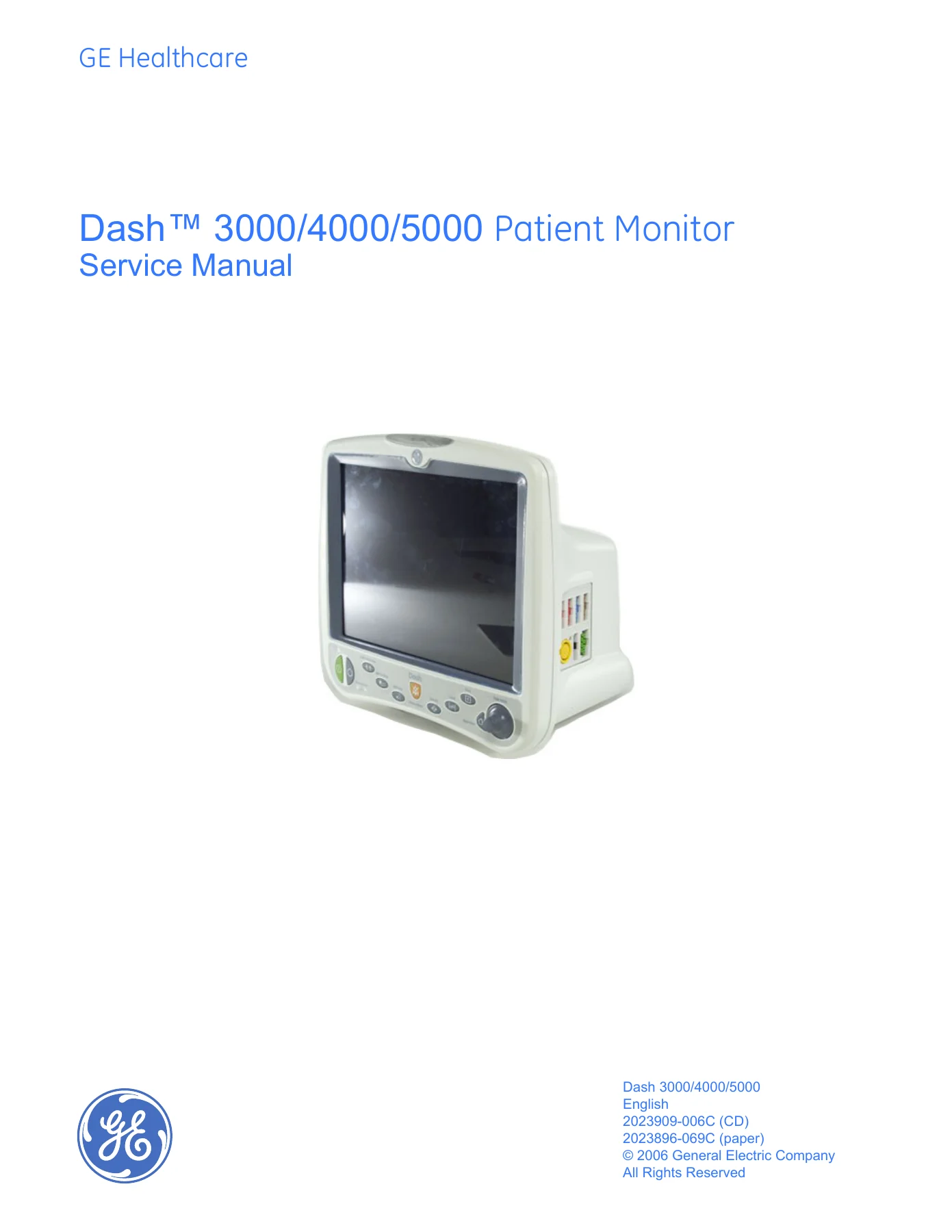
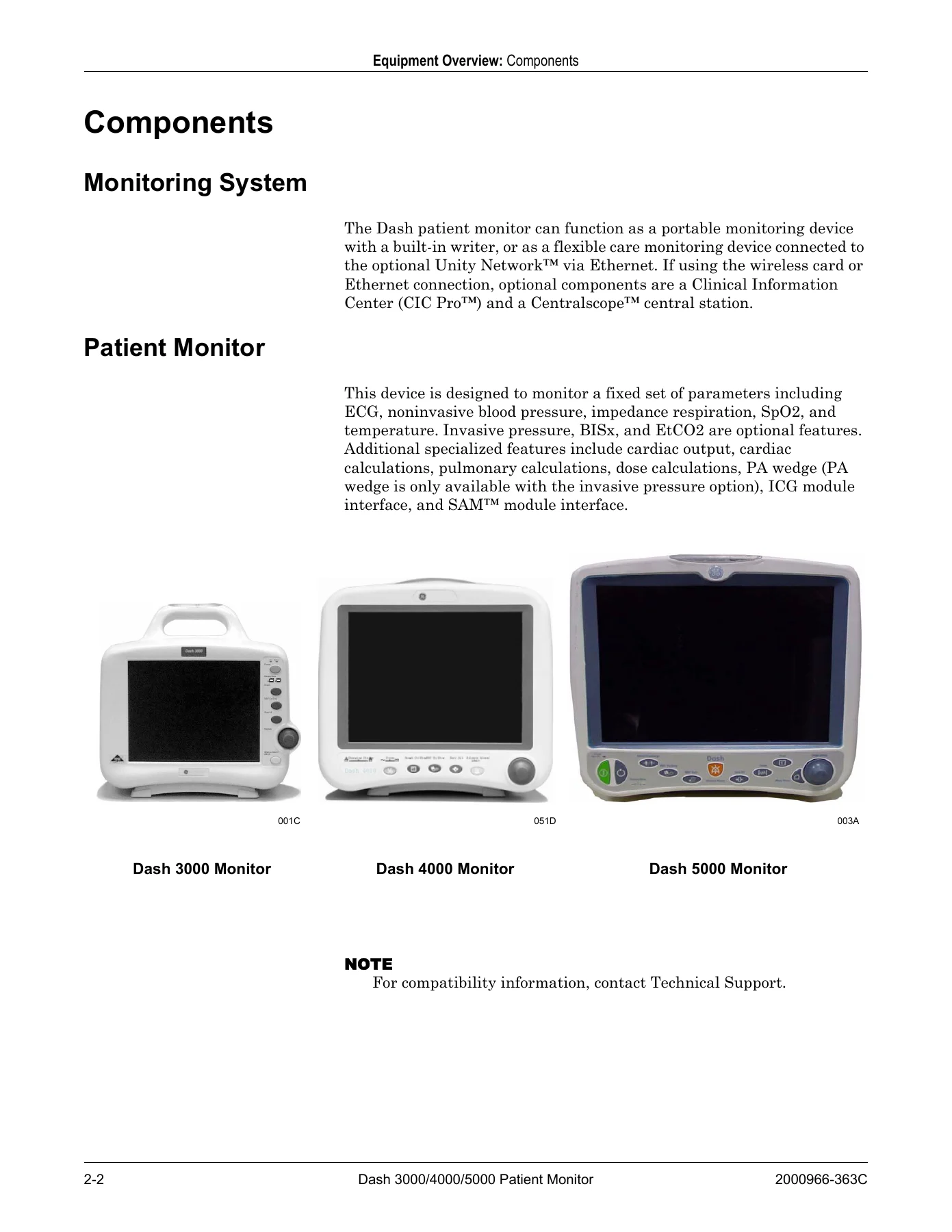
GE Dash 3000 4000 5000 Patient Monitor Service Manual – PDF
Original price was: $39.95.$24.95Current price is: $24.95.
PDF service manual for GE Dash 3000, Dash 4000, and Dash 5000 patient monitors, covering installation, configuration, maintenance, troubleshooting, field replacement, checkout, and specifications.
Description
GE Dash 3000 4000 5000 Patient Monitor Service Manual – PDF
This GE Dash 3000 4000 5000 Patient Monitor Service Manual – PDF provides technical information for service representatives and technical personnel maintaining the Dash 3000, Dash 4000, and Dash 5000 patient monitors to the assembly level. The document covers installation, configuration, maintenance, troubleshooting, field replaceable units, checkout procedures, electrical safety tests, technical specifications, and electromagnetic compatibility guidance. It is a 268-page PDF service manual identified by document number 2000966-363C.
The manual states that its information applies to Dash 3000/4000 patient monitors with software versions 5.4 and Dash 3000/4000/5000 patient monitors with software versions 6 or later. It does not apply to earlier software versions. This applicability note matters when matching the manual to a specific monitor before using service menus, configuration steps, or checkout procedures.
File Details
- Manual type: Service Manual
- Brand: GE Medical Systems Information Technologies
- Models: Dash 3000, Dash 4000, Dash 5000 Patient Monitors
- Language: English
- Page count: 268 pages
- File format: PDF
- Document number: 2000966-363C
- Revision: C
Chapters Covered
- 1 Introduction: Manual Information; Revision History; Manual Purpose; Intended Audience; Ordering Manuals; Safety Information; Responsibility of the Manufacturer; Warnings, Cautions, and Notes; Equipment Symbols; Service Information; Service Requirements; Equipment Identification
- 2 Equipment Overview: Components; Monitoring System; Patient Monitor; Controls and Indicators; Exchangeable/Compatible Battery Packs; Optional Components; Optional Remote Control; Software Packages and Software Options; Ethernet Communication; Network Terms; Theory of Operation; Power Supply; Data Acquisition System; Processor/Power Management Subsystem; Lithium-Ion Battery Power; Speaker; Handle Subassembly; Interfaces; Storage and Backup; Optional Thermal Printer
- 3 Installation: Installation Overview; Before You Begin; Connections; Back Panel Connections; Power Up; Configure
- 4 Configuration: Before You Begin; Service Menus; Boot Loader Service Menu; Main Menu Service Mode; Procedures; Set Print Locations; Service Mode Settings; Set Unit Name; Set Bed Number; Patient-Monitor Type; Admit Menu; Confirm/Configure Wireless LAN; Set Defib Sync Voltage and Pulse Width; Set Line Frequency; Set CIC and QS Protocol; Set MUSE System Protocol; Transcutaneous Pace Blank Length; Set Country Selection; Set Language; Enable/Disable AFIB Identification; Enable/Disable IntelliRate; Analog Out Buzz; Completion; Advanced User Procedures; Set Time and Date; Transfer Monitor Defaults
- 5 Maintenance: Maintenance Schedule; Visual Inspection; Cleaning; Precautions; Clean the Display; Clean the Exterior; Clean the Print Head; Battery Maintenance; How to Charge the Battery; How to Condition the Battery; How to Store the Battery; How to Wake Up the Battery; How to Replace the Batteries; Rechargeable Battery Recycling; About the Cadex SMart Two+ Charger; Clear the Stored Patient Data Memory
- 6 Troubleshooting: Fault Analysis; Overview; Required Tools/Equipment; Problems; Acquisition PCB Symptoms; Processor PCB Symptoms; Error Messages; Battery Alarms and Messages; Writer/Printer; External; Internal; No Waveform at Central Station; Monitor Defaults Transfer; Change Internet Address; Review Errors; View Output/Input Errors; Useful Error Data; Get Error Logs; Wireless LAN
- 7 Field Replaceable Units: Ordering Parts; Parts; Disassembly Guidelines; Tools Required; Before Disassembly; Hardware Precautions; Electrostatic Discharge Precautions; Remove/Replace Handle Assembly; Remove/Replace Display Assembly; Replace Display Flex Assembly; Replace Display Assembly Parts; Open Display Assembly; Replace Dash 4000/5000 Alarm Light; Replace Display Inverter; Replace Key Pad Assembly or Trim Knob Control; Replace Display Assembly Without LCD; Replace Main Unit Parts; Replace DAS Assembly; Replace Wireless Card; Replace NBP Pump Assembly; Replace Writer Assembly/Writer Flex; Replace Speaker Assembly; Replace CPU/Battery Housing Assembly; Replace Power Supply Assembly; Replace Battery Door; Replace Foot; Replace Writer Cover; Recommended Checkout
- 8 Checkout: Overview; Manufacturer Recommendations; Frequency; Test Equipment; Maintenance and Checkout Checklist; Electrical Safety Tests; Power Outlet Test; Power Cord and Plug; Ground Integrity; Ground Wire Leakage Current Tests; Enclosure Leakage Current Test; Patient Source Leakage Current Test; Patient Sink Leakage Current Test; BISx Current Leakage Tests; Checkout Procedures; ECG Tests; Respiration Tests; Temperature Tests; Cardiac Output Tests; Invasive Blood Pressure Tests; Pulse Oximetry Tests; Noninvasive Blood Pressure Tests; NBP Calibration; Analog Output and Defibrillator Synchronization Tests; End-tidal CO2 Test; Battery Tests; Graph/Print Tests; Display Test; Speaker Test; Network Test; Remote Control Test; BISx Test; Wireless LAN Test; Dash Port Docking Station Test; RAC 2A Module Housing Peripheral Device Test; Data Acquisition Tests; Repair Log
- Appendix A: Technical Specifications
- Appendix B: Electromagnetic Compatibility (EMC)
Across these chapters, the manual supports assembly-level service work rather than general operation. It explains how the monitor is put together, how service menus and boot loader settings are accessed, how batteries and wireless LAN settings are managed, how faults and error logs are reviewed, and how field replaceable assemblies are removed and replaced. The checkout portion is especially detailed, with electrical safety tests and procedure-based verification for ECG, respiration, temperature, cardiac output, invasive pressure, pulse oximetry, noninvasive blood pressure, analog output, defibrillator synchronization, batteries, display, speaker, network, wireless LAN, and optional modules.
Service and Repair Coverage
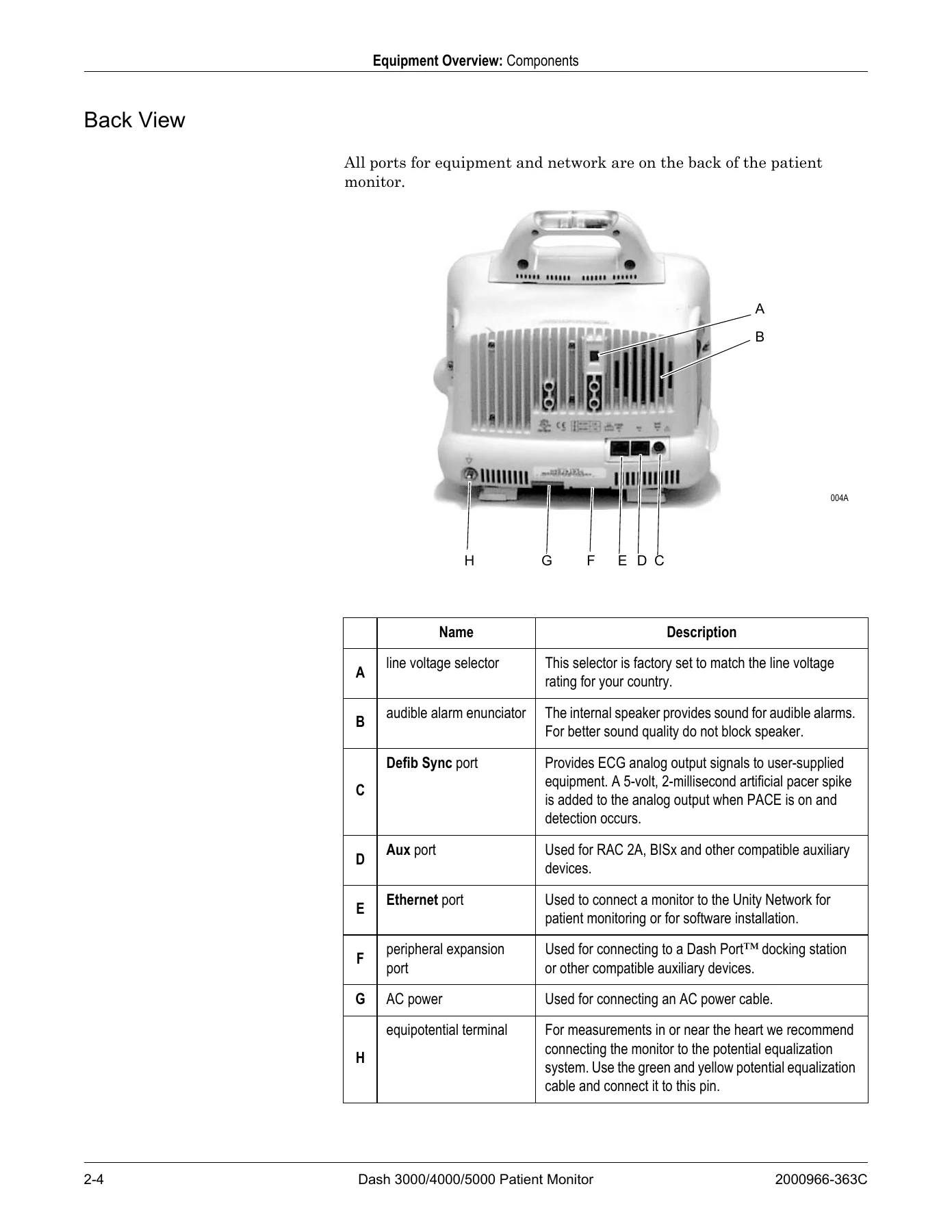
For technicians working on Dash series monitors, the manual documents both the practical and procedural sides of service. The troubleshooting chapter lists symptoms and solutions for power, alarm audio, waveform display, optional writer output, wireless connection, alarm light, defib sync, video display, network connector, remote control, and Masimo SET or Nellcor SPO2 issues. It also explains how to distinguish acquisition PCB symptoms from processor PCB symptoms, which helps direct repairs toward the correct assembly rather than replacing parts without evidence.
The field replaceable units chapter provides disassembly guidelines, tool requirements, hardware precautions, ESD precautions, and step-by-step removal and replacement for major assemblies. Covered replacements include the handle assembly, display assembly, display flex, alarm light, display inverter, keypad and Trim Knob control, DAS assembly, wireless card, NBP pump, writer assembly and writer flex, speaker, CPU/battery housing, power supply, battery door, foot, and writer cover. A recommended checkout table follows the replacement procedures so the correct safety tests and functional checks can be selected after service.
Configuration and Maintenance
The configuration material covers service mode and boot loader service menu access, unit name and bed number settings, patient-monitor type, admit menu behavior, wireless LAN configuration, defib sync voltage and pulse width, line frequency, CIC and QS protocol, MUSE system protocol, country selection, language, AFIB identification, IntelliRate, analog out buzz, time and date, and monitor defaults transfer. These settings are tied to network communication, monitoring behavior, and service-level setup, so the manual gives technicians the sequence and menu paths needed to make changes without relying on guesswork.
Maintenance content includes visual inspection, cleaning precautions, display and exterior cleaning, print head cleaning, battery charging and conditioning, battery storage, waking a sleeping battery, battery replacement, recycling, and clearing stored patient data memory. The battery section explains the difference between charging inside the monitor and using the Cadex SMart Two+ charger, and it identifies messages and conditions that may require battery service or replacement.
Who This Manual Supports
This PDF is intended for service representatives and technical personnel who maintain, troubleshoot, or repair the equipment. It is not an operator manual and does not replace the instructions needed to operate the monitor safely. Its content is aimed at readers who need to work with service menus, electrical safety tests, checkout procedures, error logs, and field replaceable units at the assembly level.
The manual also includes technical specifications for performance, ECG, invasive blood pressure, noninvasive blood pressure, bispectral index, pulse oximetry modules, cardiac output, respiration, temperature, carbon dioxide, analog output, defibrillator synchronization pulse, battery, paper recorder, wireless LAN, environmental conditions, physical dimensions, and certification information. These specifications help verify expected behavior and compare readings during checkout or troubleshooting.
Get the GE Dash 3000 4000 5000 Patient Monitor Service Manual – PDF
With this GE Dash 3000 4000 5000 Patient Monitor Service Manual – PDF, service personnel can follow documented procedures for installation, configuration, maintenance, troubleshooting, electrical safety testing, checkout, and assembly replacement on Dash 3000, Dash 4000, and Dash 5000 patient monitors. Having the correct procedures and specifications on hand supports safer, more consistent service work and helps avoid guesswork when diagnosing faults or replacing field replaceable units.
IMAGES PREVIEW
The manual is delivered as an instant PDF download after payment. There is no shipping and no waiting for a physical book. The file can be viewed on a computer, tablet, or smartphone and can be printed for use in the service area, making it practical to keep the relevant checkout or replacement procedure open while working on the monitor.


Reviews
There are no reviews yet.